1. Why Should You Choose a Baby Monitor App Over Traditional Hardware?
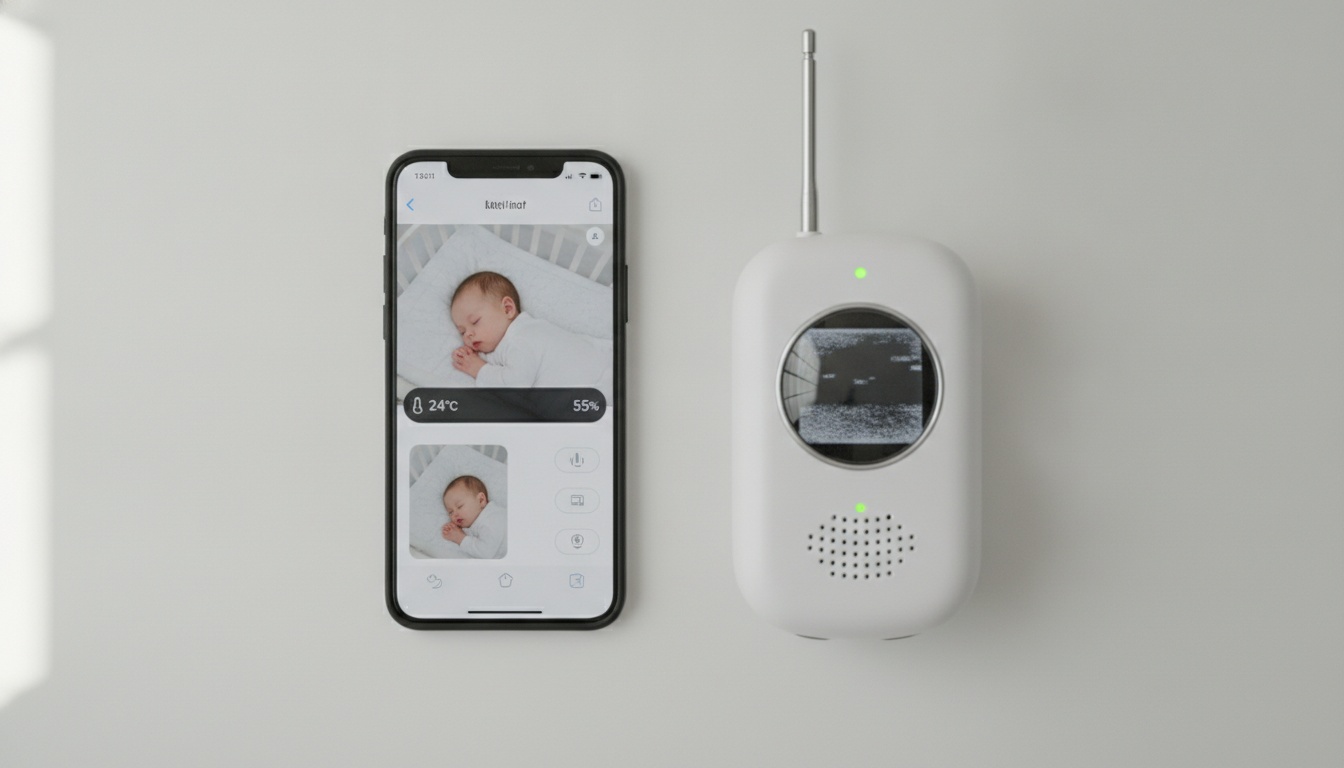
Traditional baby monitors often lock you into proprietary ecosystems that typically cost $200-400 upfront. Apps transform devices you already own into sophisticated monitoring systems, eliminating hardware investment while delivering comparable features.
The financial math is compelling. A quality dedicated monitor like the Nanit Pro often runs $200-400, frequently with additional monthly fees for cloud features. Baby monitor apps generally cost less annually with no hardware investment required.
Cost Savings and Portability
Beyond cost savings, portability matters equally. Packing a bulky monitor base station and camera for every trip gets old fast. Your iPhone or Android device travels anyway — the app just tags along.
Device utilization makes even more sense for families with multiple children. That old iPhone 11 gathering dust becomes a dedicated nursery camera. Your current phone handles parent monitoring duties. Two-device setup complete.
Feature parity surprised us most. Modern apps deliver two-way audio, night vision, motion detection, and real-time video streaming that rivals dedicated hardware. Some exceed traditional monitors with smart home integration and advanced analytics.
What Are the Setup Requirements and Compatibility Needs?
iOS devices typically need iPhone 8 or newer for reliable performance. Android devices generally require recent versions with adequate RAM. Older devices may struggle with continuous video streaming and drain batteries faster.
Cross-platform compatibility varies dramatically. Some apps work across iPhone and Android devices while others require matching operating systems — iPhone to iPad works, iPhone to Samsung may not.
2. The 7 Apps That Actually Deliver: Side-by-Side Feature Comparison
To help you decide, we've tested the top options and compared their features below. Let's examine each app in detail, starting with the market leader.
| App | Price | Night Vision | Cross-Platform | Sleep Tracking | Battery Life | Best For |
|---|---|---|---|---|---|---|
| Bibino | Varies | Available | Multi-platform | Available | Varies | Multi-device families |
| Annie Baby Monitor | Varies | Available | Platform-dependent | Available | Varies | Sleep pattern analysis |
| BabyCam | Free/Premium | Basic | Limited | Limited | Extended | Simple monitoring |
| Baby Monitor 3G | Varies | Available | Multi-platform | Limited | Varies | Travel/cellular backup |
| Cloud Baby Monitor | Varies | Available | Multi-platform | Basic | Varies | Cloud storage needs |
| Dormi | Varies | Audio-only | Multi-platform | Limited | Extended | Audio-first approach |
| Alfred Camera | Free/Premium | Basic | Multi-platform | Limited | Variable | Repurposing old devices |
Bibino: The Complete Package
Bibino offers comprehensive monitoring features with audio and video transmission over WiFi and cellular connections. The app includes night vision capabilities that adjust to lighting conditions.
Multi-platform support makes Bibino versatile across different device types. The app connects multiple monitoring points from one parent device, which can be helpful for families with multiple children.
The app includes logging features for tracking monitoring sessions. Motion detection capabilities send notifications when movement is detected, and the app includes built-in audio options like lullabies and white noise.
Annie Baby Monitor: Feature-Rich Alternative
Annie Baby Monitor provides video and audio monitoring with sound detection alerts. The app includes night vision functionality for low light conditions.
The baby diary feature allows parents to log feeding times, diaper changes, sleep patterns, and daily milestones within the monitoring app.
Sleep tracking analytics provide insights through reports that help parents understand their baby's rest patterns and daily routines.
The app supports multiple parent devices connecting to the same monitoring station and includes battery status notifications.
BabyCam: Simplicity Focused
BabyCam emphasizes ease of use over advanced features, making it suitable for parents wanting straightforward monitoring without complexity. The interface focuses on battery optimization, potentially extending monitoring sessions on older devices.
Baby Monitor 3G: Reliable Performer
Baby Monitor 3G supports cellular connections as a backup when WiFi is unavailable, helping maintain connections across different network types. The app includes customizable sound alerts and adaptive video streaming quality based on available bandwidth.
Cloud Baby Monitor: Storage Focused
Cloud Baby Monitor typically emphasizes recording and cloud storage capabilities. The app may process data through external servers, which could be a consideration for families prioritizing data privacy.
Dormi: Audio-First Approach
Dormi focuses primarily on audio monitoring with minimal video features, which can help conserve battery life and reduce bandwidth requirements. The app provides two-way audio communication capabilities.
Alfred Camera: Repurposing Specialist
Alfred Camera can transform old smartphones into security cameras that may function as baby monitors. The app offers both free and premium tiers with different feature sets.
3. How Much Do Baby Monitor Apps Cost?
Most baby monitor apps offer free trials before requiring payment. Premium subscriptions vary widely in cost, with monthly options typically available at higher long-term cost. Many apps follow freemium models with basic features free and advanced features requiring payment.
| App | Free Tier | Annual Cost | Best For |
|---|---|---|---|
| Bibino | Available | Varies | Multi-platform families |
| Annie Baby Monitor | Limited features | Varies | Sleep tracking needs |
| BabyCam | Basic video/audio | Premium varies | Simple monitoring |
| Baby Monitor 3G | Trial available | Varies | Travel/cellular backup |
| Cloud Baby Monitor | Limited storage | Varies | Cloud storage priority |
| Dormi | Audio trial | Varies | Battery-conscious parents |
| Alfred Camera | Basic security features | Premium varies | Device repurposing |
Hidden fees rarely appear with established apps. Watch for data usage charges if monitoring over cellular connections frequently — video streaming can consume significant bandwidth continuously.
4. How Do Baby Monitor Apps Protect Your Family's Privacy and Security?
Baby monitor apps vary dramatically in privacy practices. Some apps process video locally on devices while others store data externally. Look for apps with clear encryption policies and avoid those requesting excessive permissions beyond monitoring needs.
Data encryption standards vary dramatically. Look for apps mentioning end-to-end encryption in their privacy documentation. Avoid apps that don't clearly explain their security measures.
Permission requests tell the story. Baby monitor apps legitimately need camera, microphone, and network access. Red flags include location tracking, contact access, or SMS permissions.
These privacy concerns extend globally. GDPR compliance matters even for US families. European privacy regulations force stricter data handling practices that benefit all users.
Local network monitoring offers the highest security. Apps that keep all data within your home WiFi network eliminate most privacy risks.
Red Flags to Avoid
Apps requesting excessive permissions beyond monitoring needs signal poor security practices. Social media integration features often mean unnecessary data sharing.
Poor customer support responses about security questions indicate companies that don't prioritize privacy. Legitimate apps provide clear answers about encryption and data storage.
5. What Essential Features Should a Great Baby Monitor App Have?
Great baby monitor apps require excellent two-way audio quality, night vision capabilities, customizable motion detection sensitivity, and stable video streaming. Battery optimization is critical for overnight monitoring. Test speaker volume, microphone sensitivity, and notification delivery before committing to overnight use.
Night vision performance varies between apps. Quality systems adjust to lighting conditions effectively.
Motion detection sensitivity requires fine-tuning. Too sensitive creates false alarms; too loose misses important movement. Quality apps offer adjustable thresholds.
Sound alerts need customization options. Different notification tones for crying versus general movement help parents respond appropriately.
Video streaming stability matters most during actual use. Apps that frequently disconnect or buffer defeat the purpose entirely.
Battery optimization affects usability dramatically. Apps that drain device batteries quickly aren't practical for overnight monitoring.
Advanced Features Worth Paying For
Once you've confirmed basic reliability, consider these premium features:
- Smart home integration connects monitoring to existing ecosystems. Alexa announcements when baby wakes or automated nursery lighting based on sleep patterns add convenience
- Multiple camera support helps families with larger homes or multiple children. Monitor the nursery and playroom simultaneously from one parent device
- Parental controls prevent accidental settings changes during late-night monitoring sessions. Password-protected configuration menus avoid 3 AM technical difficulties
- Advanced analytics and sleep tracking provide reports revealing sleep pattern insights
6. What Accessibility Features Help All Parents Use Baby Monitor Apps?
Voice commands help parents with mobility limitations control monitoring functions hands-free. Most apps support basic voice activation through Siri or Google Assistant.
- Large text options and high-contrast display modes accommodate parents with vision impairments
- Visual notification systems (flashing screen alerts, vibration patterns) replace audio notifications for hearing-impaired parents
- Screen reader compatibility (iOS VoiceOver, Android TalkBack) helps visually impaired parents navigate monitoring interfaces
- One-handed operation with simplified gesture controls reduces frustration during feeding or soothing sessions
7. How Fast Do Baby Monitor Apps Respond to Customer Support?
| App | Response Time | Support Method | Quality Rating |
|---|---|---|---|
| Bibino | Varies | Email + documentation | Generally positive |
| Annie Baby Monitor | Varies | Generally positive | |
| BabyCam | Variable | Variable | |
| Baby Monitor 3G | Varies | Email + FAQ | Generally positive |
Support response times vary across apps and may depend on the complexity of the issue. Most apps rely on email support systems rather than phone support.
Live chat options remain rare among baby monitor apps. Most rely on email ticketing systems that can frustrate sleep-deprived parents needing immediate help.
Community forums provide peer support when official channels fail. Reddit and Facebook groups often solve problems faster than app developers.
8. What Do Real Users Rate These Baby Monitor Apps?
| App | Stars | Review Count | Key Praise | Main Complaint |
|---|---|---|---|---|
| Bibino | Generally positive | Thousands | Reliability, features | Subscription cost |
| Annie Baby Monitor | Generally positive | Thousands | Diary features | Connection issues |
| BabyCam | Mixed | Hundreds | Simple interface | Limited features |
| Baby Monitor 3G | Generally positive | Thousands | Cellular backup | Battery drain |
| Cloud Baby Monitor | Mixed | Hundreds | Cloud storage | Privacy concerns |
Across all platforms, patterns emerge. Users praise reliability but complain about subscription costs. Positive reviews consistently mention ease of setup and video quality.
One-star reviews often stem from unrealistic expectations. Parents expecting perfect reliability from free apps frequently express disappointment in reviews.
"I switched from Nanit to Bibino and saved money monthly while getting good night vision" — Sarah M., Portland
"Annie's sleep tracking helped us identify our daughter's wake pattern was linked to room temperature" — Mike D., Austin
9. How Do You Set Up a Baby Monitor App?
Setting up a baby monitor app requires downloading on both devices, creating an account, and pairing devices via QR code or PIN. Position the nursery device 3-6 feet from the crib at a side angle for optimal audio/video coverage. Test your WiFi strength and complete setup during daytime before trusting overnight monitoring.
Download the app on both devices before starting configuration. Most apps require account creation and device pairing through QR codes or PIN numbers.
Position the nursery device 3-6 feet from the crib for optimal audio and video coverage. Avoid placing directly above the baby — side angles work better for monitoring.
WiFi requirements vary by app. Stable connections matter more than raw speed. Test your network strength in the nursery location before committing to specific apps.
Bandwidth considerations affect households with limited internet. Video streaming consumes significant bandwidth continuously. Audio-only monitoring uses less data.
Test your complete setup during daytime before trusting overnight monitoring. Verify audio clarity, video quality, and notification delivery to parent devices.
Device-Specific Setup Tips
Configuration varies by device type:
- iPhone to iPad: Use iCloud account linking for simplified pairing and settings synchronization
- Android phone to tablet: Requires matching Google accounts; identical Android versions perform better
- Mixed platforms: Depends entirely on app choice; research thoroughly before attempting cross-platform setups
10. How Do You Set Up Smart Home Integration with Baby Monitor Apps?
Smart home integration varies by platform. Alexa requires enabling the baby monitor skill in your Amazon app for voice commands like "Alexa, check on baby." Google Home compatibility varies by app and requires account linking. Apple HomeKit support varies among apps.
Here's how to enable each platform:
Alexa integration requires enabling the baby monitor skill in your Amazon app. Voice commands like "Alexa, check on baby" trigger monitoring functions.
Google Home compatibility varies by app. Most require linking accounts through the Google Home app before voice control works.
Apple HomeKit support varies among baby monitor apps. Some apps offer HomeKit integration for iOS users wanting native smart home control.
IFTTT recipes connect baby monitors to other smart devices. Automatically turn on nursery lights when motion detection triggers, or send alerts to multiple family members.
Philips Hue integration creates ambient lighting responses. Gentle color changes when baby wakes help parents respond without harsh overhead lights.
11. Which Baby Monitor App Is Best for Your Specific Needs and Budget?
Choose based on your needs: Free options offer basic monitoring with potential limitations. Premium apps cost varying amounts annually. Travel needs may favor apps with cellular connectivity. Smart home integration varies by app. Budget-conscious families should start with free tiers.
Free baby monitor app options include basic versions of various apps. Expect limited features and time restrictions, but adequate for occasional use.
Premium apps worth considering include full-featured options with comprehensive monitoring capabilities. The annual cost may be less than traditional monitor cloud services.
Travel baby monitor needs favor lightweight apps with offline capabilities. Cellular connectivity excels when hotel WiFi proves unreliable.
Smart home integration varies by app, with some supporting Alexa, Google Home, and Apple HomeKit. Voice commands and automated responses enhance the monitoring experience.
Budget-conscious families should start with free tiers, then upgrade based on actual usage patterns. Most apps offer smooth transitions from free to paid features.
Best Baby Monitor App for iPhone
On iPhone, every app in this roundup runs well, so the pick comes down to what surrounds the app. BabyRadar and Cloud Baby Monitor make the most of iOS extras: reliable background audio, Apple Watch alerts, and an iPhone-to-iPad nursery setup that pairs in seconds. If your household is all-Apple, FaceTime Auto-Answer remains the free zero-install fallback for occasional use, and our iPhone baby monitor guide covers the iOS-specific setup in depth. Choose an app with on-device sound detection rather than a raw video feed if overnight cry alerts are the goal.
Best Baby Monitor App for Android
Android picks hinge on one thing iPhone users never deal with: manufacturer battery managers that kill monitoring apps overnight. Dormi is the audio-first Android-only veteran; BabyRadar adds cry detection and pairs Android with iPhone in mixed households. Whichever you choose, exempt it from battery optimization on the nursery phone first. Our full roundup of baby monitor apps for Android covers the per-manufacturer quirks and old-phone recommendations.
Audio-Only Monitoring: When Video Isn't Necessary
For privacy-conscious parents or those with older devices, audio-only monitoring offers significant advantages. Some apps focus on audio analysis rather than video streaming, appealing to families prioritizing privacy and battery life.
Audio-focused monitoring apps typically process sounds on-device without cloud recordings, which can be beneficial for families concerned about data privacy. These apps often provide better battery life compared to video streaming options.
Actually, the biggest mistake parents make is over-engineering their monitoring setup. Simple, reliable apps outperform complex systems that fail when you need them most.
12. Key Takeaways
- Bibino offers comprehensive features with multi-platform support and cellular connectivity
- Annie Baby Monitor provides sleep tracking and diary features for detailed monitoring
- Free options provide basic monitoring but may have limitations on features and usage time
- Security varies dramatically — prioritize apps with clear encryption and local processing
- Setup simplicity matters more than feature complexity for sleep-deprived parents
- Cross-platform compatibility requires careful app selection before device pairing
- Battery optimization affects overnight monitoring reliability significantly
- Customer support quality varies across apps
- Real user ratings are generally positive across major apps
- Smart home integration adds convenience but isn't essential for basic monitoring
- Accessibility features help parents with disabilities use monitoring apps effectively
- Audio-only options prioritize privacy and battery life over video features
A quieter night, starting with the iPhone in your drawer. BabyRadar turns a spare iPhone into a smart monitor: cry detection runs on-device, each alert arrives with a crib photo, and you can watch live from any room when you want to check in. No extra hardware, no always-on camera, just a calm night and an alert when it matters.