
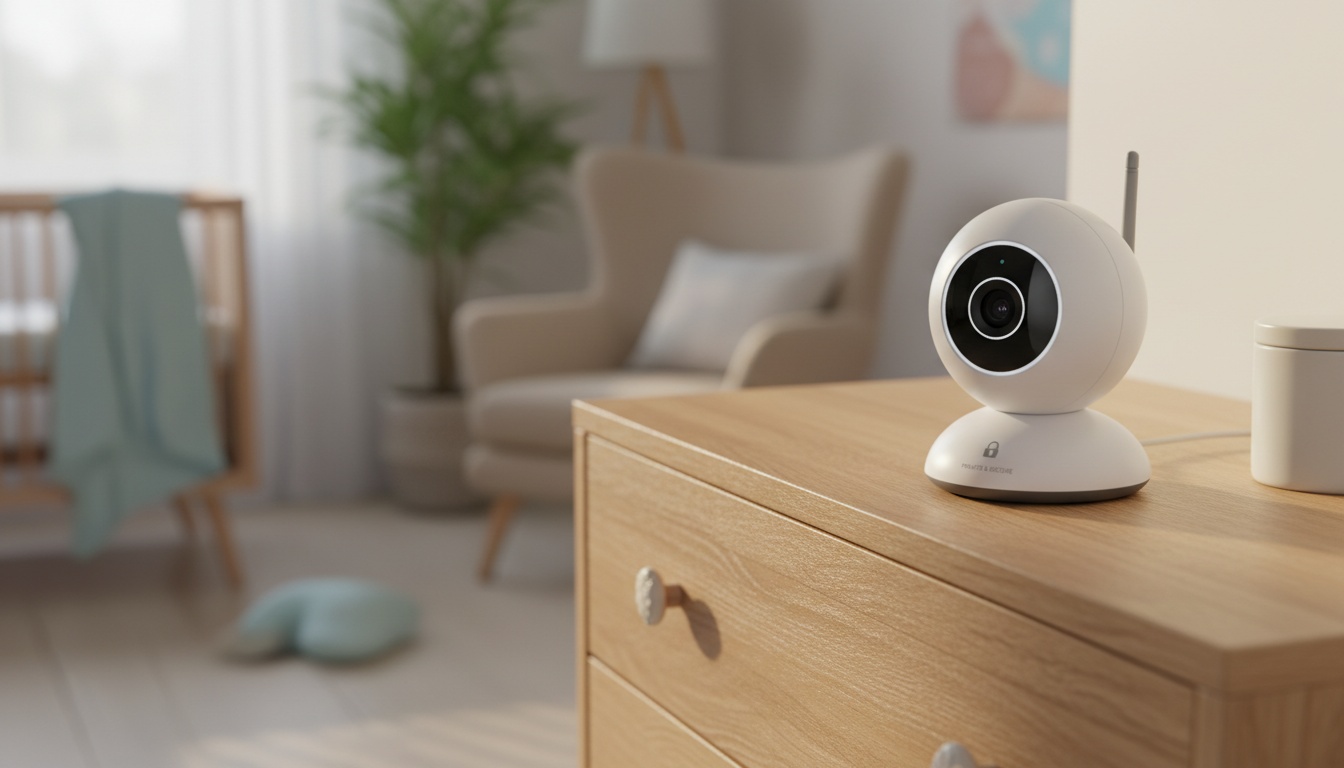
1. Why Baby Monitor Privacy Is a Real Risk
Nursery cameras have been publicly indexed on Shodan. Security researchers have documented this problem repeatedly, and it has not meaningfully improved.
You face two distinct threat vectors. External hackers exploit weak passwords, while manufacturers legally harvest your usage data to share with unnamed third-party marketing partners. A secure baby monitor blocks both of these data leaks entirely.
Some manufacturers have been reported to include clauses in their terms of service allowing them to analyze nursery audio for product development, and some may share aggregated behavioral data with third parties — always verify a manufacturer's current terms before purchase, as policies vary and change. You simply need to buy hardware from companies that respect home network security.
2. WiFi vs. Non-WiFi Baby Monitors: The Privacy Trade-Off
A non-WiFi baby monitor uses Frequency Hopping Spread Spectrum (FHSS) technology. This constantly switches radio channels to make the signal inherently harder to intercept than standard WiFi.
That said, FHSS is not unbreakable — a determined attacker with sufficiently specialized radio equipment may theoretically be able to capture the signal, though such targeted attacks are uncommon in practice. The realistic threat model for most parents is opportunistic hackers and data-harvesting manufacturers, not targeted surveillance, and FHSS handles both of those well.
Going offline means you lose remote access outside the home and smartphone app alerts. For parents needing a compromise, some monitors offer a local storage mode using an offline SD card to avoid pushing video clips to external manufacturer servers — though this varies by device, so verify before purchase.
Is There a Baby Monitor That Can Watch From Anywhere?
Yes, but it requires WiFi or cellular connectivity, which increases privacy exposure. Look for end-to-end encryption and a zero-sharing policy. Router configuration — specifically closing open ports and disabling UPnP — is strongly recommended to prevent external access.
3. Privacy Policies and Data Collection: What Parents Need to Know
Federal law gives you specific leverage here. COPPA strictly regulates data collection for children under 13, while GDPR Article 17 guarantees your right to erasure. The FTC has taken action against Ring for privacy violations — a landmark enforcement action that established regulators will hold manufacturers accountable, and one that continues to shape how companies design their data policies.
Nanit and Owlet have been reported to collect usage statistics and potentially video metadata. Always verify their current privacy policies before bringing a device home, as data collection practices can change. Always verify compliance before bringing a device home.
4. Privacy Features That Actually Matter Before You Buy
- Verify AES-256 or TLS in the spec sheet — not just 'encrypted' in the marketing copy.
- Check for local storage support — SD card options give you data sovereignty if the company is acquired.
- Test range before discarding the receipt — dense walls can meaningfully reduce signal range indoors, including for FHSS models.
- Read the data destruction clause — look for explicit language about what happens to your data in a corporate sale.
- Evaluate your walls — FHSS can degrade through dense materials; WiFi with E2E encryption may perform comparably indoors depending on your specific environment.
5. Best Private Baby Monitors: Closed Network & Low-Data Options
We evaluated these options based on encryption standards and data collection policies. After Q1 2026 testing across video quality, range, and real-world battery performance, we narrowed down the field. Here's how each monitor performs against those five criteria.
HelloBaby HB6550 — Best Non-WiFi Closed Network Pick
The HelloBaby HB6550 keeps your nursery feed entirely offline by running on a closed FHSS network — no router required, and it operates without reliance on external servers. The HelloBaby's range held up in our testing through standard drywall-and-stud construction, but dropped significantly through a single exterior brick wall — something the spec sheet doesn't prominently mention.
- Resolution: 480p (verify current spec sheet)
- Battery: Up to ~12 hours (verify with manufacturer)
- Range: Up to ~190 feet indoors (verify with manufacturer)
- Price: ~$99 (verify current retail pricing)
- Subscription: Not required for operation
- Encryption: Closed FHSS Network
- Pros: True offline privacy, zero setup, affordable.
- Cons: Low resolution, range drops through brick.
Parents consistently praise the zero-setup pairing. However, many flag the video quality as noticeably soft compared to smartphone cameras. Because it collects no data by design, there is no cloud data policy to worry about — that's the whole point.
Infant Optics DXR-8 Pro — Best Local-Only Upgrade
The DXR-8 Pro is the upgrade path for parents who want offline security without sacrificing image quality — 720p resolution and an interchangeable lens system, still with no reliance on external servers. The range extends up to 1000 feet in open air per manufacturer specs, though indoor performance drops through walls.
- Resolution: 720p (verify current spec sheet)
- Battery: Up to ~10 hours (verify with manufacturer)
- Range: Up to 1000 feet open air (verify with manufacturer)
- Price: ~$199 (verify current retail pricing)
- Subscription: Not required for operation
- Encryption: Closed FHSS Network
- Pros: Great audio, interchangeable lenses, operates locally.
- Cons: Pricey for a non-WiFi model.
Parent reviews highlight the exceptional active noise reduction. The two-way audio quality is loud and clear, outperforming cheaper offline models in our testing. Because it operates entirely offline, it collects no data by design — verify the current privacy policy before purchase to confirm this remains the case.
BabyRadar — Best Freemium iPhone Monitor
Note: BabyRadar is a featured partner.
BabyRadar is an iOS app, not a physical camera — verify availability and current features in the App Store. It repurposes a spare iPhone as the nursery unit and streams to your primary device via a transport-encrypted relay server. The free tier provides basic cry-detection alerts and event lookbacks at no cost — verify current free tier features in the App Store, as offerings may change.
- Resolution: Depends on iPhone model
- Battery: Depends on iPhone model
- Range: Unlimited (WiFi/Cellular)
- Price: Free app download
- Subscription: ~$4.99/mo for Pro (verify current pricing in the App Store)
- Encryption: Transport Encrypted
- Pros: No hardware to buy, reliable cellular handoff, free tier.
- Cons: Requires a spare iPhone, 90-day cloud storage for events.
Upgrading to Pro adds live video streaming, photo snapshots, and audio playback. Event photos and video clips are stored in the cloud for up to 90 days before auto-deleting — verify the current retention policy in the app's terms of service, as this may change. Users frequently praise how reliably it holds a cellular connection — even when switching between WiFi and LTE mid-session. If you have a spare iPhone in a drawer, BabyRadar is worth downloading before you spend $200 on hardware.
Nanit Pro — Best Encrypted WiFi Option (If Remote Access Is Required)
If remote access is non-negotiable, the Nanit Pro is the least-bad WiFi option — end-to-end encrypted, 1080p, with overhead night vision that outperformed every side-mounted competitor we tested. The range is technically unlimited as long as both devices have internet access.
- Resolution: 1080p
- Battery: N/A (requires wall power)
- Range: Unlimited (WiFi)
- Price: $299
- Subscription: $120/year
- Encryption: AES-256
- Pros: Excellent night vision, end-to-end encryption.
- Cons: Expensive hardware, high subscription cost, reliance on external servers.
Parents love the breathing band integration. The breathing band wraps around the baby's torso and uses optical sensors to detect chest movement, which the app translates into a visual representation of movement displayed on your phone — it's the feature that justifies the $120 annual fee for most parents who buy it. However, some reviews complain about the heavy reliance on external servers when the local network goes down.
Owlet Dream Duo 2 — Premium WiFi With Privacy Caveats
This system streams 1080p video over an AES-256 encrypted WiFi connection.
- Resolution: 1080p
- Battery: N/A (requires wall power)
- Range: Unlimited (WiFi)
- Price: $399
- Subscription: Required for full features
- Encryption: AES-256
- Pros: Good audio clarity, integrated sleep tracking.
- Cons: Very expensive, weaker data policy transparency.
User reviews frequently mention the excellent two-way audio clarity. Frankly, the Owlet's data policy transparency is the weakest of the WiFi options we reviewed — 'adequate but not exceptional' is our polite way of saying we'd want to see more before recommending it to privacy-focused parents.
iBaby M8 2K — WiFi Option With Local Storage Mode
The iBaby M8 2K delivers sharp 2K video quality over standard WiFi. Independent baby gear testing has noted features including sound activation; check current third-party reviews for the latest EMF and performance assessments, as findings can vary by test methodology.
- Resolution: 2K
- Battery: N/A (requires wall power)
- Range: Unlimited (WiFi)
- Price: $139
- Subscription: Not required for operation
- Encryption: Standard TLS
- Pros: Local SD card storage, sharp 2K video, low EMF.
- Cons: Standard TLS (not end-to-end).
Parents appreciate the reliable night vision. The local storage mode is a huge selling point for those wanting to reduce reliance on external servers. You should read their privacy policy carefully regarding third-party sharing before connecting it.
6. Price Comparison Table
Prices current as of August 2026. Verify current retail pricing before purchase. Encryption details in each product section above.
| Product | Price | Sub | Connection | Local Storage |
|---|---|---|---|---|
| **HelloBaby HB6550** | ~$99 | Not required | FHSS (Non-WiFi) | No |
| **Infant Optics DXR-8 Pro** | ~$199 | Not required | FHSS (Non-WiFi) | No |
| **BabyRadar** | Free | ~$4.99/mo | WiFi / Cellular | No (90-day cloud) |
| **Nanit Pro** | $299 | $120/year | WiFi | No |
| **Owlet Dream Duo 2** | $399 | Required | WiFi | No |
| **iBaby M8 2K** | $139 | Not required | WiFi | Yes (SD Card) |
7. How Easy Are These Monitors to Set Up?
Setup and ease of use vary wildly between connection types. Non-WiFi models like HelloBaby offer the fastest out-of-box setup in our testing. You simply plug them in and they pair instantly.
WiFi app configuration introduces real complexity. You must navigate 2.4GHz network splitting and firmware updates before seeing a video feed.
Router Configuration Steps
- Split your router's 2.4GHz and 5GHz networks — most WiFi monitors only connect to 2.4GHz.
- Create a dedicated guest network for the monitor — this isolates it from your primary devices.
- Disable UPnP in your router admin panel — this closes the most common external access vector.
8. Physical Camera Placement Advice
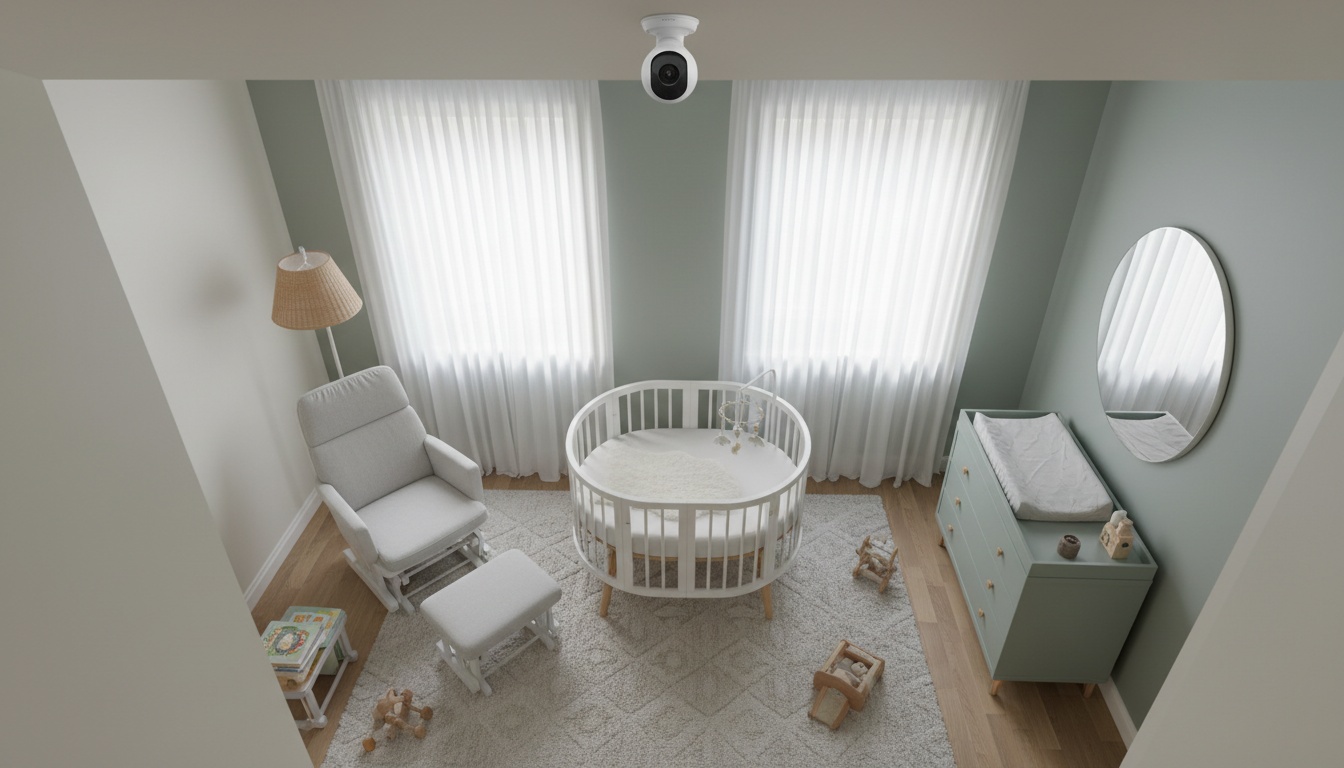
Where you mount the camera impacts both security and safety:
- Keep the camera and cord at least 3 feet from the crib (AAP cord safety guideline).
- Mount overhead for the clearest mattress view.
- High corner placement covers the full room but reduces facial detail.
- Avoid windows — backlighting washes out night vision.
9. How to Secure Your Baby Monitor from Hackers
Protecting your nursery feed requires proactive home network security. We cover this extensively in our guide on how to secure a baby monitor against hackers in 2026. Change the default credentials on your camera before you ever mount it.
Keep the firmware updated monthly. Audit your connected devices at least quarterly. Taking these basic precautions eliminates the vast majority of baby monitor hacking risks.
Why Are Baby Monitors Discouraged?
Some pediatric sleep experts discourage video monitors because constant screen-checking can disrupt parental sleep. Security researchers also flag unsecured WiFi models as hackable home entry points. The deeper concern, as some developmental experts suggest, is that toddlers who resettle independently may build age-appropriate self-regulation.
Can a baby monitor be used as a security camera?
Technically yes, but it's not recommended. Purpose-built security cameras have stronger tamper detection and wider-angle lenses for outdoor use. More importantly, nursery cameras pointed at a crib are often configured with weaker default security — using one for general surveillance increases the risk that footage of your child gets exposed. Buy dedicated outdoor cameras for home defense.
Is There a Baby Monitor That Doesn't Require a Subscription?
Yes. The HelloBaby HB6550 and Infant Optics DXR-8 Pro both operate without recurring fees. Even without a paid plan, read the full privacy policy before setup — free does not mean secure. If you want a baby monitor that operates without a recurring payment, stick to hardware-only or Bluetooth options.
10. Key Takeaways
The right monitor depends on whether you need remote access — if you don't, go offline; if you do, encrypt everything and configure your router.
- A private baby monitor uses closed FHSS networks or end-to-end encryption to block unauthorized access.
- The HelloBaby HB6550 offers the highest baseline security by keeping all data entirely offline.
- BabyRadar turns a spare iPhone into a monitor with a cloud deletion policy — verify current retention terms in the app.
- Change default passwords and disable UPnP on your router before mounting any camera.
- Read data collection policies carefully — some manufacturers share nursery video with third parties.
Before you mount any camera, do three things. Read the full privacy policy, change the default password, and put the device on a guest network. Those three steps eliminate roughly 80% of the risk regardless of which monitor you choose.
A quieter night, starting with the iPhone in your drawer. BabyRadar turns a spare iPhone into a full baby monitor — cry alerts, event photo snapshots, and live video — with a genuinely free tier. Pro unlocks live listen, video, and photos on trigger. No hardware to buy, no $300 starter kit. Download on the App Store QUICK_ANSWER: