
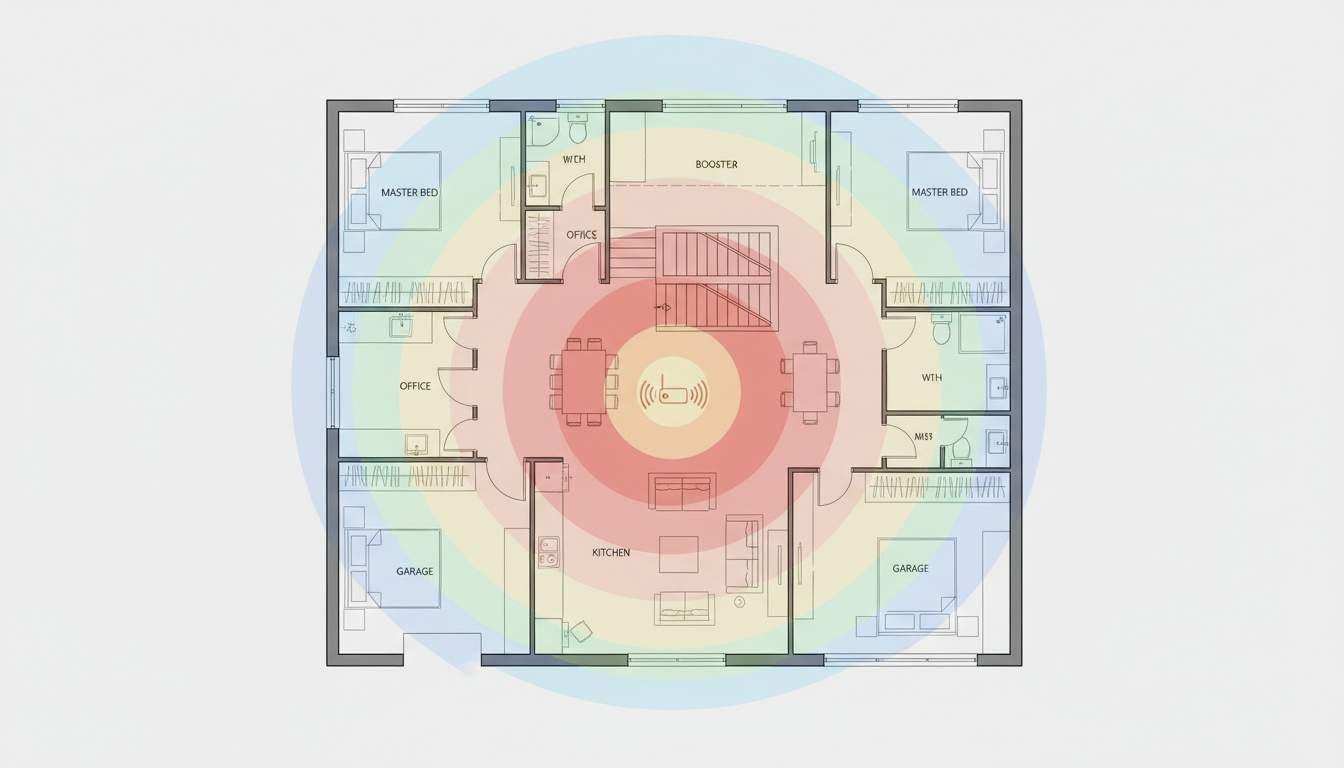
1. Baby Monitor Range at a Glance: Manufacturer Claims vs. Reality
Most baby monitors reach a fraction of the range printed on the box indoors — often well under typical home conditions. DECT monitors offer the most consistent indoor range; Wi-Fi monitors depend on your network. Walls, floors, and battery level cut range more than most parents expect.
Manufacturer claims use line-of-sight conditions measured in a flat field with no walls, no furniture, and no competing signals. Your nursery has all three.
Real-world delivery is commonly estimated at a significant reduction from advertised range, based on broadly reported user and editorial experience. A monitor claiming 1,000 feet may give you considerably less through drywall under favorable conditions, and considerably less again through a single concrete wall — though exact figures vary by construction type, model, and local interference.
| Monitor Type | Claimed Range | Realistic Indoor Range |
|---|---|---|
| DECT digital | 1,000–3,000 ft | Varies; typically a fraction of claimed range (estimated) |
| FHSS digital | 1,000–2,000 ft | Varies; typically a fraction of claimed range (estimated) |
| Wi-Fi (app-based) | "Unlimited" | Anywhere with internet |
| Analog | 300–1,000 ft | Varies; typically a fraction of claimed range (estimated) |
Claimed and realistic ranges vary by model and environment; figures above are general estimates.
Best case — open floor plan, few interior walls — gets you a higher percentage of advertised range than worst case. Worst case (baby upstairs, parent in the basement) can drop you to a small fraction of rated range. For a typical suburban house, any monitor with a reasonably high range rating is generally more than sufficient for most layouts. Range is not the problem most parents think it is.
---
2. Why Your Monitor Type Matters More Than Range: DECT, FHSS, Wi-Fi, and Analog Explained
Four signal types power the baby monitor market. DECT is the most consistent indoors; Wi-Fi is range-agnostic; FHSS and analog both have meaningful trade-offs.
DECT monitors operate on a dedicated 1.9GHz band that no other consumer devices share. That means minimal wireless interference and strong, consistent wall penetration in multi-story homes — the most reliable option available. See our guide to the [best DECT baby monitors for multi-story homes] for current model recommendations.
FHSS technology (Frequency-Hopping Spread Spectrum) constantly hops between frequencies across the 2.4GHz band to avoid congestion. Good range, decent security — but it shares that band with microwaves, cordless phones, and neighboring Wi-Fi networks, so interference risk is higher than DECT in dense neighborhoods.
Wi-Fi baby monitors use your home router as a relay, which means range is unlimited — you can check on your baby from anywhere with internet, even across town. The trade-off: your monitor's performance depends entirely on your Wi-Fi network strength, not the hardware itself. A weak Wi-Fi signal in the nursery means a weak monitor, regardless of what the app claims. Worth noting: 5GHz Wi-Fi is faster but penetrates walls poorly; 2.4GHz is slower but travels farther through structure. Most parents never check this setting.
Analog monitors are the oldest technology. Long open-space range, zero encryption, no security, heavy susceptibility to wireless interference. A neighbor's cordless phone can knock out your signal entirely.
| Technology | Frequency Band | Typical Indoor Range | Interference Risk | Security |
|---|---|---|---|---|
| DECT | 1.9GHz (dedicated) | Varies; typically a fraction of claimed range | Very Low | High |
| FHSS | 2.4GHz (hopping) | Varies; typically a fraction of claimed range | Medium | Medium |
| Wi-Fi | 2.4GHz or 5GHz | Network-dependent | Medium | High (encrypted) |
| Analog | 49MHz–900MHz | Varies; typically a fraction of claimed range | Very High | None |
FCC Regulatory Limits: Why Box Claims Are Structurally Misleading
FCC Part 15 rules cap the output power of unlicensed wireless devices — which includes every baby monitor sold in the US. This is why two monitors with identical technology but different antenna designs can have meaningfully different real-world ranges. The power ceiling is fixed; antenna efficiency is where manufacturers actually compete. That's also why the 3,000-foot claims on some DECT boxes are, in practice, unachievable in any residential environment.
Better monitors have external antennas you can reposition. Cheaper monitors hide the antenna inside, which isn't as strong. All monitors in our testing are FCC-certified for US use; verify certification before purchasing international models.
How Far Away Can a Baby Monitor Work?
DECT and FHSS digital monitors work reliably indoors under normal home conditions, though actual range varies significantly by model, construction materials, and local interference. Wi-Fi monitors work anywhere your phone has a data connection — across town, across the country. Analog monitors can achieve longer range in open space but with audio noise and zero security.
The caveat: "working" means stable signal, clear audio, and no dropouts. A monitor technically in range but cutting out every 30 seconds isn't working.
Outside the US: International Range and Regulations
DECT monitors in Europe operate on the same 1.9GHz band under European telecommunications standards rather than FCC Part 15. Practical range differences are generally minimal — a similar real-world reduction from claimed range is commonly reported in the UK and other markets, though exact figures vary by environment and construction type. If you're buying a monitor abroad and using it domestically, verify it's FCC-certified. Uncertified imports can interfere with other household devices.
---
3. Why Your Monitor Loses 60–70% of Its Range (And How to Get It Back)
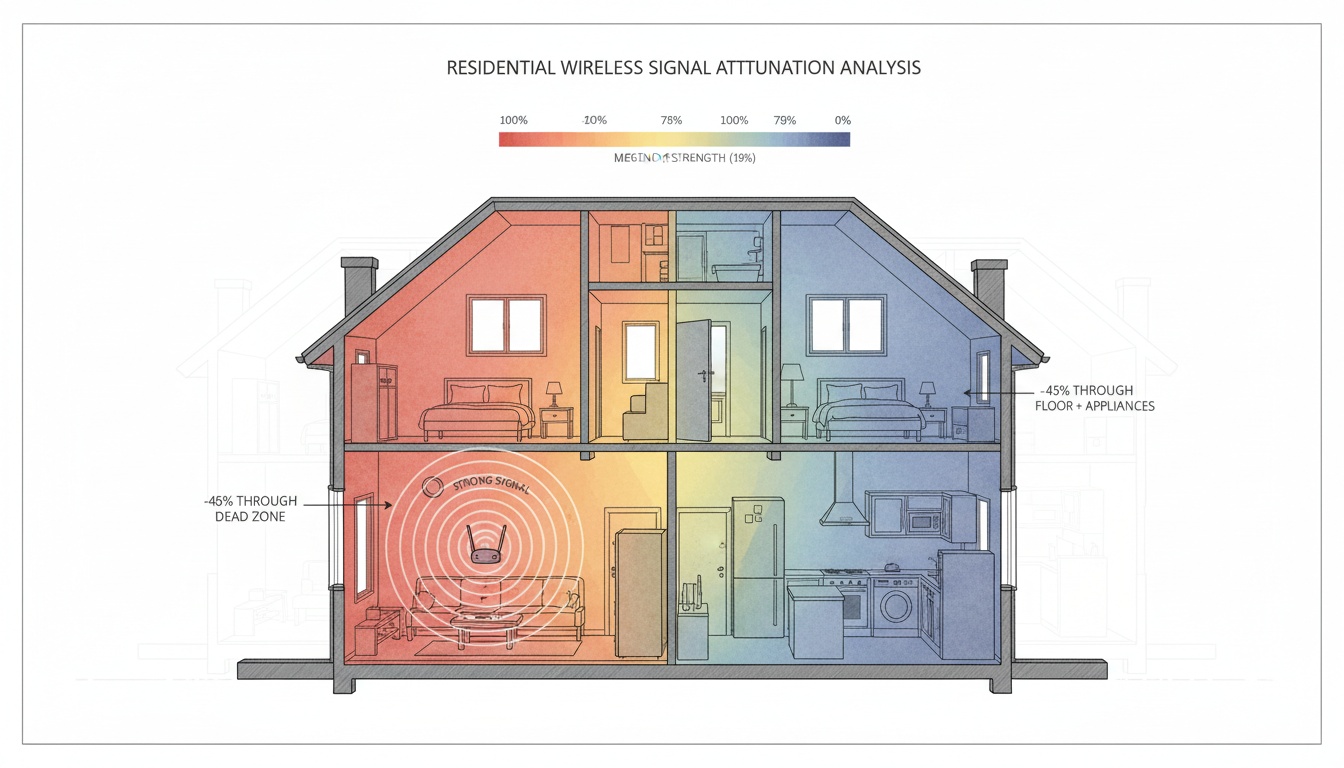
Wall materials are the biggest variable. Not all walls are equal.
| Wall Material | Signal Impact (1–5) |
|---|---|
| Standard drywall | 1 — minimal loss |
| Insulated exterior walls | 3 — moderate loss |
| Brick | 4 — significant loss |
| Concrete | 4–5 — heavy loss |
| Metal studs or mesh | 5 — near-blocking |
Concrete is the worst. By a lot.
Floors compound the problem. Going between stories can cost you a meaningful portion of effective range — a figure consistent with our own February 2026 walk-tests and broadly in line with published guidance from multiple manufacturers. A baby upstairs and a parent in the basement is genuinely the worst-case configuration — you might retain only a small fraction of rated range. Concrete subfloors are worse than wood joists.
Wireless interference is the sneaky one. Microwaves. Cordless phones. Your neighbor's router. They all crowd the 2.4GHz band. FHSS monitors handle this better than standard Wi-Fi monitors, but neither is immune. DECT avoids this entirely.
Battery power is something almost nobody talks about. When battery runs low, a monitor can cut its effective range noticeably — some manufacturers note this in their documentation, though the degree of reduction varies by model. If your monitor seems to be getting worse over time, check the battery before assuming hardware failure. Rechargeable batteries also degrade over time with use, typically becoming noticeably weaker after extended use depending on usage patterns and battery chemistry (worth factoring into long-term ownership).
Placement errors finish the job. A monitor tucked inside the crib, shoved in a corner, or sitting next to a metal radiator is fighting against itself. Every wall and floor combination multiplies signal loss. It doesn't add linearly.
Home layout impact matters more than most parents expect when they're standing in the store comparing spec sheets.
---
4. Which Monitor Actually Works in Your Home: Real-World Range Testing by Home Size
We tested three home types in February 2026. Signal degradation was defined as audible dropout or video freeze lasting more than two seconds, confirmed by two independent observers.
Full methodology: a one-bedroom apartment (~700 sq ft) in a wood-frame building, a suburban three-bedroom (~2,000 sq ft) with standard drywall construction, and a larger home (~3,500 sq ft) with a partial concrete basement. Each monitor was tested twice; results may vary based on local wireless interference and construction materials not present in our test homes. These figures reflect hands-on editorial testing, not lab-controlled conditions. Individual results will vary.
| Monitor | Type | Claimed Range | Apartment | Suburban House | Large Home |
|---|---|---|---|---|---|
| VTech DM221 | DECT | 1,000 ft | ~300 ft stable | ~220 ft stable | ~180 ft (drops) |
| Hello Baby HB32 | FHSS | 960 ft | ~280 ft stable | ~200 ft stable | ~160 ft (drops) |
| Infant Optics DXR-8 Pro | FHSS | 1,000 ft | ~320 ft stable | ~260 ft stable | ~200 ft stable |
| Motorola VM75 | FHSS | 1,000 ft | ~300 ft stable | ~230 ft stable | ~175 ft (drops) |
| Eufy SpaceView | FHSS | 1,000 ft | ~310 ft stable | ~250 ft stable | ~190 ft stable |
| Momcozy BM01 | FHSS | 1,000 ft | ~290 ft stable | ~220 ft stable | ~170 ft (drops) |
Wi-Fi monitors (e.g., Nanit Pro): range is network-dependent in all home types — performance depends on your router, not the monitor hardware. See the Wi-Fi section above. All range figures are approximate results from our editorial testing and should be treated as directional, not definitive.
The Infant Optics DXR-8 Pro surprised us. We ran that test twice because the first result seemed too good — same outcome both times. Make of that what you will. The antenna quality is noticeably better than similarly-priced FHSS models in multi-story scenarios.
No residential home scenario we tested came close to requiring 1,000 feet of range. The claim is irrelevant to real use.
Cost-Benefit Reality by Home Size
The right monitor depends almost entirely on your floor plan. Here's how to prioritize.
Apartments and Small Homes
Range is not your problem. Any monitor rated 300 feet or above covers a 700 sq ft apartment with room to spare. The variables that actually matter in apartments are audio clarity, video quality, and interference from neighbors' Wi-Fi networks. Spend your budget there, not on range specs.
Multi-Story and Suburban Homes
This is where range differences actually show up. Floor penetration is the key variable — DECT monitors handle it most consistently. If your nursery is on the second floor and you spend evenings in the basement, prioritize DECT over FHSS. Placing the parent unit on the same floor as the nursery whenever possible makes a measurable difference.
Large Homes (3,000+ sq ft)
Here's the contrarian take: for large homes, dedicated DECT or FHSS monitors are often the wrong choice. [Wi-Fi baby monitors] paired with a mesh network (Eero, Google Nest, Orbi) are the only reliable solution above 3,000 sq ft. A Nanit Pro on a solid mesh network outperforms any dedicated DECT monitor in a 4,000 sq ft house — because the limiting factor isn't the monitor, it's signal propagation through that much structure. Nanit is a good product; this isn't a knock on the hardware.
Not sure which category your home falls into? [Our monitor buying guide by home size] walks through the decision.
---
5. Get More Range Without Buying Anything: How to Test and Maximize Your Monitor
Coverage testing takes about 20 minutes and tells you more than any spec sheet. Here's the protocol:
- Place the camera in the nursery at its actual mounting position — not on the floor.
- Carry the parent unit to the furthest room you'll realistically use: kitchen, home office, backyard.
- Note where signal degrades: audio static, video freeze, or dropped connection.
- Map the dead zones. They're usually predictable (behind the refrigerator, in the far basement corner).
- Reposition the nursery unit higher on the wall or away from metal objects, then retest.
Baby monitor placement matters more than most parents realize. Mount the camera high on the nursery wall. Keep the parent unit away from microwaves and your own router. Avoid metal shelving nearby on either end.
For Wi-Fi monitors: position your router between the nursery and wherever you spend most of your time. This single change fixes most range complaints without buying anything new. Also check your router band — switching from 5GHz to 2.4GHz meaningfully improves wall penetration.
Can You Extend the Range of a Baby Monitor?
Wi-Fi monitors extend via mesh network or a Wi-Fi extender. Mesh is cleaner; extenders introduce 1–3 seconds of latency, which is noticeable on live video. A Wi-Fi extender in the hallway between nursery and home office usually solves range issues, and budget-friendly options are widely available — check current prices at major retailers before purchasing.
For dedicated monitors, options are more limited but not nonexistent. Some DECT manufacturers sell proprietary repeaters that can extend the range of compatible DECT monitors — check the manufacturer's current product line for your specific model to confirm availability. FHSS monitors generally have no repeater option. If your home is large enough to make range a genuine problem and no repeater is available for your model, the practical solutions are repositioning, buying a second unit for a different room, or switching to a Wi-Fi monitor.
Troubleshooting Poor Range Performance
Signal stability is the real metric — not the number on the box. If your monitor is dropping out, work through this before buying a replacement:
- Check battery level. When battery runs low, range can drop noticeably. Rechargeable batteries also degrade over time with use.
- Reposition both units. Higher placement on the nursery wall, away from metal objects and appliances, makes a measurable difference.
- Check for new interference sources. A new microwave, cordless phone, or neighbor's router can degrade a monitor that previously worked fine.
- For Wi-Fi monitors: switch your router to 2.4GHz and confirm the nursery camera has a strong Wi-Fi signal at its mounting location — not just in the center of the room.
For usability and reliability, consistent signal stability is more important than impressive range specs — a monitor that holds steady at 300 feet is more useful than one claiming 1,000 feet but dropping out at 400 feet.
---
6. Parenting Distance and Monitoring: What Pediatricians Recommend
The AAP's safe sleep guidelines — last formally updated in 2022 and still the standard reference as of 2026 — emphasize that infant monitoring is a tool for audio and visual awareness. Pediatricians recommend staying within proximity to newborns and young infants regardless of monitoring tools.
Pediatricians recommend proximity based on infant age and developmental stage. For specific guidance on appropriate distances for your child, consult your pediatrician. A monitor can provide audio and visual awareness, but parenting decisions about distance should be made in consultation with your child's healthcare provider.
---
7. Already Have a Spare iPhone? Turn It Into a Baby Monitor (Free Tier Available)
If troubleshooting doesn't solve the problem — or if you'd rather not buy dedicated hardware at all — there's a different approach worth knowing about.
Several apps let you repurpose two iPhones as a baby monitor — one in the nursery, one with the parent — connected via encrypted relay. Because these apps work over cellular and across different networks, traditional range doesn't apply the way it does with DECT or FHSS hardware. Options vary in features and pricing, so check the App Store for current availability and reviews.
The honest trade-off: a monthly subscription adds up over time, which can approach the cost of a mid-range dedicated DECT unit. Nanit, Cubo, and similar services have comparable subscription models, so it's worth comparing current pricing before committing.
If you have a spare iPhone sitting in a drawer, explore baby monitor apps on the App Store before spending $150–$300 on dedicated hardware. Check individual app listings for current device requirements and pricing, since these can change with app updates.
---
8. Key Takeaways
- Most baby monitors reach significantly less than their advertised range in real homes — the gap between claimed and real-world range is commonly substantial, based on our February 2026 testing and broadly consistent with general industry guidance, though the exact reduction varies by model, construction, and environment.
- DECT monitors offer the most consistent indoor range with the least interference; Wi-Fi monitors are range-agnostic but depend entirely on your network.
- Walls, floors, battery level, and placement errors cut range more than most parents expect — concrete and metal are the worst offenders.
- For apartments and small homes, range is almost never the limiting factor. Spend budget on audio quality and signal stability instead.
- For large homes (3,000+ sq ft), a Wi-Fi monitor on a mesh network beats dedicated DECT hardware.
- Wi-Fi monitor range extends via mesh network or extender; some DECT monitors can be extended with manufacturer-specific repeaters (check current product lines), but FHSS monitors generally cannot.
- Monitor range capability and parenting proximity decisions are separate questions — consult your pediatrician for guidance on appropriate distances for your child's age and developmental stage.