
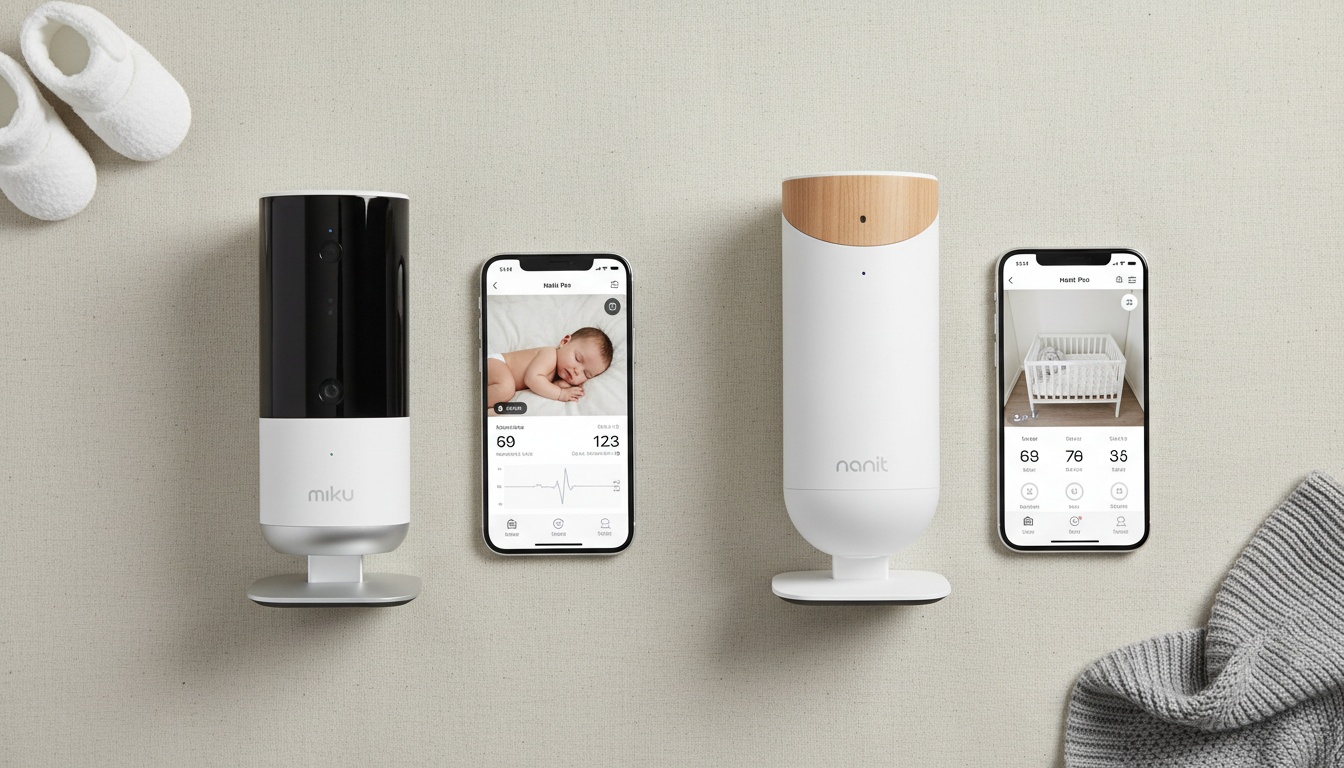
1. Miku vs Nanit at a Glance
The six things that actually drive the decision:
| Feature | Miku Pro | Nanit Pro |
|---|---|---|
| **Best for** | Contactless sound detection, no-wearable households | Sleep analytics, age-based sleep guidance, data-focused parents |
| **Upfront price (verify current pricing at checkout)** | Verify current pricing at mikubaby.com | Verify current pricing at nanit.com |
| **Sound detection method** | Contactless, sensor-based | Camera + patterned Breathing Wear (swaddle/band) |
| **Wearable required** | No | Yes (band/swaddle, sold separately or bundled) |
| **Subscription cost** | Free tier available; Pro subscription for full features | Free tier; Nanit Insights subscription after year 1 |
| **App rating** | Verify current rating at point of purchase | Verify current rating at point of purchase |
Full specification comparison:
| Feature | Miku Pro | Nanit Pro |
|---|---|---|
| **Video resolution** | 1080p HD | 1080p HD |
| **Night vision** | Yes (infrared) | Yes (infrared) |
| **Two-way audio** | Yes | Yes |
| **Temperature/humidity sensor** | Yes | Yes |
| **Smart home integration** | None confirmed at time of writing; verify current compatibility at mikubaby.com | Limited Alexa integration reported at time of writing; verify current availability at nanit.com |
| **App experience** | Clean, real-time dashboard | Richer analytics, sleep coaching content |
| **Setup process** | Freestanding or wall-mount; setup time varies by user | Wall mount requires drilling; setup time varies by user |
| **Travel-friendly** | Freestanding option, moderate portability | Travel multi-stand available in Complete System bundle (verify current bundle contents) |
| **Multi-device connectivity** | Yes | Yes, multiple phone pairings |
| **Warranty** | Verify current warranty terms at mikubaby.com | Verify current warranty terms at nanit.com |
The core trade-off: Miku asks for more money upfront and gives you contactless sound monitoring with nothing strapped to your baby. Nanit costs less to buy but layers on subscription costs and requires purchasing Breathing Wear accessories as your baby grows.
---
2. Sound Detection Technology: How They Actually Work (and Which Requires Less Ongoing Maintenance)
The core difference: Miku detects sound events without touching your baby. Nanit requires your baby to wear a specially printed band or swaddle.
Both monitors offer sound event detection, but the underlying technology is completely different — and that difference has real consequences for how many times your phone buzzes at 2 a.m.
How Does Miku Detect Sound Events?
Miku detects sound events without anything touching your baby — no swaddle, no band, no clip. Built-in sensors and machine learning analyze sound in real time and send alerts directly to the app. Nothing to size, nothing to replace.
The longer version: Miku's sensor has a defined detection zone. If the baby makes a sound event within that zone, the monitor alerts you. That's the correct behavior — better a false alert from ambient noise than a missed detection.
In parent threads on r/beyondthebump and WhatToExpect forums, the recurring complaint about wearable-based monitors is band shift triggering false alerts overnight — a problem that's structurally absent with Miku's contactless approach. These are anecdotal reports, not controlled data, but the pattern is consistent enough to be worth flagging.
One contrarian point worth making: contactless detection sounds like the obvious winner, but it requires more computational overhead and a more expensive sensor array. That's a big reason the upfront cost is higher. You're essentially pre-paying for the convenience of not buying accessories.
How Does Nanit Detect Sound Events?
Nanit uses camera-based pattern recognition. Your baby wears a swaddle or fabric band printed with a proprietary pattern; the camera reads that pattern's movement to infer sound events. The band must be worn correctly and replaced as your baby grows.
The pattern-recognition approach works. Until the band shifts at 2 a.m., which it will. Babies grow fast — the swaddle sizes that fit a newborn won't fit a four-month-old, and the bands need replacing as sizing changes.
Nanit's Complete Monitoring System bundles Breathing Wear accessories with the camera — verify current bundle contents at nanit.com, as these can change. Parents who've used Nanit through the first year often report buying multiple band sizes before their baby outgrows the system entirely.
A band that's twisted or a swaddle that's come loose mid-night can trigger false positives. This is the most common complaint in parent review threads — not a dealbreaker, but not a minor inconvenience either.
What About Sleep Monitoring and Awareness?
Both Miku and Nanit are wellness monitors designed to provide parents with awareness and peace of mind during sleep hours. They are not medical devices and are not intended to identify, treat, or prevent any medical condition. The American Academy of Pediatrics emphasizes that safe sleep practices — such as firm mattresses, no soft bedding, and back sleeping — remain the foundation of infant sleep safety .
These monitors offer parental awareness and convenience. Real value. Just not clinical or medical value.
Do Pediatricians Recommend Nanit?
Nanit's marketing materials reference research partnerships and published sleep studies — more documented backing than Miku has provided at time of writing. We haven't independently verified every claim, but the published research trail has historically been longer. A pediatrician who recommends either product is speaking to convenience and peace of mind, not clinical efficacy. Read the fine print before you buy either one.
If the sound detection question is still a draw for your situation, the app experience is where these monitors diverge most visibly — and for many parents, it ends up being the actual deciding factor.
---
3. App Experience & Video Quality: Which Interface Matches Your Parenting Style
Short version: Nanit's app is richer and more analytical. Miku's app is faster and simpler. Which is better depends entirely on how you parent.
Both apps have improved considerably since their early launch versions. But they serve different types of parents.
App Design and Analytics Depth
Nanit's app is the richer product. Sleep analytics, time-lapse playback, age-based sleep guidance, and a structured sleep coaching program are all in there. Multiple family members can view simultaneously, which matters if you have a partner or grandparent who wants access. The sleep coaching content is subscription-gated after the first year, which we'll cover in the cost section.
For parents who will actually open the app each morning, review the sleep insights, and adjust their baby's schedule based on what they see — and those parents exist — the subscription is worth it.
Miku's app is simpler. Intentionally so. The dashboard loads fast, shows you what matters, and doesn't ask you to interpret a sleep score before your first coffee. For parents who want peace of mind without the analytics overhead, this is the right call.
Night Vision and Low-Light Performance
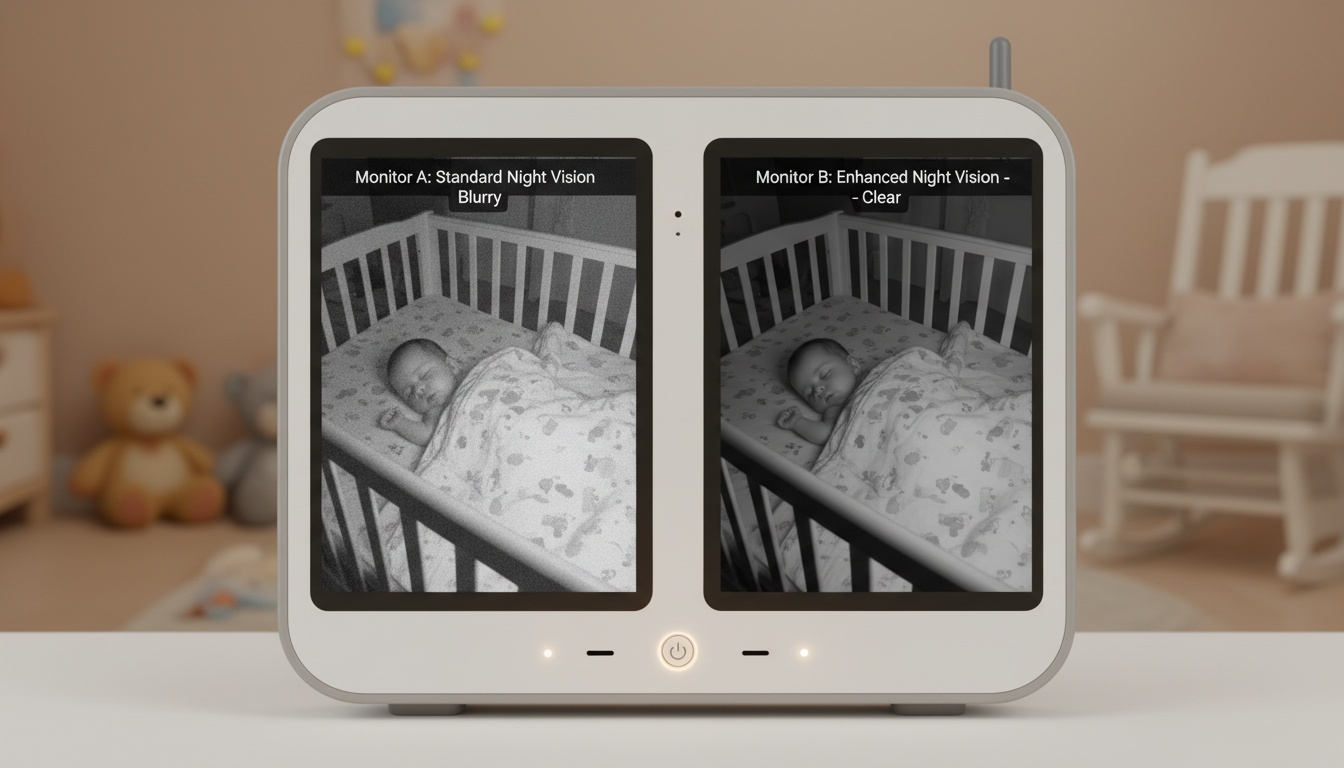
Both monitors offer infrared night vision. In a pitch-black nursery — full blackout curtains, no nightlight — both produce monochrome footage that's watchable but not cinematic.
The practical difference shows up in partial-light conditions. With a dim nightlight or streetlight bleed through curtains, Nanit's image tends to retain more detail at the edges of the frame. Miku's image can lose some edge definition in the same conditions. This is a marginal difference most parents won't notice during a 2 a.m. check-in. (Observational impressions from testing, not lab measurements — your nursery setup will vary.)
Two-Way Audio, Zoom, and Other Features
Two-way audio on both monitors works. Latency is low enough to be useful. The honest caveat: any two-way audio through a speaker can startle a light sleeper, so start at low volume.
Miku offers digital zoom. Nanit's camera is fixed wide-angle, which captures more of the room but doesn't let you push in on the baby's face — there's no pan and tilt on either unit. For parents who want to check a specific area of the crib, Miku's zoom is the more useful feature.
Both monitors include temperature and humidity sensors. Nursery temperature between 68-72°F is associated with better infant sleep quality, so having that data in the same app as your sound alerts is genuinely useful — more useful than most comparison articles give it credit for.
Smart Home Integration
Nanit has offered limited Alexa integration at time of writing; verify current compatibility at nanit.com. Miku has not confirmed smart home integration with Alexa, Google Home, or Apple HomeKit as of time of writing — check mikubaby.com for the latest. If voice assistant control matters to your setup, Nanit has historically had a modest edge — though neither monitor is a full smart home device.
Is the Miku Baby Monitor Good?
Yes, with caveats. Miku Pro earns strong marks for contactless sound detection, a clean app, and the convenience of no wearable accessories. The main trade-offs are a higher upfront cost and less analytical depth in sleep coaching and age-based guidance. If sound detection is your primary concern, Miku is the stronger product. If you want richer long-term sleep data, Nanit edges ahead.
---
4. Total Cost of Ownership: Hidden Subscription and Accessory Costs Over 3 Years
The sticker price is the least useful number here. Here's what three years actually costs — including subscriptions and accessories both companies bury in the fine print.
| Cost Item | Miku Pro | Nanit Pro |
|---|---|---|
| **Camera (Year 1)** | Verify current pricing at mikubaby.com | Verify current pricing at nanit.com |
| **Subscription (Year 1)** | Free tier or Pro sub | Included (1 yr Nanit Insights) |
| **Accessories (Year 1)** | $0 | ~$50-80 (replacement Breathing Wear; verify current pricing) |
| **Subscription (Year 2)** | Pro sub | Paid Nanit Insights |
| **Accessories (Year 2)** | $0 | ~$30-50 (additional sizes; verify current pricing) |
| **Subscription (Year 3)** | Pro sub | Paid Nanit Insights |
| **Accessories (Year 3)** | $0 | $0 (most babies outgrow system) |
| **Estimated 3-Year Total** | Camera price + subscriptions | Camera price + subscriptions + ~$80-130 accessories |
Subscription dollar amounts not included in totals above — verify current pricing at mikubaby.com and nanit.com before purchasing, as both companies have adjusted these before.
Neither company makes it easy to find the cancellation policy on the main product page. You typically have to dig into the app store subscription settings to manage or cancel. Auto-renewal catches parents off guard. Set a calendar reminder to review both subscriptions annually.
For twins or a two-room setup, costs double on the hardware side. In twin parent threads on r/beyondthebump, the recurring advice is to go Nanit for the hardware savings and manage the Breathing Wear cadence as you go. Not glamorous, but practical.
Return Policies: What to Know Before You Buy
Both monitors are available through Amazon, Best Buy, and Target. Return windows and restocking fees vary by retailer — Amazon's standard return window applies to most purchases (verify current policy at point of purchase), while Best Buy may charge a restocking fee on opened electronics. Buying directly from the manufacturer's website typically offers a cleaner return process.
---
5. Privacy & Security: Where Your Baby's Audio and Video Go (and What You Control)
Baby monitor security gets less attention than it deserves. These devices stream live audio and video of your child, often 24/7. Where that data goes matters.
Miku's Privacy Approach
Miku uses a dedicated crypto chip that the company describes as making the device tamper-proof. Audio analysis and sound event detection run on-device rather than in the cloud, which means your baby's audio data isn't being processed on a remote server. Miku's stated policy is that footage is not stored in cloud archives by default — Miku can't hand over audio recordings it never stored.
For parents who want to minimize data exposure, Miku's on-device processing model is the stronger architecture.
Nanit's Privacy Approach
Nanit takes a different approach: video is stored in the cloud, secured with 256-bit encryption. That cloud storage is the trade-off for the richer analytics experience — time-lapse playback and historical sleep data review both depend on it.
Review Nanit's current data retention policy before subscribing. Specifically, understand what happens to stored footage if you cancel your subscription.
Is Nanit Israeli Owned?
Short answer: Nanit was founded and is headquartered in New York — verify current company information at nanit.com/about, as corporate structures can change. It has had Israeli investors — so do a lot of US tech startups. If data jurisdiction is your concern, review Nanit's current privacy policy and terms of service for the most up-to-date information on where data is stored and which laws govern it .
Regardless of which monitor you choose, these fundamental privacy practices apply to both devices.
Practical Privacy Steps for Both Monitors
Change default passwords immediately. Review app permissions on iOS or Android and revoke anything that isn't necessary. Check each app's settings for any opt-in data sharing with third parties — both platforms have these toggles, and the defaults aren't always the most private option.
If you'd rather skip dedicated hardware entirely, there's a third option worth considering: an app that runs on your existing iPhone, with cry detection on-device, a crib photo attached to each alert, and on-demand live video when you want to check in. [Explore app-based monitoring]
---
6. Sleep Analytics & Insights: Do You Actually Want Detailed Sleep Coaching?
Nanit leads this category at time of writing. Full stop.
The sleep analytics suite is more developed, more actionable, and backed by more published research than what Miku currently offers. Nanit Insights provides sleep phase lengths, sleep quality insights, time-lapse video of the night, and age-based sleep guidance calibrated to your baby's age. The sleep coaching program gives structured guidance based on the child's specific information.
Miku's sleep tracking covers total hours slept, sleep quality, and movement during sleep. The sound event trend data over time is a differentiating feature that Nanit doesn't replicate without Breathing Wear. But the analytics depth stops well short of Nanit's coaching layer.
The honest question to ask yourself: will you actually use detailed sleep analytics? If you're the kind of parent who will open the app every morning, review the sleep insights, watch the time-lapse, and adjust your baby's schedule based on what you see — there are parents like that — then Nanit's analytics suite is worth every dollar of the subscription. If that sounds exhausting, Miku's simpler approach might serve you just as well at lower total cost.
Long-Term Durability and Customer Support
Both products carry warranties — verify current terms at each manufacturer's website. Nanit has been on the market longer and has a more established customer support infrastructure — email support is the primary channel, and response times are generally reported as acceptable. Miku's support has improved since the early days but remains a smaller operation .
Both companies have pushed meaningful app and firmware improvements over time. The current versions of both apps have not drawn significant volumes of the connectivity complaints that appeared in earlier reviews.
---
7. Which Monitor Matches Your Parenting Style? Decision Matrix by Use Case
| Use Case | Miku Pro | Nanit Pro | Edge |
|---|---|---|---|
| **Newborn (0-3 months)** | Contactless from day one, no wearable sizing concerns | Breathing Wear starts with swaddle size | Miku |
| **Twins** | Higher hardware cost for two units | Lower hardware cost for two units | Nanit (lower hardware cost) |
| **Frequent traveler** | Freestanding option; moderate portability | Travel multi-stand in Complete bundle (verify current contents) | Nanit (travel stand included) |
| **Privacy-focused parent** | On-device audio analysis, no cloud recordings | Cloud storage for analytics; 256-bit encryption | Miku |
| **Budget-conscious** | Higher upfront, no accessory costs | Lower upfront, ongoing accessory + subscription costs | Depends on timeline |
| **Data and analytics lover** | Basic sleep tracking, sound event trends | Full sleep coaching, age-based guidance, time-lapse | Nanit |
| **Wearable-averse** | No wearables required | Requires Breathing Wear for sound detection | Miku |
| **First-time parent, anxiety-driven** | Contactless, no wearable to manage at 2 a.m. | More research partnerships, structured coaching | Miku (lower friction overnight) |
| **No new hardware** | Not applicable | Not applicable | BabyRadar (runs on an existing iPhone: on-device cry detection, crib photo with each alert, on-demand live video) |
What Is the Highest Rated Baby Monitor?
Ratings fluctuate — verify current ratings at point of purchase on Amazon, Best Buy, and Target. At time of writing, Nanit Pro has consistently ranked among the highest-rated smart baby monitors available, while Miku Pro leads for contactless sound detection and privacy architecture. No single monitor tops every category. The right answer depends on what you're optimizing for.
---
8. Final Verdict: Which Monitor Should You Actually Buy?
Choose Miku Pro if: you want contactless sound detection with no accessories to buy, you're privacy-conscious about cloud processing, your baby is a newborn and you don't want to deal with wearable sizing from day one, or you find simpler apps easier to live with at 3 a.m.
Choose Nanit Pro if: you want the more developed sleep analytics suite of the two monitors reviewed here, you're setting up for twins and want to manage hardware costs, you travel frequently and want the travel stand included, or you'll genuinely engage with the sleep coaching content over the first year.
Both are good products. Neither is a medical device. The monitor that wins is the one that matches how you actually parent — not the one with the longest feature list.
---
A quieter night, starting with the iPhone in your drawer. BabyRadar turns a spare iPhone into a smart baby monitor. Cry detection runs on-device; when your baby cries you get an alert with a crib photo, and you can watch live from any room. The camera is opt-in and stays off between uses. [Download on the App Store]
---
9. Key Takeaways
- Miku Pro uses contactless sensor-based detection; Nanit Pro requires Breathing Wear (swaddle/band) for sound monitoring — a meaningful difference in daily convenience and ongoing cost
- Neither monitor is a medical device; both are wellness monitors designed for parental awareness and peace of mind
- Total 3-year cost is closer than it appears: Miku's higher upfront price is partially offset by zero accessory costs; Nanit's lower camera price accumulates Breathing Wear and subscription costs over time
- Nanit has historically led on sleep analytics depth and has more published research partnerships; Miku leads on contactless detection and on-device audio processing — verify current features at each manufacturer's website
- Review Nanit's current privacy policy and terms of service for up-to-date information on data storage and jurisdiction
- For twins, Nanit's lower per-unit hardware cost gives it a practical edge; for privacy-focused single-baby households, Miku's architecture is the stronger choice
- Both platforms use freemium subscription models — confirm current pricing and cancellation terms before purchasing either product
- Smart home integration capabilities for both monitors are subject to change — verify current compatibility at mikubaby.com and nanit.com before purchasing