
1. How Baby Monitors Actually Get Hacked
Baby monitors are hacked via three methods: default credentials (factory passwords that are publicly documented and never changed), unencrypted transmission (plaintext video/audio interceptable on the same network), and unpatched firmware (known CVEs that manufacturers never push as automatic updates). Remote attacks reach devices through exposed ports or cloud APIs; local attacks require Wi-Fi access.
There are three primary attack vectors.
Default credentials. Default username and password combinations for most baby monitor brands are publicly documented online — anyone can look them up. Unencrypted transmission. Some monitors stream video and audio over the network without encrypting it, meaning anyone on the same network can intercept the feed in plaintext. Unpatched firmware. Rapid7's 2015 research identified specific CVEs across nine baby monitor brands, including CVE-2015-2882, an authentication bypass in the Philips In.Sight that allowed unauthenticated remote access. The researchers described the overall finding as "a market-wide failure." Manufacturer security patches are only useful if they're delivered automatically — manual update policies mean most devices run vulnerable firmware indefinitely.
The distinction between local and remote attacks matters. A local attack requires the attacker to be on your Wi-Fi network. A remote access exploit doesn't — the attacker reaches your device through an exposed port or a vulnerable cloud API, from anywhere on earth.
How Attackers Find Your Monitor Online
Tools like Shodan index internet-connected baby monitors with open ports. Security researchers using Shodan have documented finding hundreds of vulnerable cameras in minutes — the monitors weren't hidden; they were unlocked and publicly indexed.
Credential stuffing compounds the problem. Attackers take leaked username/password lists from unrelated data breaches and try them against baby monitor cloud accounts. If you reuse passwords, this works.
Security researchers who study IoT exploitation consistently describe it as low-effort — always-on devices with shared default credentials and no firmware update mechanism are the path of least resistance.
---
2. Wi-Fi vs. Non-Wi-Fi Baby Monitors: Which Is Actually Safer?
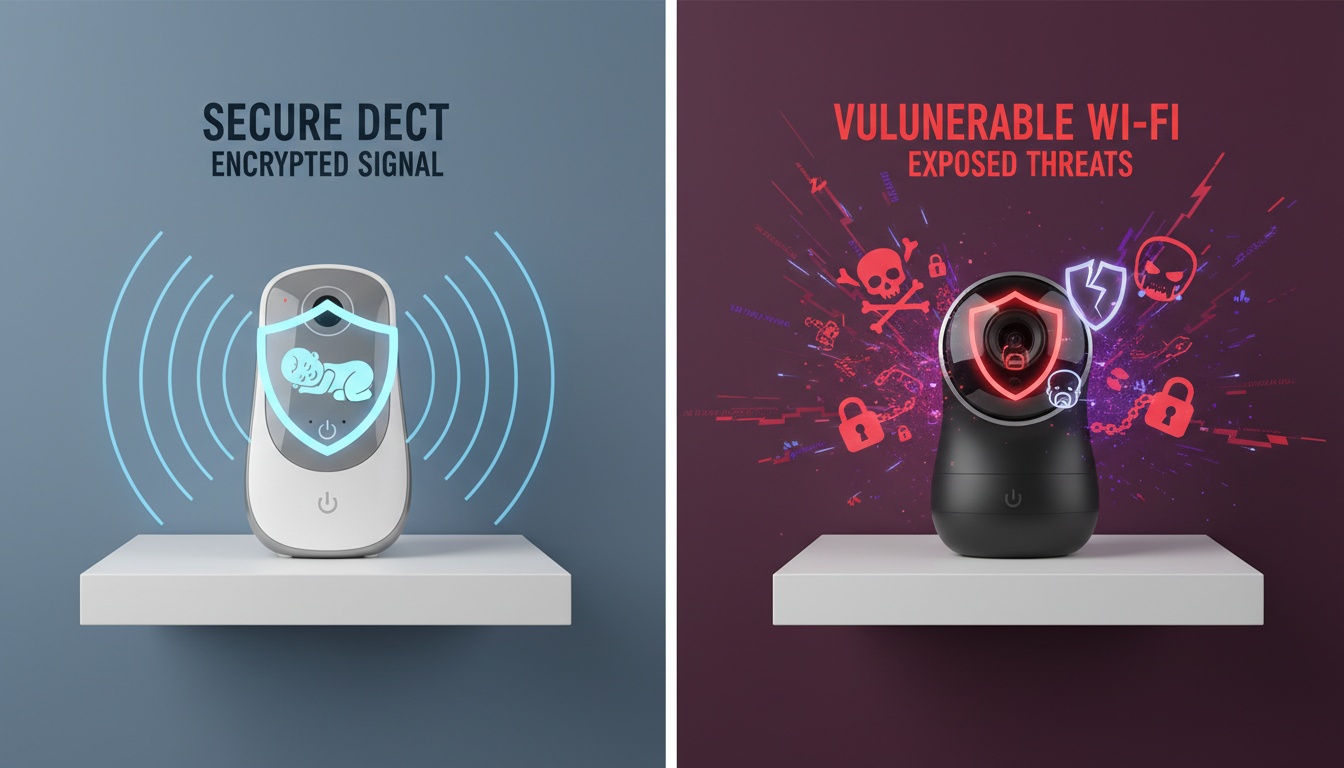
DECT digital monitors operate entirely on closed, encrypted radio frequencies and maintain no cloud connectivity, meaning they cannot be remotely hacked. They use encrypted, closed-frequency signals requiring specialized radio hardware and physical proximity to intercept — and they have no cloud account to breach, no exposed port to scan, and no app permissions to audit.
What Kind of Baby Monitor Can't Be Hacked?
They use encrypted, closed-frequency signals that require specialized radio hardware and physical proximity to intercept. For parents who prioritize security over remote viewing, these are the lowest-risk option available. (For a full breakdown of monitor types, see our DECT digital baby monitor guide.)
The full picture across monitor types looks like this:
| Monitor Type | Remote Hack Risk | Local Intercept Risk | Convenience |
|---|---|---|---|
| Analog RF | None | High (frequency scan) | Low |
| DECT Digital | None | Very Low (encrypted) | Medium |
| Wi-Fi / App-Based | High (if misconfigured) | Medium | High |
| Local-LAN Mode (hybrid) | Low | Low | Medium-High |
Here's the counterintuitive case: analog monitors. They carry zero internet-based risk — but someone sitting in a car outside your house can intercept the signal with equipment that costs less than the monitor itself. The threat is local, physical, and low-sophistication.
DECT digital monitors use frequency-hopping spread spectrum technology, switching frequencies rapidly enough that passive interception requires specialized hardware. There's no cloud account to credential-stuff, no app permissions to audit, and no exposed port for Shodan to index. A non-Wi-Fi baby monitor is effectively invisible to internet-scanning tools.
That's not a small trade-off for parents who travel or work late. You lose remote viewing, smart integrations, and the ability to check on your child from a different network. Some parents solve this with monitors that process audio locally rather than through a cloud server — keeping remote alerts without the exposed attack surface.
Wi-Fi monitors are the highest-convenience, highest-attack-surface option. They're also the category where manufacturer security practices vary most dramatically, which brings us to what's actually happened in the field.
---
3. Real Hacking Incidents: What Happened and What Went Wrong
Each baby monitor breach in this list followed the same playbook.
2015 VTech Data Breach
What happened: A hacker accessed VTech's Learning Lodge servers and exposed data on millions of children's profiles, along with parent account information.
Why it worked: VTech's infrastructure reportedly stored data without adequate encryption. The breach was widely covered by security researchers and journalists at the time, and VTech subsequently overhauled its security practices.
What would have stopped it: Encrypted data storage and standard secure database practices. The damage, however, was already done.
2018 South Carolina — The Summitt Incident
What happened: Jamie Summitt's FREDI brand baby monitor moved on its own. She was locked out of her own account. A stranger had gained access, changed her credentials, and was controlling the camera remotely, according to NPR's reporting on the incident.
Why it worked: Default password, never changed. The device's port was accessible over the internet.
What would have stopped it: A strong password, changed before the monitor first connected to the network. Summitt later switched to a unique password she didn't use anywhere else — the single most effective individual action available.
2019 Ring Incidents
What happened: Multiple Ring camera owners reported strangers speaking through their devices. Security researchers identified credential stuffing — leaked passwords from other breaches, tried against Ring accounts — as the likely attack pattern.
Why it worked: Reused passwords. No two-factor authentication enabled.
What would have stopped it: Unique passwords per account, two-factor authentication. Ring subsequently made 2FA mandatory for new accounts, beginning in early 2020.
The pattern across every documented breach: default password never changed, or reused credentials from another breach, with no two-factor authentication as a backstop. The attack methods differ slightly; the root cause doesn't.
Why Baby Monitors Specifically?
Baby monitors are targeted for reasons beyond opportunism. They're always on and always connected. Owners rarely check device logs — most people don't know their monitor has logs.
The psychological impact is disproportionate to the technical effort required. Predator access to a child's room carries a different weight than access to a driveway camera — which makes these devices attractive for harassment and, in documented cases, extortion.
Which raises the question: what does a compromised monitor actually look like from the inside of your house?
---
4. Signs Your Baby Monitor Has Been Hacked
Most hacks are silent. The absence of obvious signs doesn't mean your device is secure. That said, here are six observable indicators:
- The camera moves on its own. PTZ (pan-tilt-zoom) motors activating without your input is the most unambiguous sign of remote control.
- The LED indicator is on when you haven't opened the app. Many monitors light up when actively streaming. If it's on at 3am and you're asleep, something else is accessing it.
- Unusual data usage from the monitor's IP. Check your router's device list — a monitor sending unexpected traffic when no one's watching warrants investigation.
- Unfamiliar voices or sounds from the speaker. This is the scenario from the Gilbert and Summitt incidents. Rare, but documented.
- Login notifications you didn't trigger. If your monitor app sends new-device sign-in alerts and you receive one you didn't initiate, treat it as a confirmed compromise.
- Settings changed without your action. Password changed, recording preferences altered, linked accounts modified — these don't change themselves.
Check your router logs for unfamiliar outbound connections from the monitor. An IoT device should communicate with a small, consistent set of manufacturer servers. Connections to unfamiliar destinations warrant immediate action.

---
5. Your Baby Monitor Security Checklist: Device, Network, and Account
Device-Level Security
- Change the default password before the monitor connects to your network — not after setup, before. Use 16+ characters you haven't used anywhere else. This eliminates the credential-stuffing attack vector entirely.
- Enable two-factor authentication on the companion app account if the manufacturer supports it.
- Check the manufacturer's site for firmware updates at purchase, then set a monthly calendar reminder to check again. (Yes, this sounds obsessive. It's your kid's room.)
- Disable features you don't use: remote pan/tilt, public sharing links, third-party integrations.
Network-Level Security
- Place the monitor on a dedicated IoT VLAN or guest network, isolated from your computers and phones. Most routers support this. Most people never use it. If an attacker compromises the monitor, segmentation stops them from pivoting to your laptop or phone.
- Disable UPnP on your router. UPnP is how monitors accidentally expose ports to the open internet without you knowing. Most routers ship with it enabled; most people have never heard of it. That's the gap attackers exploit.
- Check your router's device list monthly. The monitor should communicate only with the manufacturer's known servers. Connections to unfamiliar destinations warrant immediate action.
Manufacturer and Account Security
- Search "[brand name] CVE" before purchasing. CVEs are publicly documented security flaws. A manufacturer with a published vulnerability disclosure policy is meaningfully different from one that ignores security researchers.
- Use a unique email address for your monitor account — not your primary email. Enable login notifications.
- Every 3-6 months, review which third-party apps have access to your monitor account and revoke anything you don't actively use.
- Ask whether the monitor requires device-level verification before pairing, or accepts any connection that knows the password. The answer tells you how seriously the manufacturer thought about security.
---
6. Manufacturer Security: What the Record Shows
Before you buy: Verify current specifications directly with manufacturers — security postures change, and this table reflects publicly available information as of mid-2026.
| Brand | E2E Encryption | Auto Firmware Updates | 2FA Support | Notable CVEs / History |
|---|---|---|---|---|
| Nanit | Yes (per whitepaper) | Yes | Yes | No major public CVEs; publishes security documentation |
| Infant Optics | N/A (non-Wi-Fi) | N/A | N/A | Closed-frequency radio only; no cloud attack surface |
| VTech | Varies by model | Varies | Limited | 2015 breach; overhauled practices post-incident |
| Motorola | Varies by model | Varies | Limited | Documented CVEs on record; check current model specs |
| FREDI / generic brands | Typically no | Typically no | Typically no | Summitt incident; minimal security infrastructure |
---
7. What's Coming: Emerging Threats to Baby Monitor Security
Three emerging threats: AI-assisted scanning tools that automate vulnerability detection at scale (what took ten minutes in 2015 takes seconds now), IoT botnets that repurpose compromised monitors as attack infrastructure, and 5G-connected monitors that bypass home network security entirely by maintaining always-on cellular connectivity regardless of router configuration.
The 2015 Rapid7 report described a bad situation. The situation has gotten more complex since then.
AI-assisted scanning tools now automate what used to require manual effort — identifying vulnerable devices, testing default credentials, and cataloging exposed ports at scale. What took a researcher ten minutes in 2015 takes seconds now.
IoT botnets are a second emerging threat. The Mirai botnet, which caused significant internet disruption in 2016, was built substantially from compromised IoT devices — cameras, routers, and monitors with default credentials. Baby monitors have appeared in subsequent botnet analyses. Your compromised monitor isn't just a privacy risk; it becomes infrastructure for attacks on other targets.
5G-connected monitors introduce a third vector. Devices with built-in cellular connectivity bypass home network security entirely. They're always connected regardless of your router configuration, and they're harder to isolate or monitor at the network level. If you're evaluating a cellular-connected monitor, ask specifically about device authentication and what happens if the manufacturer's servers are compromised.
The attack surface expands every year. The defenses don't change much: strong passwords, automatic updates, 2FA, network segmentation. The fundamentals hold even as the tools attacking them get faster.
---
8. If Your Monitor Is Being Hacked Right Now: Immediate Response
Unplug the monitor from power immediately. This terminates any active session.
Then work through this sequence:
- Disconnect the monitor from power and network.
- Change your Wi-Fi password from a separate device — this forces the monitor off the network even when reconnected.
- Log into the monitor's cloud account from a different device, change the password, and enable 2FA.
- Check the account for unrecognized linked devices and revoke all active sessions.
- Review router logs for the monitor's MAC address and note any unfamiliar outbound IPs.
- Perform a factory reset on the monitor before reconnecting it.
- Report to the manufacturer's security team and document everything with timestamps.
If working through that list made you reconsider your monitor setup entirely, audio-first monitors with on-device processing eliminate the cloud dependency that makes most of these steps necessary.
On the legal side: unauthorized access to a device is a federal crime under the Computer Fraud and Abuse Act (CFAA). If you intend to report to law enforcement, document evidence before the factory reset. California SB-327, which took effect January 1, 2020, prohibits connected devices from shipping with shared default passwords — a direct response to the attack pattern described above. The law only applies to devices sold in California, and enforcement has been uneven; check the California SB-327 full text for current compliance requirements.
---
9. Choosing a Secure Baby Monitor: What Manufacturers Should Prove
Here's the contrarian take most buying guides won't give you: a $30 monitor with no security infrastructure isn't just a bad deal — it's a different product category than a monitor from a manufacturer with a dedicated security team. You're not getting the same thing cheaper. You're getting something that was never designed to be secure.
Before purchasing any internet-connected baby monitor, verify five things:
- End-to-end encrypted video stream. Transport encryption (TLS/HTTPS) protects data in transit between your device and the manufacturer's server; end-to-end encryption means the manufacturer's server itself cannot read the stream. Ask specifically which the manufacturer provides — these are not the same thing.
- Automatic firmware updates. Manual-only update policies mean most devices never get patched.
- Unique default credentials per device. Shared default passwords across an entire product line are how one leaked credential can compromise many devices simultaneously.
- Published security vulnerability disclosure policy or bug bounty program. This tells you whether the manufacturer engages with security researchers or ignores them.
- Two-factor authentication support on the companion app. If a manufacturer doesn't support 2FA by now, that's a product decision, not an oversight — and it tells you something.
If you want to eliminate internet-based risk entirely, a DECT digital non-Wi-Fi baby monitor is the answer. If you want remote access and smart features, choose a Wi-Fi monitor from a manufacturer with a documented security track record. Nanit is a reasonable example — they publish a security whitepaper and support 2FA. Combine that with the network-level steps above and you reach an acceptable risk profile.
What doesn't get you there is a Wi-Fi monitor with a default password and UPnP enabled on your router.
None of this is complicated. It's just the kind of thing that doesn't feel urgent until it is.
---
The simplest security is no attack surface. If you've concluded that Wi-Fi monitoring isn't worth the ongoing management, audio-only alternatives with local processing remove the cloud-based risk entirely — no default passwords, no exposed ports, no breach scenario.
---
10. Key Takeaways
- Default passwords are responsible for the majority of baby monitor hacking incidents — change yours before the device connects to your network.
- Remote access exploits reach your monitor through exposed ports and cloud APIs; local attacks require the attacker to be on your Wi-Fi. These are different threats requiring different defenses.
- DECT digital non-Wi-Fi monitors carry near-zero remote hack risk; they're invisible to tools like Shodan and have no cloud account to credential-stuff.
- IoT network segmentation (VLAN or guest network) and disabling UPnP on your router eliminate the most common network-level vulnerabilities.
- If your monitor shows signs of compromise — camera moving on its own, unfamiliar login notifications, settings changed without your action — unplug it immediately and work through the seven-step response protocol above.
- Search "[brand name] CVE" before purchasing. Manufacturer security track record is a legitimate buying criterion.
- The most dangerous baby monitor isn't the cheapest one — it's the expensive one with a cloud account you set up three years ago and never revisited. Stale credentials on a premium device are more dangerous than a budget monitor you actively manage.