
1. What Is an AI Baby Monitor (and How Does the AI Actually Work)?
The term "AI baby monitor" gets applied to almost everything now. A camera with motion detection isn't an AI monitor. Neither is one that sends a crying alert based on decibel thresholds alone.
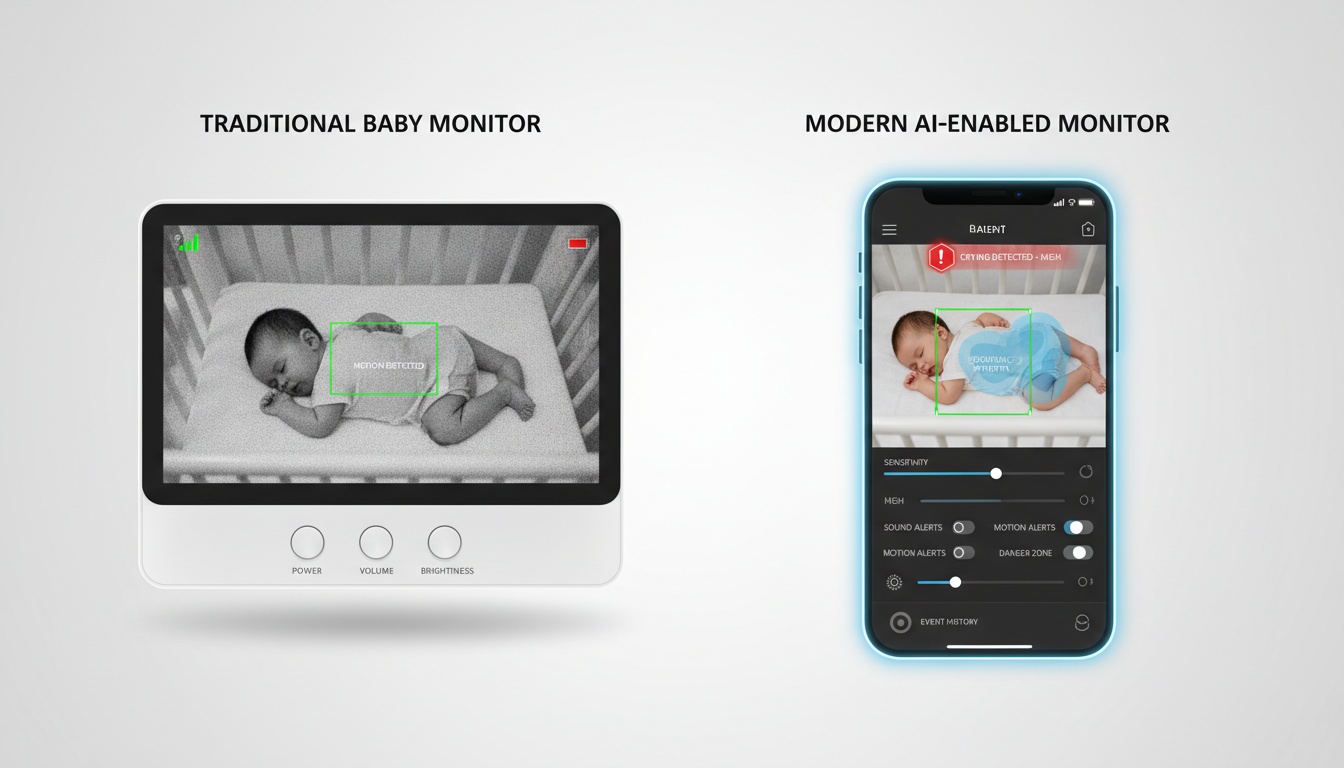
A genuine AI baby monitor runs computer vision models that analyze video frames continuously, looking for specific visual patterns. Face-covering detection, for example, doesn't trigger when the room gets darker. It triggers when the model identifies a cloth-like object occluding the region where the baby's face should be. That distinction matters.
The "edge AI vs. cloud AI" question is where marketing gets slippery. Some monitors process video locally on the camera hardware — edge processing, meaning raw footage never leaves your home. Others stream video to remote servers for analysis, which introduces latency and data exposure. Many products do both without clearly disclosing which features run where.
Three detection tasks show up across most AI monitors: face-covering detection, rollover detection, and sensor-free movement monitoring. The last one deserves a realistic explanation. Consumer-grade cameras don't measure chest movement with precision. What they do is track subtle pixel-level changes in a defined region over time, flagging when the expected pattern changes. That's pattern recognition, not clinical monitoring. The distinction matters for how much weight you put on an alert.
False Positives and Sensitivity Calibration
False positives are real. Loose swaddle fabric, a shadow from a ceiling fan, a stuffed animal near the crib — all of these can trigger face-covering alerts on current-generation hardware. Parents commonly report multiple false positives in the first hours of use, before adjusting the sensitivity zone to exclude objects like a mobile hanging at the crib's edge.
False negatives are the quieter risk, most common in low-light conditions where the model loses confidence. Set your expectations before you set up the camera.
Most meaningful AI detection features sit behind a subscription or premium hardware tier. Free tiers typically give you live video and basic sound detection. The smart stuff costs extra — and that gap is wider than most product pages suggest.
---
2. AI Features That Actually Reduce False Alarms and Improve Detection Accuracy
Safety Detection Alerts
Face-covering detection and rollover detection are the headline features. Sensitivity settings matter as much as the features themselves. A monitor that fires activity alerts every 20 minutes at 2 a.m. trains parents to ignore them, which defeats the purpose entirely. Sensitivity controls that let you adjust detection by zone and time window are the difference between a monitor that helps you sleep and one that keeps you wired.
Good implementations let you adjust detection sensitivity by zone (so the mobile near the crib doesn't trigger face-covering alerts) and by time window (quieting non-critical alerts during known sleep periods). If a monitor doesn't offer sensitivity controls, that's a real gap.
Most AI monitor manufacturers don't submit to independent testing — detection accuracy claims come from internal testing. For real-world performance data, check recent threads on r/beyondthebump and r/NewParents.
Sensor-free movement monitoring on consumer hardware is wellness tracking, not clinical surveillance. Treat it as one data point among several, not a substitute for professional pediatric assessment if your child has documented health concerns.
Video Quality and Night Vision
AI detection accuracy degrades with video quality. A model working with a clearer image catches events a lower-resolution feed misses. Higher video resolution — 2K or 2.5K — gives detection models more to work with compared to 1080p, though 1080p remains common across the market and can perform well with good optics and lighting.
Night vision matters more for AI monitors than for traditional video baby monitors, because most detection events happen at night. Infrared night vision is standard. Color night vision uses ambient light amplification and gives the model richer data to work with, but requires some ambient light in the room. The practical difference: color night vision catches subtle movement changes that infrared might miss in very dark rooms.
Field of view is a real tradeoff. A wide-angle lens covers more of the crib but compresses the image. A narrower lens gives the AI more pixel density to work with in the detection zone. Effective coverage depends on mounting distance and crib size, so check manufacturer recommendations for your specific setup.
Two-Way Talk and Sound Detection
Two-way talk latency varies meaningfully across monitors. Most manufacturers don't publish latency specs anywhere in their marketing materials, which tells you something about how seriously they take it. Ask in forums. Check Reddit threads from the last 90 days specifically.
Sound detection has improved considerably on current mid-range AI monitors. Distinguishing a cry from common ambient noise — a TV in the next room, a dog barking — is more reliable than it used to be, though performance varies by platform and environment. Activity alerts triggered by specific sounds, a sharp cry versus fussing versus silence, give parents more useful information than a simple decibel threshold.
Mobile App Monitoring and Remote Access
Mobile app monitoring quality varies wildly. It's the most common source of negative reviews. A camera with excellent hardware paired with a buggy app is a bad monitor — check recent app store reviews (not the aggregate score, the actual recent ones) before committing. App load times and connection reliability are frequent complaints; read recent forum threads before buying.
Remote monitoring across different networks is a baseline expectation now. Family sharing and multi-caregiver access matter more than manufacturers acknowledge. Grandparents, night nurses, and co-parents all need access without sharing login credentials.
Sleep and Health Tracking
The best sleep tracking dashboards show multi-week sleep cycle trends, not just last night's total. That longer view lets you spot patterns — early wake-ups on certain nights, longer stretches after schedule changes — that a single night's data would miss. It's information you can actually discuss with your pediatrician at well-child visits.
The question nobody asks: how long is your data retained, and can you export it? Some platforms delete footage after 14 days. Others keep it indefinitely. That's worth knowing before you hand over months of your child's sleep data.
Smart Home Integration
If your household runs on Alexa, Google Home, or Apple HomeKit, compatibility affects how useful real-time alerts actually are in practice. A monitor that pushes alerts to your phone but not to your smart display is a different product than one that does both.
Check which features work through the integration versus which require the native app — the gap is usually larger than the marketing suggests. Evaluate this early in your search, not as an afterthought.
---
3. Setup and Ease of Use: What Nobody Puts in the Spec Sheet
Setup complexity varies more than you'd expect. Most AI monitors pair in under five minutes on a 2.4GHz network. That last part matters. If your router is 5GHz-only, you'll need to create a separate network band — that's a 20-minute detour most product pages don't mention.
Hub requirements vary by product. Some monitors connect directly to your router with no hub needed; others require a dedicated base station, which adds a power outlet to your nursery setup. Check the manufacturer's current setup requirements before purchasing.
App pairing friction is real. Some monitors pair cleanly in two taps; others require a firmware update, a router restart, and a support chat before the first live view loads. Check for recent setup complaints in forums before buying; manufacturers fix these issues slowly.
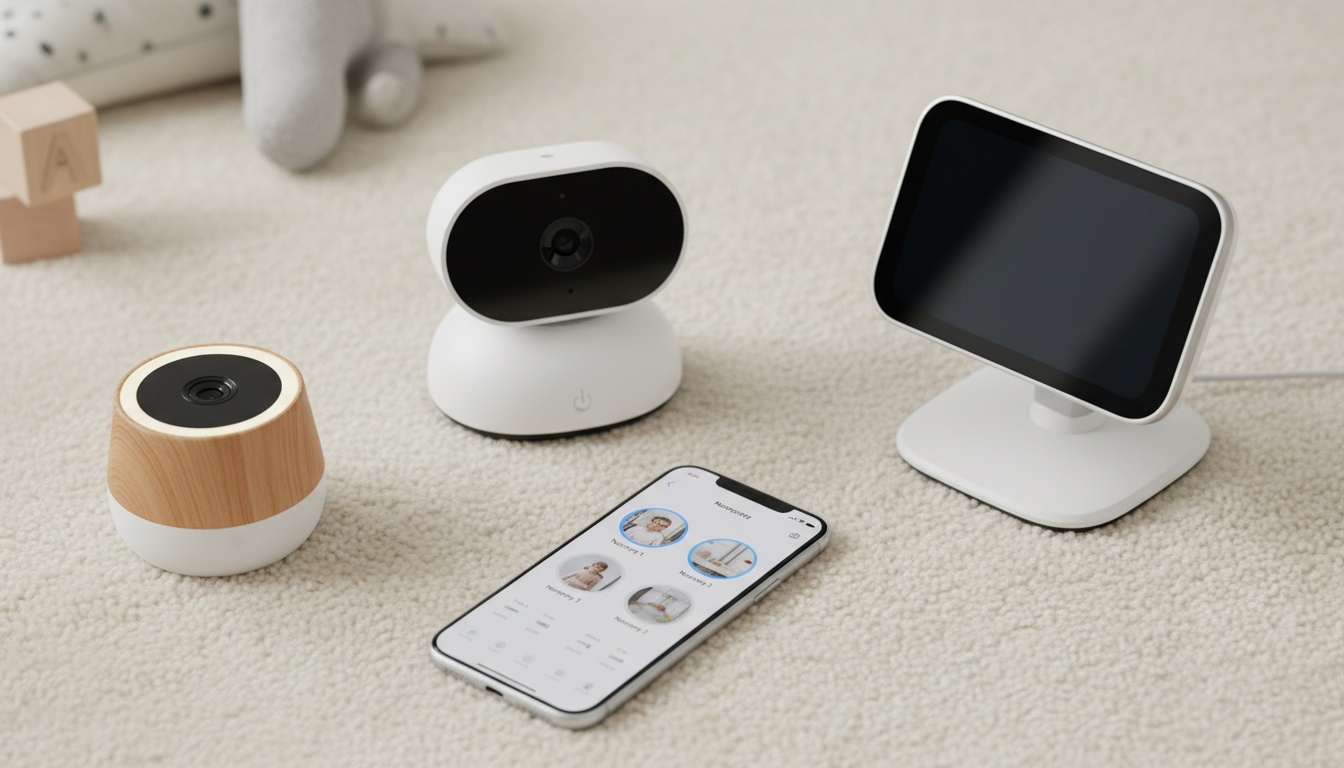
Mounting is worth thinking through before the camera arrives. Most AI monitors ship with a tabletop stand and a wall-mount bracket. Wall mounting gives better detection angles but requires drilling. If you're renting, confirm the stand gives adequate overhead coverage before you commit to a specific model.
Often overlooked: whether the monitor works without a smartphone. Grandparents and occasional caregivers often want a dedicated screen, not another app to manage. Most AI monitors are app-only. If that's a dealbreaker for your caregiving setup, factor it in.
---
4. Top AI Baby Monitors Compared: 2026 Lineup
Prices and subscription tiers change frequently; check manufacturer sites for current pricing and promotions before purchasing.
| Monitor | AI Detection | Video Quality | Subscription Required | Hardware Price | Monthly Cost | Best For |
|---|---|---|---|---|---|---|
| [CuboAi Plus](https://www.cuboai.com) | Face-covering, rollover, out-of-crib | 1080p | Yes (for full features) | Check current pricing | Check current pricing | Parents who want cloud-backed video history |
| [Sense-U Monitor+](https://www.sense-u.com) | Motion, movement patterns, sound | 1080p | No (with local SD card); cloud backup priced separately | Check current pricing | $0 (local SD card) | Budget-conscious parents who prefer a one-time hardware cost |
| [GoBaby AI](https://www.gobaby.ai) | Face-covering, rollover, sound zones | 2.5K HD | Yes | Check current pricing | Check current pricing | Smart home households, multi-caregiver setups |
| [BabyRadar](https://apps.apple.com/app/babyradar) (iPhone-based) | Audio analytics, cry detection, crib photo on alerts | On-demand live view (opt-in camera) | Freemium (Pro tier; check App Store for current pricing) | Free (uses existing iPhone) | Pro tier required for full features | iPhone households wanting no dedicated hardware |
On mobile, swipe the table right to see all columns.
Note: GoBaby AI is a newer market entrant — confirm current retail availability before purchasing. BabyRadar is an iPhone-to-iPhone monitoring app, not a dedicated camera; sound detection runs on-device, and the camera is opt-in with no always-on feed. Verify current app functionality in the App Store before purchasing.
A few things the table can't show.
CuboAi Plus is among the more thoroughly documented AI monitors in publicly available reviews and parenting forums, with features across face-covering detection, rollover detection, and out-of-crib alerts that are frequently discussed in user threads. Users commonly note that adjusting the indicator light setting — which can attract a baby's attention toward the camera — makes the first week easier, a detail that sounds minor until you're dealing with it at midnight.
Verify current product specifications on the manufacturer's site before purchasing, as features and subscription tiers can change. The weakness noted in many reviews: 1080p video in a category where some competitors are moving to higher resolutions, and the subscription cost stacks up over two years.
Sense-U takes a different approach — local storage with no recurring subscription when you use an SD card.
Sense-U Monitor+ runs at 1080p with a wide-angle view and zoom capability — confirm current specs on the manufacturer's site. The headline feature is local storage — you pay once for the hardware and store footage on an SD card, with no ongoing fees required. Sense-U claims the AI analyzes over 40 million pixels per second; independent testing of this figure isn't available, so treat it as a marketing benchmark rather than a verified spec. Background audio monitoring is included.
For parents who want AI detection without a recurring subscription, Sense-U is worth a serious look.
GoBaby AI is a newer entrant that has generated discussion in parenting forums. The 2.5K HD video provides more image data for its detection models. The weakness is cloud dependency — all AI processing happens server-side, which means an outage affects your alerts. Verify current availability before purchasing; retail distribution is still expanding.
Is the CuboAi Monitor Worth the Price?
For parents seeking additional monitoring features and peace of mind, the CuboAi Plus offers comprehensive detection capabilities — see our CuboAi vs Nanit comparison for how the two flagships stack up. For healthy full-term infants, the premium is harder to justify.
Cloud storage and extended playback mean you can review what triggered an alert, not just react to it — which matters when you're trying to figure out whether a 3 a.m. alarm was real. Check current pricing on the manufacturer's site; hardware cost plus two years of subscription can add up significantly depending on the plan. Compare that to a traditional video baby monitor at $50–$120 one-time before assuming the AI features will meaningfully change your experience.
---
5. Privacy, Security, and Reliability: What the Marketing Doesn't Say
Most AI monitor reviews skip this entirely: continuous video and audio of your child is an extraordinary amount of sensitive data. The AI detection is the feature. The data pipeline is the risk.
Cloud storage means your footage travels to a third-party server, gets processed, and sits in a database. Retention policies live in the terms of service — and nobody reads them. Who owns that footage after you cancel? What happens if the company gets acquired? Not hypothetical — multiple smart home camera companies changed their data policies post-acquisition between 2022 and 2025. One of them was a baby monitor brand. Check the FTC's guidance on children's privacy and data collection before you hand over months of nursery footage to a platform you haven't researched.
Credential Hygiene and Real-World Risks
Encryption standards vary. Look for AES-256 encryption in transit and at rest, and TLS 1.2 or higher for the data connection (TLS 1.3 is available on many platforms; 1.2 is the minimum acceptable standard). If a manufacturer can't tell you their encryption standard, that tells you something.
Smart home integration adds another layer of exposure. CuboAi's Alexa integration is convenient — but connecting your nursery camera to Amazon's ecosystem means Amazon's data practices apply to whatever that integration touches. Google Home and Apple HomeKit integrations carry similar considerations. None of this means don't use them. It means know what you're agreeing to.
The 2015 Foscam incident wasn't subtle. A couple heard a stranger's voice coming through their baby monitor — someone had remotely accessed the camera. The camera had default credentials. That's it. No sophisticated hack, no state-sponsored intrusion. A default username and password left unchanged.
Reliability complaints on Reddit follow a consistent pattern: missed alerts during app updates, false positives waking parents two or three times a night until sensitivity is recalibrated, and connection drops during Wi-Fi instability. The frustration is real. Read recent threads on r/beyondthebump and r/NewParents before committing to a specific platform.
Why Are Baby Monitors Discussed Carefully by Pediatric Experts?
The AAP does not recommend consumer monitors as medical devices or clinical tools. These are wellness tools, not clinical devices. According to the AAP's current safe sleep guidelines, the foundation of safe sleep is room-sharing without bed-sharing, firm sleep surfaces, and avoiding soft objects — not technology.
The parental anxiety angle is real too. A monitor that fires three alerts a night trains parents to sleep lightly, checking the app constantly. That's not rest. Outsourcing your nervous system to an algorithm doesn't necessarily make you calmer. It can make you more vigilant, not less.
If your child has documented health concerns, that conversation belongs with a pediatrician, not a product comparison chart.
---
6. Is an AI Baby Monitor Worth It? A Decision Framework
For most healthy full-term infants, a traditional monitor is enough. For parents seeking additional monitoring features and peace of mind, or households with rotating caregivers, the AI features may provide added value.
AI monitors cost two to four times more than traditional monitors at purchase. Add two years of subscription and the gap widens further. The honest question isn't "which AI monitor should I buy" — it's "do I need an AI monitor at all."
The monitors with the best detection specs in controlled conditions consistently get the worst real-world reviews. Sensitivity calibration is harder than detection accuracy, and manufacturers optimize for demos, not 3 a.m. reliability. That gap matters.
When AI Monitoring May Provide Added Value
Parents seeking additional monitoring features and peace of mind may find value in AI monitors, particularly in households where caregivers rotate frequently — households where night nurses, co-parents across locations, and grandparents covering overnight shifts all need a shared record, not just a shared login.
Parents with high monitoring interest sometimes find that documented evidence — "the monitor showed normal movement patterns for six hours" — is more reassuring than a live feed they'd check compulsively anyway. That's a legitimate use case.
The math: mid-range AI monitor hardware (prices vary widely by brand and retailer; check current listings before budgeting) plus two years of subscription puts total cost of ownership well above a traditional monitor. A traditional video baby monitor runs $50–$120 one-time. The premium buys specific detection features, not general peace of mind.
When a Traditional Monitor Is Enough
Healthy full-term infants with no documented health concerns. Parents who already find themselves checking the monitor more than they'd like. Households on tight budgets where the two-year total cost of an AI monitor represents a real trade-off.
No consumer AI monitor is a substitute for clinical monitoring or pediatric assessment. Remember that.
How to Choose the Right AI Baby Monitor for Your Situation
Budget-first: Sense-U Monitor+ with local SD card storage. You pay once for the hardware, store footage locally, and get AI detection included — no recurring fees required.
Feature-first: CuboAi Plus or GoBaby AI, depending on whether you prioritize video history (CuboAi) or video resolution (GoBaby AI).
Privacy-first: Sense-U with local storage keeps footage off remote servers. For parents who want to minimize cloud exposure, try BabyRadar free on the App Store: sound analysis runs locally on the nursery iPhone, the camera is opt-in and off by default with no always-on video feed, live viewing runs over an encrypted connection between your paired devices, and any saved event clips or photos are consent-gated and auto-deleted after 90 days. It requires existing iPhones. Like any networked app, it requires an internet connection; it works across different networks and over cellular, unlike some traditional monitors that require both devices on the same Wi-Fi. Verify current app functionality before use.
Smart home integration priority: CuboAi has well-documented Alexa support. GoBaby AI has reportedly broader HomeKit compatibility — verify current integration status before purchasing, as smart home integrations change frequently.
One thing to check before you buy anything: read the subscription terms carefully. Some features are hardware-locked and work without a subscription. Others are subscription-gated and disappear if you cancel. The difference between those two categories isn't always obvious from the marketing page. Most parents don't check. Read the fine print.
---
7. Key Takeaways
- AI baby monitors use computer vision to detect face-covering, rollovers, and movement patterns — not precision medical sensors. Set expectations accordingly.
- Edge AI (on-device processing) is meaningfully different from cloud AI (server-side processing) for both privacy and reliability.
- False positives are common across all current platforms. Sensitivity settings aren't optional — they're how you make the monitor livable.
- CuboAi Plus is a frequently discussed option with face-covering detection, extended playback, and multi-user support; Sense-U Monitor+ is the strongest case for one-time hardware cost with local storage. Verify current specs and pricing on manufacturer sites before purchasing.
- Total cost of ownership over two years varies significantly by plan; check current pricing before budgeting. A traditional video baby monitor runs $50–$120 one-time.
- The AAP does not recommend consumer monitors as medical devices or clinical tools. These are wellness tools. If there are documented health concerns, that's a pediatrician conversation.
- Check subscription terms before buying — the gap between what's hardware-included and what's subscription-gated is wider than most product pages suggest.
- Setup friction is real. If your router is 5GHz-only, budget extra time. If caregivers need a dedicated screen rather than an app, most AI monitors won't work for them.
Ready to compare? See CuboAi Plus and Sense-U Monitor+ side-by-side or download BabyRadar free to test on-device cry detection with no hardware cost.