
1. What Is a Baby Cry Monitor and How Does It Work?
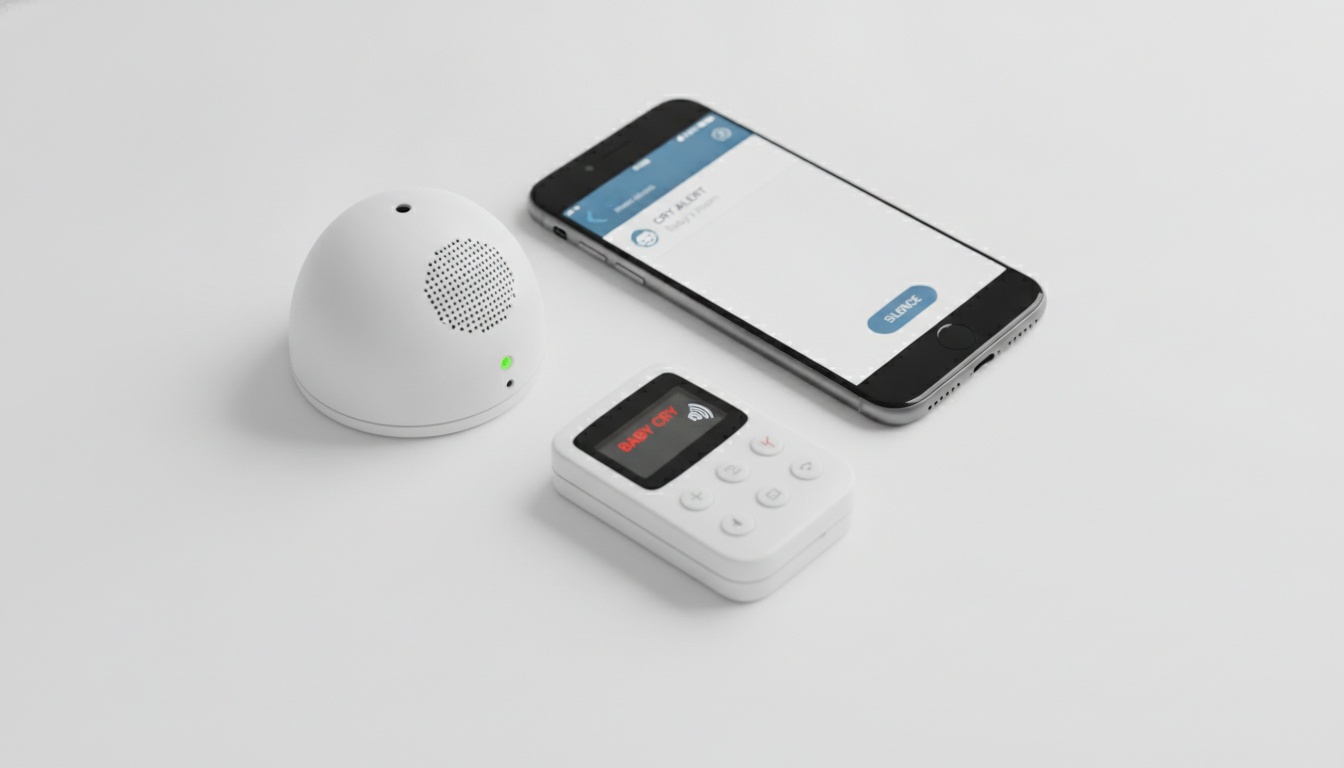
A baby cry monitor is a dedicated cry alert system. The transmitter sits near the crib, its microphone tuned to the frequency range of infant cries. When audio crosses the detection threshold, the unit fires a signal to a pager receiver, wearable, or smartphone app — triggering a vibration alert, LED notification, audible beep, or some combination of all three.
The alert delivery chain is simple on paper: sound detected → transmitter processes audio → signal sent → receiver notifies caregiver. The reliability of each link in that chain is what separates a $40 unit you'll return in a week from one that actually works at 3 a.m.
Traditional baby monitors give you a live audio stream. A baby cry monitor gives you an event. For certain families — deaf parents, hard of hearing caregivers, heavy sleepers, parents working in loud environments — the event-triggered model can be significantly more practical and reliable than continuous audio streaming.
This guide covers all three delivery formats: dedicated hardware systems, baby monitor apps, and hybrid smart monitors. If you're trying to decide which format fits your situation, compare cry monitors by type before reading the full breakdown.
---
2. Hardware vs. App-Based vs. Hybrid: Which Type Fits Your Life?
| Type | How It Works | Best For | Price Range |
|---|---|---|---|
| Dedicated hardware | RF transmitter + pager receiver | Accessibility, reliability, operates without network dependency | $60–$200 |
| Baby monitor app | Smartphone mic + push notifications | Low-cost, travel, existing device use | Free–$15/mo |
| Hybrid smart monitor | Camera + AI cry detection | Rich features, smart home integration | $150–$400+ |
The right type depends on your specific situation — here's how to read each one.
Dedicated Hardware Systems
A standalone transmitter paired with a pager receiver or wearable is the most reliable format. No network dependency. No app permissions to manage. No battery-hungry smartphone left charging on a nightstand.
Range and Real-World Coverage
RF-based wireless monitors typically advertise open-space ranges that vary significantly by product and environment — walls, interference, and home construction all reduce effective coverage. Actual in-home range depends heavily on your floor plan and building materials, so treat manufacturer specs as a ceiling rather than a guarantee. Bluetooth-based systems generally cover less ground than RF; RF is the right choice if range matters.
If range and reliability are your priorities, see Hearview's wireless cry alert system — it's designed with deaf and hard of hearing parents in mind. Verify current range and feature specifications at hearview.ai before purchasing.
Expandable systems let you add receivers for multi-room monitoring or pair multiple transmitters for different rooms or caregivers. That's the feature most first-time buyers overlook, and then wish they hadn't.
Wireless Technology: RF vs. Bluetooth vs. DECT
Worth knowing before you buy: not all hardware monitors use the same wireless protocol. RF (radio frequency) systems typically offer the longest notification range and work through walls reliably. Bluetooth systems are simpler to pair but cap out at shorter distances — typically well under 100 feet through walls, though actual range varies by wall material and device.
DECT (Digital Enhanced Cordless Telecommunications) is a third option found in some higher-end models. It operates on a dedicated frequency band that avoids Wi-Fi interference and offers strong range with low latency. For most U.S. buyers, RF is the practical default for hardware cry monitors.
Baby Monitor Apps
App-based cry monitors turn a spare iPhone into a nursery transmitter. No extra hardware, no pairing sequence — install, grant microphone access, and you're monitoring. The catch is that "simple" doesn't mean "reliable," and the gap between the two matters more at 3 a.m. than it does in the app store listing.
Yes — iPhones can detect baby crying using apps like Baby Monitor 3G or iOS's built-in Sound Recognition (introduced in iOS 14 and improved in subsequent versions with better frequency filtering), both of which use on-device audio detection to push a notification when crying is detected. The trade-off: they require a stable connection, a charged device, and consistent OS permissions, which makes them less dependable for accessibility-critical situations than dedicated hardware.
BabyRadar is a freemium model: basic features are free, and full features require a Pro subscription (pricing subject to change — check the App Store listing for current details). Worth knowing before you assume "app" means "free."
Testing an app-based option costs little to nothing. Search for BabyRadar on the App Store and check the current pricing and availability before running it on a spare iPhone.
Hybrid Smart Monitors
Nanit Pro and Owlet Dream Cam sit in this category. Camera-based monitoring with AI cry detection layered on top, plus smart home integration. The feature set is impressive. So is the price — and the ongoing subscription cost for cloud features.
If you want cloud video archives and sleep tracking data alongside cry alerts, hybrid is the right call. If you want a reliable cry alert system without the ecosystem lock-in, it's probably not.
---
3. 5 Features That Separate a Monitor You'll Actually Use From One You'll Return
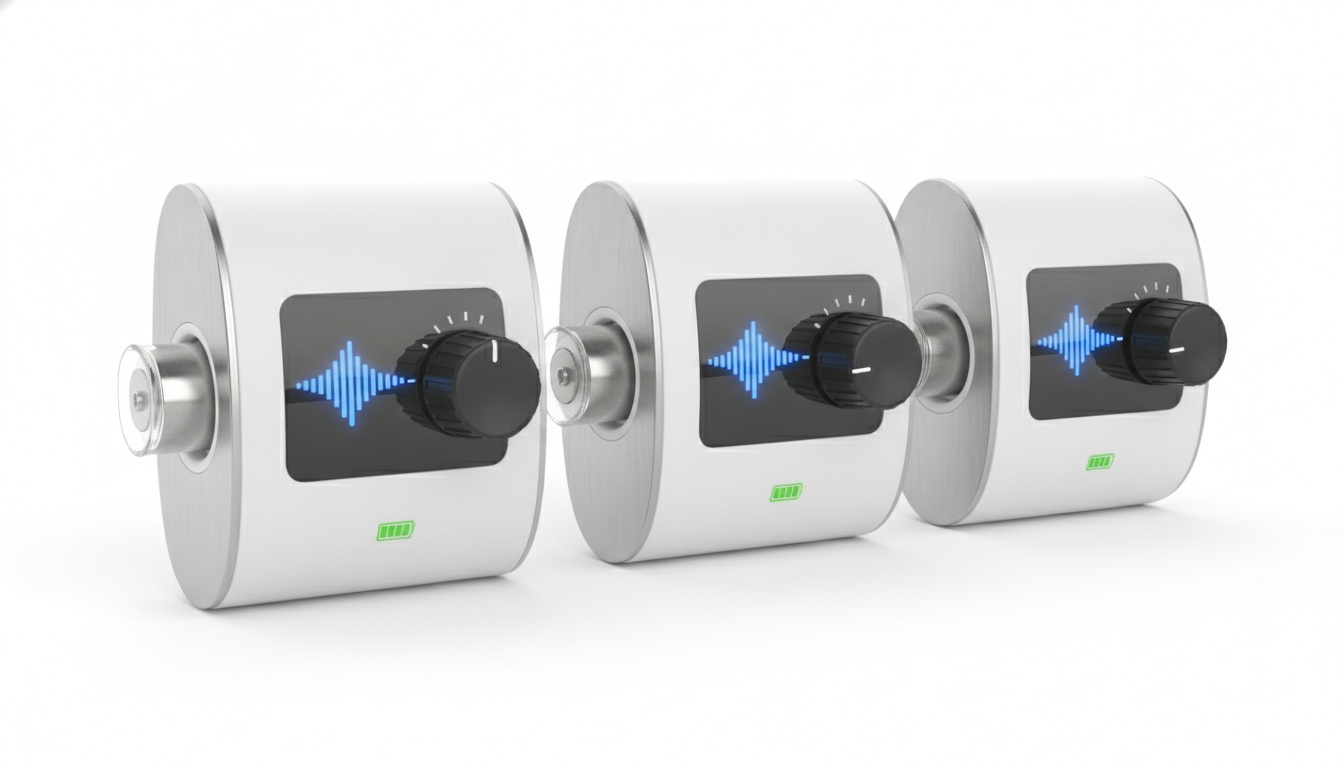
The best baby cry monitors typically combine multi-modal alerts (vibration, LED, and audio), adjustable sound sensitivity with at least three tiers, reliable range for hardware units (verify per product), sufficient receiver battery life for overnight use, and expandability for multiple receivers. Prioritize based on your specific use case.
Alert Types: How to Know Your Baby Needs You (Even When You're Asleep)
The best units offer multi-modal alerts: vibration for when you're asleep or in a noisy room, LED notification for visual confirmation, and an audible beep for general use. For deaf and hard of hearing parents, the vibration and LED combination isn't a nice-to-have. It's the entire point of the product.
Look for wearable receivers with a strong vibration motor. "Strong" is relative, but if the product listing doesn't specifically call out vibration intensity or doesn't show a wearable clip, assume it's weak.
Sound Sensitivity: The Setting That Stops 2 a.m. False Alarms
Here's the short version: if the sensitivity dial has fewer than three positions, return it. Fixed-sensitivity transmitters in real homes — near streets, with pets, with HVAC running — false-alarm constantly. That's not a minor annoyance. False alarm fatigue is why parents turn monitors off. Then something actually happens.
Good systems let you set sound sensitivity in at least three tiers. Better ones filter by frequency, distinguishing infant cry from ambient noise. Calibrate by starting at mid-sensitivity, running a test, and adjusting from there — more on that in the setup section below.
Range and Portability
Hardware notification range varies widely by product and wireless protocol. RF systems typically reach further than Bluetooth; DECT falls between the two in most real-world conditions. Walls degrade range faster than most specs suggest. Always verify range claims against the specific product's documentation and, where possible, real-world user reviews.
Portability matters if you travel. A compact hardware transmitter and pager receiver in a bag beats relying on hotel Wi-Fi for an app-based setup.
Battery Life and Power Management
Overnight use requires sufficient receiver battery life — look for products that specify battery duration in hours rather than vague claims like "all-night." Rechargeable receiver units are more convenient than AA/AAA-dependent ones — look for models that specify charging time and cycle life in the product listing, not just "rechargeable." Alkaline backup is still useful for travel. Check whether the transmitter plugs into wall power or runs on batteries — most do both, which is the right answer.
Expandability
An expandable system means you can start with one receiver and add a second later — for a grandparent's room, a home office, or a second floor — without buying a new system. That's a meaningful cost difference six months in. Not every system supports this. Confirm before you buy.
Two-Way Audio
Two-way audio lets you speak to your baby through the monitor — useful for settling a fuss without walking to the nursery, which many parents find helpful at 3 a.m. Most dedicated hardware cry monitors don't include it; that's a feature more common in hybrid smart monitors. Hybrid options like Nanit Pro include it; most pager-style hardware units don't.
---
4. Baby Cry Monitors for Specific Needs: A Use-Case Guide
Deaf and Hard of Hearing Parents
This is the original use case for the baby cry signaler category, and the hardware market reflects it. That's not hyperbole — a parent who can't hear a cry through a speaker has no fallback. The stakes for getting this product category right are categorically different than for a hearing parent who just wants a convenient alert.
Look for wearable pagers with a strong vibration alert and high-intensity LED notification — ideally a flash panel visible from across a dark room. Hearview built their wireless baby cry alert monitor with deaf and hard of hearing parents as the primary audience. Verify specific performance claims — vibration intensity, LED brightness, and range — against the current product documentation at hearview.ai before purchasing.
Expandable to multiple receivers, which matters for two-parent households where both caregivers need independent alerts. See best baby gear for deaf parents for a broader equipment guide.
Accessibility features checklist for this use case:
- Wearable receiver (not just a bedside unit)
- Vibration intensity rating listed explicitly in product specs
- LED flash panel visible in daylight and across a dark room
- Expandable system that supports multiple receivers
- Rechargeable receiver with stated battery life (not just "rechargeable")
Working Parents and Multi-Room Homes
Long range and multi-room monitoring are your priorities. An expandable cry alert system with rechargeable receivers you can wear through a full workday at home beats a single bedside unit you keep forgetting to check.
Color-coded alerts are useful if you're monitoring multiple rooms — some systems assign different flash patterns or colors per transmitter, so you know at a glance which room needs attention. Check product specs carefully; not all expandable systems support color-coded alerts, and the ones that do typically call it out explicitly in the feature list.
Travel and On-the-Go Use
Portable monitor hardware wins here. Hotel Wi-Fi is unreliable, and an app-based setup that depends on stable connectivity is a liability on the road. A compact RF transmitter and pager receiver pair works in any environment, no network required.
That said, if you're already using BabyRadar or a similar app at home, it works over cellular — so it's not useless for travel. Just don't count on hotel Wi-Fi as your primary connection.
Light Sleepers and Noise-Sensitive Environments
Fine-tuned sound sensitivity settings matter most here. A hybrid smart monitor with AI cry classification — Nanit's system, for example — can distinguish a brief fuss from a sustained cry, which many parents find reduces false alarm concerns. Worth considering if false alarm fatigue is a real concern for your household.
---
5. Top Baby Cry Monitor Options: Features, Pros, and Cons
These picks were evaluated on alert reliability, range, accessibility features, and value. No sponsored placements.
Hearview Wireless Baby Cry Alert Monitor Type: Dedicated hardware | Best for: Deaf and hard of hearing parents
Designed with accessibility as the primary focus — see the use-case section above for full detail. Vibration alert and LED notification are the primary alert modes. Check hearview.ai for current specifications on range, expandability, and battery life, as product details are subject to update.
- Pros: Purpose-built for accessibility; expandable (verify current models); operates without network dependency; rechargeable receiver option
- Cons: No camera; no app integration; limited smart home connectivity
- Price: Check Hearview pricing
BabyRadar (App-based, iOS) Type: App-based | Best for: iPhone households, travel secondary use
Freemium model — basic features free, Pro tier via subscription (check the App Store listing for current pricing, availability, and technical details).
- Pros: No extra hardware needed; freemium entry point; privacy-focused per developer claims
- Cons: Requires two iPhones; dependent on battery and connection; full features require Pro subscription
- Price: Search BabyRadar on the App Store — verify current pricing and availability in-app
Nanit Pro Camera + Nanit Insights Type: Hybrid smart monitor | Best for: Parents who want video + cry detection + sleep analytics
Camera-based with AI cry detection and smart home integration. Cloud-connected. Pricing and subscription tiers change periodically — check Nanit's current pricing for the latest figures before purchasing. Over time, subscription costs can add meaningfully to the total cost of ownership on top of the hardware. Worth it if you use the sleep tracking data; less so if you mainly want cry alerts.
- Pros: Rich feature set; sleep analytics; video archive; two-way audio
- Cons: Expensive hardware; ongoing subscription; cloud dependency
- Price: Nanit current pricing — check site for current camera and subscription rates
Serene Innovations BA-50 / Similar RF Pager Systems Type: Dedicated hardware | Best for: Budget-conscious, accessibility-focused buyers
Basic RF transmitter and pager receiver. Vibration alert and audible alarm. Verify current range, expandability, and feature specifications with the retailer or manufacturer before purchasing, as product details vary by model.
- Pros: Affordable; simple setup; operates without network dependency
- Cons: Verify range against product specs; basic alert types; confirm expandability before purchasing; AA battery dependent
- Price: Serene Innovations BA-50 — verify current pricing with retailer
Alert Types and Range
| Product | Alert Types | Range | Best For |
|---|---|---|---|
| Hearview Wireless | Vibration + LED + audio | Verify at hearview.ai | Deaf/HoH parents; multi-caregiver homes |
| BabyRadar | Push notification with crib photo + audio | Network-dependent | iPhone households; travel secondary use |
| Nanit Pro | Push + audio + smart home | Network-dependent | Video + cry detection + sleep analytics |
| Serene Innovations | Vibration + audio | Verify with retailer | Budget-conscious buyers |
Cost and Specs
| Product | Battery Life | Expandable | Price |
|---|---|---|---|
| Hearview Wireless | Check specs | Verify at hearview.ai | [hearview.ai](https://hearview.ai) |
| BabyRadar | Phone battery | Via app | Freemium |
| Nanit Pro | Plugged in | Via app | Check nanit.com |
| Serene Innovations | AA batteries | Verify with retailer | Verify with retailer |
---
6. Baby Cry Monitor vs. Traditional Baby Monitor: Key Differences
A traditional baby monitor streams live audio (and often video) continuously. A baby cry monitor fires an event-triggered alert. Same general category on the shelf. Very different products.
| Feature | Traditional Monitor | Baby Cry Monitor |
|---|---|---|
| Always-on audio stream | Yes | No |
| Cry-specific alerts | Rarely | Yes |
| Visual LED notification | Rare | Common |
| Vibration alert | Rare | Common |
| Accessibility suitability | Low | High |
| Range | Varies | Varies by product/protocol |
| Price | $40–$400+ | $60–$200 (hardware) |
The accessibility gap is the most important row in this table. For deaf and hard of hearing parents, vibration and LED alerts aren't optional features. They're the only features that work.
Many parents find that after the first 8–12 weeks, knowing when their baby is crying becomes more important than monitoring every sound — rather than listening to a continuous audio feed of snuffles and white noise cycles. The cry alert system tells you what matters. The traditional monitor tells you everything, which is another way of saying nothing.
Some families run both. A video monitor for general overnight surveillance, plus a wearable baby cry signaler for the deaf or hard of hearing parent who needs a guaranteed physical alert. That combination works well and isn't as expensive as it sounds when you price it out.
Smart home integration is where hybrid monitors close the gap. Nanit and Owlet both support Alexa routines, so a cry event can trigger a smart light in another room — effectively adding visual notification capability to a camera-based system. See the Alexa baby monitor routine setup guide for configuration steps, or the smart home nursery setup guide for a broader automation walkthrough.
---
7. Setup in 10 Minutes: How to Calibrate Your Monitor So It Actually Works
Setup for most hardware units follows the same basic sequence. Power on the transmitter. Power on the receiver. Hold the pairing button on both simultaneously until the LED confirms connection. Then run a test alert before you trust it with an overnight.
Place the transmitter 3–6 feet from the crib at roughly crib-rail height — close enough to pick up cry audio clearly, far enough that normal movement doesn't trigger false alarms.
Sensitivity calibration is where most people skip a step and then complain the monitor doesn't work right. Start at mid-sensitivity. Have someone make a normal-volume cry sound near the transmitter (a recorded infant cry played from a phone works fine). Confirm the receiver triggers. Then introduce ambient noise — TV at normal volume, dishwasher running — and confirm it doesn't trigger. Adjust up or down from there.
Troubleshooting quick reference:
- Signal drops: Check distance first. Move transmitter and receiver closer. Look for interference from other RF devices on the same frequency.
- False alarms: Lower sound sensitivity one tier. Reposition transmitter away from HVAC vents or street-facing walls.
- Receiver not vibrating: Check battery charge first. Re-pair if battery was fully depleted before recharging.
For multi-room monitoring, register additional receivers one at a time following the manufacturer's pairing sequence. If your system supports color-coded alerts, assign a distinct pattern per transmitter before you need it — not at 2 a.m. when you've forgotten which room is which.
Most hardware monitors ship with 30-day return windows, so you can test the system in your home before committing.
---
8. Key Takeaways
- A baby cry monitor is event-triggered; a traditional baby monitor streams continuously. They solve different problems.
- Dedicated hardware systems are the most reliable option for deaf and hard of hearing parents — they operate without network dependency, offer wearable receivers, and support expandable systems for multi-caregiver households.
- App-based options work well for secondary or travel use, but treat them as supplemental to hardware if accessibility is a real requirement.
- Hybrid smart monitors (Nanit, Owlet) offer the richest feature set at the highest cost, with ongoing subscription fees to consider.
- Sensitivity calibration takes ten minutes and prevents most false alarm problems. Do it before the first overnight use.
- Expandability is the most overlooked spec. Confirm before you buy whether the system supports additional receivers.
Still deciding? Compare traditional baby monitors if you want a streaming option alongside, or go back to the use-case guide if you're not sure which format fits your family.
One last thing worth saying: the best cry monitor is the one you actually trust enough to sleep through. All the features in the world don't matter if false alarm fatigue makes you switch it off by week two. Get the sensitivity calibration right on night one, and the rest mostly takes care of itself.