
1. Nanit vs. Owlet at a Glance: Quick Comparison Table
| Feature | Nanit Pro Complete | Owlet Dream Duo 2 |
|---|---|---|
| **Upfront price** | $349–$399 (with stand, verify current pricing) | ~$399 (cam + sock bundle, verify current pricing) |
| **Camera resolution** | 1080p HD | 1080p HD |
| **Field of view** | ~130° (varies by model) | ~110° (varies by model) |
| **Health tracking type** | Motion-based (breathing band) | PPG sensor (heart rate + SpO2) |
| **Two-way audio** | Yes | Yes |
| **Night light** | No | Yes (Owlet Cam 2) |
| **Smart home integration** | None confirmed | None confirmed |
| **Subscription required?** | Free tier available; Insights requires paid plan | Free tier available; Owlet+ required for trends |
| **App Store rating** | ~4.5 stars (ratings are dynamic; check current reviews) | ~4.3 stars (ratings are dynamic; check current reviews) |
| **Warranty** | 1-year limited | 1-year limited |
| **Best for…** | Sleep coaching, video quality | Physiological monitoring, anxious parents |
The three-year cost comparison is where this gets interesting — and where the identical hardware prices become misleading. We'll build that out fully below.
Table scrolls horizontally on mobile.
---
2. What Are You Actually Buying? Why the $399 Price Tag Doesn't Tell the Full Story
The product lineup for both brands has gotten more confusing over time, not less.
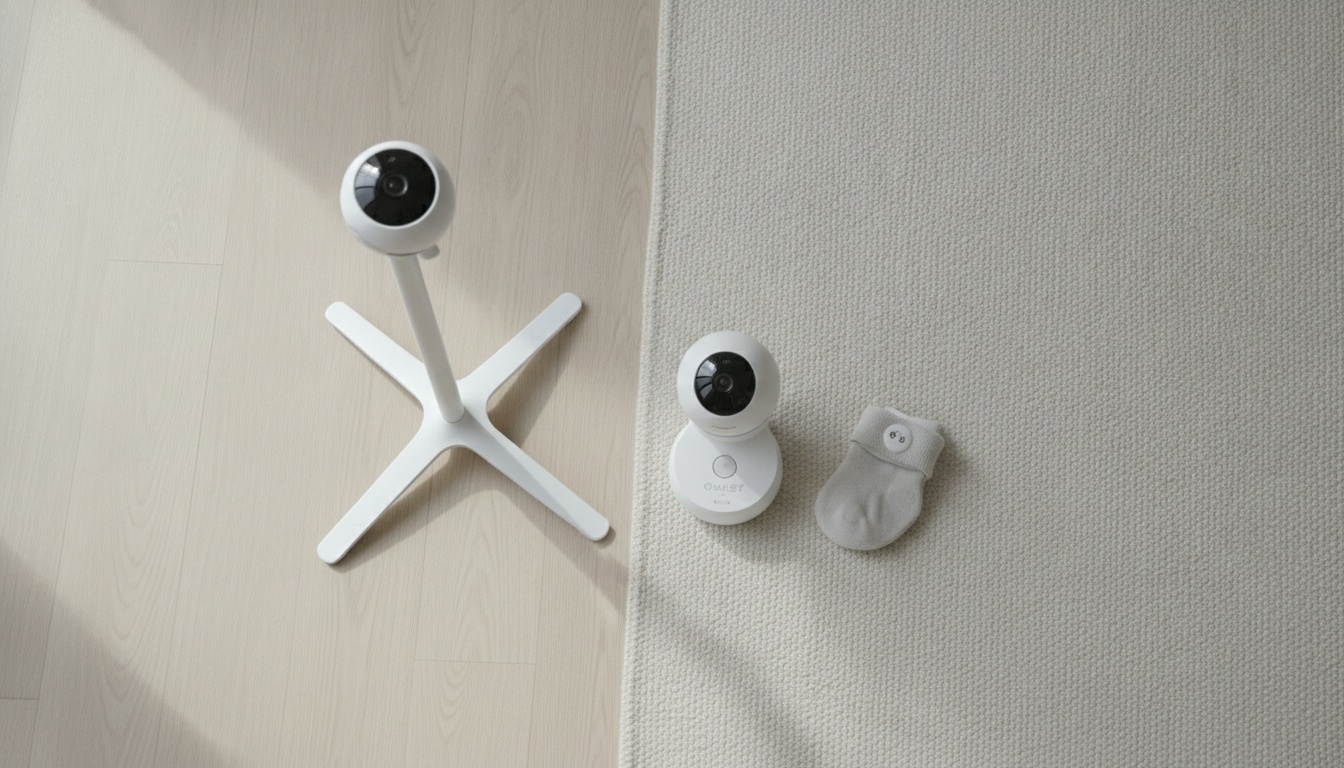
Nanit's lineup runs from the Nanit Pro Camera alone (around $249) up to the Nanit Pro Complete with floor stand (around $399, though pricing varies — confirm before purchasing). The camera works as a standalone live-view device out of the box. Sleep tracking summaries, historical data, and Nanit Insights features require a paid subscription after the initial one-month free trial that comes with every camera purchase.
Owlet's lineup starts with the Owlet Cam 2 alone ($119–$159 depending on the version) and goes up to the Dream Duo 2 bundle — Cam 2 plus the Dream Sock — at around $399 (confirm current pricing before purchasing). The sock is the differentiator. Without it, you're buying a capable but fairly standard camera.
What Subscription Features Do You Actually Need?
No. Both cameras stream live video without a subscription.
But "working" and "delivering the value you paid for" are two different things. Nanit's sleep scores, breathing motion trends, and historical night summaries all sit behind the Insights paywall. Owlet’s sleep trend data — total hours slept, number of wakings, oxygen history — requires Owlet’s paid plan. Nanit's 5-Year Plan Bundle (pricing varies; check nanit.com for current offers) makes the long-term math more predictable if you commit upfront.
Parents frequently compare $299 vs. $399 hardware prices without factoring in two to four years of subscription fees. Run that math before you buy.
---
3. Camera Quality and Video Features: Which Gives You Better Peace of Mind
1080p is table stakes now. Both cameras shoot 1080p HD. On paper, identical. The differences show up at 2 AM, when you're trying to see whether your baby's chest is moving.
Nanit's approximately 130° overhead view covers the full crib and excels for movement tracking; Owlet's approximately 110° angle is sufficient for standard cribs but shows its limits with twins or larger nurseries.
Field of View and Mounting: Where the Real Differences Are
Nanit Pro's wide-angle view covers the full crib from above. In testing, the overhead mount took about 25 minutes to install properly — longer than Owlet's plug-in setup, but the bird's-eye view it produces is cleaner for tracking movement across the full crib. Temperature and humidity sensors are built in, which sounds minor until you're troubleshooting a bad sleep stretch and realize the nursery is running four degrees warmer than usual.
Owlet Cam 2 has a narrower field of view, comes with a magnetic base, and includes a wall mounting kit and cable guards. The narrower angle isn't a dealbreaker for a standard crib. For a larger nursery or parents of twins, it shows. The Owlet Cam 2 includes a built-in night light — useful when older siblings need to navigate a dark nursery without waking the baby, a feature Nanit doesn't offer.
For multiple rooms or twins, Nanit's multi-cam app support handles the complexity better. Owlet requires separate setups for each baby.
Which Has Better Night Vision?
Both cameras offer night vision, though the implementations differ. The Owlet Cam 2 includes a color night vision option that helps distinguish movement and detail in low-light conditions (verify this feature is available on your specific model before purchasing). Nanit uses IR-based night vision that renders in standard black-and-white — reliable, but less visually detailed than color modes in dim light.
---
4. Health Tracking Technology: Breathing Monitors, Heart Rate, and What Pediatricians Say
This is where the two products diverge most sharply — and where the marketing language deserves some scrutiny.
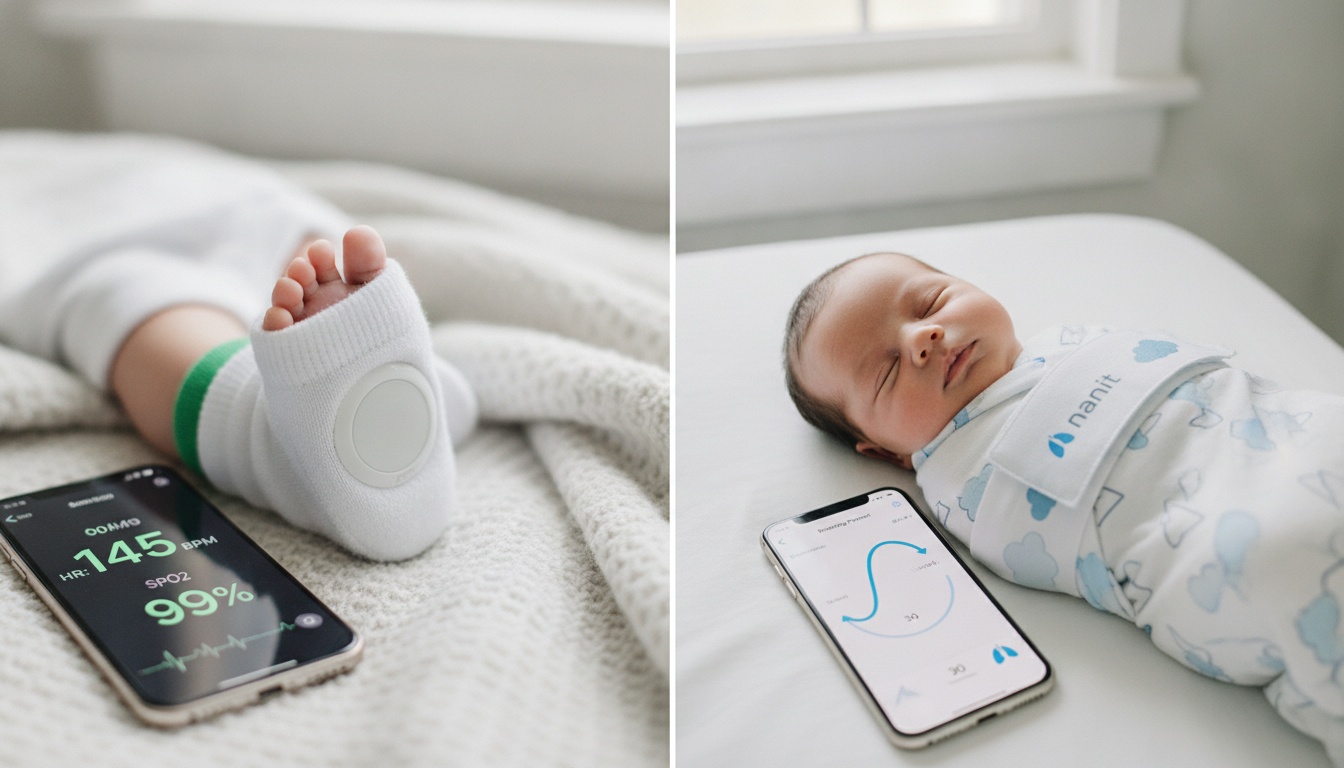
The Owlet Dream Sock uses pulse oximetry ([INTERNAL_LINK: how pulse oximetry works in baby monitors]) to measure a baby's heart rate and blood oxygen levels (SpO2). The sock connects to a base station via Bluetooth, which then communicates with the app via Wi-Fi. It charges fully in about 90 minutes and is designed for babies 0–18 months. This is physiological data — actual numbers from your baby's body.
Nanit's Breathing Band detects movement, not physiology. That's not a flaw — it's a different tool. Calling it a "breathing monitor" in the same breath as Owlet's SpO2 sensor is a marketing stretch worth naming. The Breathing Band is a piece of fabric with a special visual pattern that the camera reads to detect breathing motion. No sensors, no electronics, no charging required. Designed for babies 0–24 months.
Nanit's Breathing Band is not a medical device and is not subject to FDA medical device regulations — which also means it carries none of the regulatory risk that Owlet has navigated. Nanit's breathing monitoring is motion-based visual confirmation, full stop.
Neither device has received regulatory clearance as a medical diagnostic tool. The Owlet Smart Sock has navigated a complicated regulatory history with the FDA — it was pulled from sale briefly in 2021 before relaunching — and while it provides real physiological data, it's sold as a wellness device.
The reason Owlet's regulatory history with the FDA matters to parents isn't the 2021 situation itself — it's what it revealed about how the company communicates risk, which is something you want to understand before you're staring at an alert at 2 AM wondering whether to call your pediatrician.
Do Pediatricians Recommend Nanit or Owlet?
Most pediatricians don't formally endorse either Nanit or Owlet as medical devices — neither has received regulatory clearance for diagnostic use. Some support Owlet's SpO2 monitoring for premature or high-risk infants. Nanit is more commonly referenced in the context of sleep coaching.
The AAP's position on consumer pulse oximeters for healthy term infants is more complicated than a yes/no. The organization doesn't issue a blanket endorsement for home use with healthy babies, but some pediatricians do support Owlet's monitoring for high-risk or premature infants. That conversation belongs with your pediatrician, not a product comparison article.
If your baby has specific health concerns, ask your pediatrician before purchasing either system.
---
5. The Real Cost: Upfront Price vs. 3-Year Total Ownership
Here's the three-year cost breakdown using approximate current pricing — the numbers start similar, then diverge once consumables enter the picture. Verify all prices before purchasing, as they are subject to change.
Table scrolls horizontally on mobile.
| Nanit Pro Complete | Owlet Dream Duo 2 | |
|---|---|---|
| **Year 0 (hardware)** | ~$399 | ~$399 |
| **Year 1 (subscription)** | ~$99/year (Insights) | ~$99/year (Owlet+) |
| **Year 2** | ~$99 | ~$99 |
| **Year 3** | ~$99 | ~$99 |
| **Sock/band replacement** | $0 (band is durable) | ~$30–50 at 18 months |
| **3-year total (full features)** | ~$696 | ~$726–746 |
| **With Nanit 5-Year Bundle** | ~$637 (verify current bundle pricing) | — |
| **Free tier only** | ~$399 | ~$399 |
Two factors shift the Owlet number upward. First, the Dream Sock is sized for babies 0–18 months — after that, you're either done with the sock or purchasing a replacement. Second, Nanit's Breathing Band requires no charging and doesn't wear out the same way a wearable does.
Nanit's 5-Year Plan Bundle (check nanit.com for current pricing) makes the subscription math meaningfully more favorable if you commit upfront — bringing the three-year effective cost to approximately $637 or less, compared to $726–746 for Owlet with sock replacement factored in.
Neither product holds exceptional resale value, though Nanit's camera hardware appears more frequently on secondary markets given its reputation for video quality.
---
6. App Experience and Daily Usability: Which Is Less Annoying at 3 AM
A monitor with a clunky app is a monitor you stop trusting.
Nanit's app earns approximately 4.5 stars across major app stores as of recent reviews (ratings are dynamic — check current scores before purchasing). The interface centers on sleep scores and nightly summaries — the Nanit Insights app delivers a clear breakdown of how your baby slept, when they stirred, and how the night compared to previous nights. Multi-user sharing works well for partners and grandparents accessing the same account.
Owlet's app runs around 4.3 stars in recent reviews (ratings are dynamic — check current scores before purchasing). The real-time vitals dashboard is its strongest feature — and honestly, the reason most parents choose it over Nanit, even if they'd never admit the anxiety driving that decision. Alert customization lets you set thresholds for when the app notifies you, which reduces false alarms from normal variation.
False alarm rates are worth discussing honestly. In practice, parents in r/beyondthebump and r/NewParents report two to four Owlet sock displacement alerts per night in the first week before they nail the fit — the sock shifts on a wriggling baby, triggering a notification. It gets better after week one. Usually. Nanit's motion-based alerts have their own sensitivity quirks, particularly in rooms with variable lighting.
On setup: Nanit's official setup guide estimates less than 10 minutes once the mount is positioned — though real-world reports suggest 20–25 minutes or more for first-time installers, and individual experience will vary. The ceiling or wall mount requires planning before that clock starts. Owlet's plug-in camera and sock pairing is faster for most parents out of the box.
Multi-caregiver access works on both platforms. The Owlet app can be downloaded on multiple phones so different caregivers can access the same account — useful for the partner on night duty or the grandparent watching for a weekend. Both Owlet and Nanit support multiple users per account, though the exact limits may vary and are subject to change; check each platform's current documentation. Both score well for nursery aesthetics.
Sound Machine and Lullaby Features
Neither Nanit nor Owlet leads with audio comfort features, but both include some. The Owlet Cam 2 offers built-in lullabies and white noise options accessible through the app. Nanit's audio features are more limited — two-way talk is the primary audio function. If a built-in sound machine matters to you, Owlet has a modest edge here.
---
7. Privacy, Security, and Data: What Nanit and Owlet Actually Collect
Baby monitors have a troubled history with security vulnerabilities.
Nanit uses strong encryption for transmitted information, according to their published security documentation (see nanit.com/privacy for current details). Video clips are stored encrypted in the cloud. Nanit has run an opt-in research program where anonymized sleep data can be shared for infant sleep research — verify current program details and opt-in status at nanit.com/privacy.
Owlet handles health data — heart rate and SpO2 readings — which is categorically more sensitive than video footage. Their privacy policy covers data storage and third-party sharing; reading it before purchasing is worth 10 minutes of your time.
Practical steps that apply to both: use a strong, unique password for your monitor account and enable two-factor authentication if the platform supports it. Keep firmware updated. Both Nanit and Owlet have improved their security posture since the 2017–2019 period when baby monitor hacks were widely reported.
---
8. Smart Home Compatibility: Alexa, Google Home, and Apple HomeKit
As of this writing, neither Nanit nor Owlet offers confirmed integration with Alexa, Google Home, or Apple HomeKit — both are primarily closed ecosystems managed through their own apps. This matters more than it sounds for smart home households. Smart home integrations can be added or removed over time, so check each brand's current compatibility page before purchasing.
If you've built routines around voice assistants or hub-based automation, neither monitor is likely to slot into that setup. It's not a dealbreaker for most parents, but it's a real gap if you were expecting it. For parents who want smart home integration, [INTERNAL_LINK: best baby monitors with Alexa compatibility] covers options that do support it.
---
9. Warranty and Customer Support: What Happens When Something Goes Wrong
Both Nanit and Owlet offer a 1-year limited warranty on hardware.
Nanit's customer support operates via chat and email, with a generally positive reputation for responsiveness based on user reviews. The product line is stable enough that most support interactions involve setup questions rather than hardware failures.
Owlet's support history is more complicated. The 2021 FDA regulatory situation created a period of customer uncertainty, and the support team handled a high volume of specific product questions during that window. Reviews on Trustpilot and the Better Business Bureau show more variance in Owlet support ratings than Nanit's — some parents report smooth resolution; others describe longer wait times for sock-related alert issues. Support quality can change over time, so check recent reviews for the most current picture.
The practical implication: if you're the type of parent who will call support at 2 AM because an alert doesn't make sense, Nanit's support experience is likely to be less stressful. If you're comfortable troubleshooting through forums and FAQs, Owlet's community of users is large and active.
---
10. Wi-Fi Connectivity and Travel Use
Both monitors require a Wi-Fi connection to function. Neither operates without an active internet connection.
Nanit is a home-based system. The camera mounts to a wall or ceiling, and the setup isn't designed for frequent relocation. Traveling with Nanit means re-mounting and re-pairing — manageable for extended stays, impractical for weekend trips.
Owlet's sock is genuinely portable. The Dream Sock and its base station pack into a travel bag without much friction. You still need Wi-Fi at your destination for the app to connect, but the hardware setup at a hotel or grandparent's house takes minutes rather than the longer mount-and-calibrate process Nanit requires.
For parents who travel frequently with their baby, this is a real functional difference — not just a spec comparison.
Crib Compatibility
Nanit's overhead mount works best with standard cribs positioned under the camera's field of view. Mini cribs and bassinets can work, but the mounting angle matters more with smaller sleep surfaces. Owlet's sock-based monitoring is crib-agnostic — it works regardless of where the baby sleeps, which gives it an edge for families using bassinets, pack-and-plays, or convertible cribs across different rooms.
---
11. When Owlet Wins — and When Nanit Doesn't: Honest Trade-Offs
For a significant portion of new parents, neither of these products is the right choice. Worth saying plainly.
Owlet wins when: Your anxiety centers on physiological vitals. Your baby was premature or has been identified as higher-risk by your pediatrician. You want a device that gives you real heart rate and oxygen data. Travel is a priority — the sock is portable in a way that Nanit's camera setup isn't.
Nanit wins when: You're invested in [INTERNAL_LINK: sleep training methods guide] and want data to support it. You prioritize video quality and want the clearest possible overhead view of the crib. You're managing multiple rooms or twins where Nanit's multi-cam app handles complexity better than two separate Owlet setups.
Neither wins when: Budget is your primary concern. At $399 hardware plus annual subscriptions, both products are premium purchases. If you want smart monitoring without buying hardware, [ANCHOR TEXT: BabyRadar detects baby sounds on-device, attaches a crib photo to each cry alert, and offers on-demand live video], all running on an iPhone you already own. [INTERNAL_LINK: Eufy Baby Monitor review] and [INTERNAL_LINK: Cubo AI review] are also worth a look — not consolation prizes, but genuinely good products with different trade-off profiles. [INTERNAL_LINK: best budget baby monitors] covers these in detail.
---
12. Final Verdict: Which Monitor Is Right for Your Family
Three questions before you buy:
- What is your primary concern — physiological vitals, video clarity, or sleep data? If vitals, choose Owlet. If video and sleep coaching, choose Nanit.
- What's your realistic budget over three years, not just at checkout?
- Will you actually use the subscription features, or will the free tier cover 80% of your real needs?
Choose Nanit Pro if sleep tracking, video quality, and schedule optimization matter most. Choose Owlet Dream Duo 2 if you want physiological health data and the reassurance of real heart rate and oxygen readings. If budget is the deciding factor, look seriously at Eufy or Cubo AI before committing to either premium system. [INTERNAL_LINK: Nanit Pro detailed review] and [INTERNAL_LINK: Owlet Dream Sock detailed review] go deeper on each product individually if you want more detail before deciding.
For most first-time parents without specific medical concerns, Nanit's combination of video quality, sleep coaching data, and app experience makes it the default recommendation. But "most parents" isn't you — and the right monitor is the one that addresses your specific concern at a price you won't regret in year two.
---
13. Key Takeaways
- Live video is free on both. Sleep scores and vitals trends require paid subscriptions on both platforms.
- Owlet's sock uses real PPG sensor data — heart rate and SpO2. Nanit's Breathing Band reads motion. Not the same thing.
- Three-year cost: approximately $637–696 for Nanit vs. approximately $726–746 for Owlet (sock replacement included; verify current pricing).
- Nanit handles multi-cam and twins better; Owlet's sock is more travel-portable and crib-agnostic.
- Neither device has received regulatory clearance as a medical diagnostic tool — consult your pediatrician if your baby has specific health concerns.
- Neither monitor has confirmed integration with Alexa, Google Home, or Apple HomeKit — both are primarily closed ecosystems; check current compatibility before purchasing.
- Owlet Cam 2 adds a built-in night light and lullaby/sound machine features Nanit doesn't offer.
- For budget-conscious parents, Eufy Baby Monitor and Cubo AI are legitimate alternatives worth evaluating before committing to either premium system.
---
If you’ve narrowed it down to Nanit or Owlet but want to explore a different approach, [ANCHOR TEXT: BabyRadar offers on-device cry detection with a crib photo attached to each alert and on-demand live video], with no hardware to buy: it runs on iPhones you already own. (BabyRadar is freemium: cry alerts free, Pro $9.99/mo or $59.99/yr adds live listen, Watch Live, and playback.)