
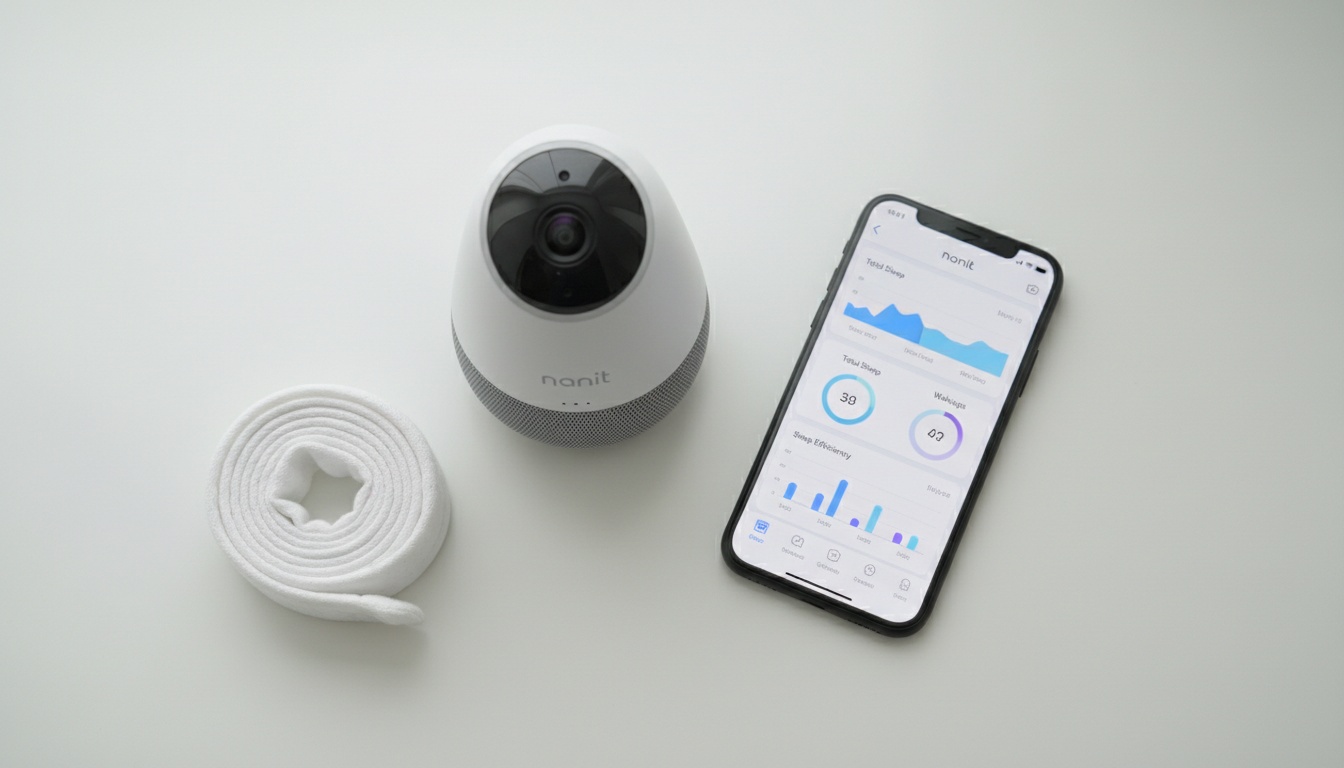
1. The Short Answer: Is Nanit Worth It?
Yes — for first-time parents who'll use the sleep tracking. Nanit Pro offers the strongest sleep analytics and best image quality in its category, but the true cost runs higher in year one with the subscription — see our Nanit subscription cost breakdown for the exact plan math. Whether it's worth it depends entirely on whether you'll engage with the data.
But "worth it" depends entirely on whether you'll use what you're paying for. Parents who open the Nanit Insights dashboard every morning, track sleep trends week over week, and adjust routines based on the data? They consistently report it changed how they parent. Parents who mount it, watch the live feed, and never touch the analytics? They overpaid for a very expensive webcam.
Two camps exist for a reason. Nanit is transformative for data-oriented first-time parents who are lost in those early months. For second-time parents with established routines, or anyone who flinches at a recurring subscription charge, cheaper alternatives deliver most of the core value at a fraction of the price.
The rest of this article is a structured cost-benefit analysis — not a product page. Read the section that matches your situation.
---
2. What You're Actually Paying For: Costs and Subscriptions Broken Down
The sticker price isn't the real cost. Here's what you're actually looking at before you buy:
- Hardware: $299–$379 (one-time, approximate — verify current pricing before purchase)
- Year 1 subscription: Free (included)
- Year 2+ subscription: ~$15/month (verify current rate at nanit.com)
- Breathing Band add-on: ~$25 (for ages 3–24 months, approximate — verify current pricing before purchase)
The Nanit Pro retails with a wall mount for around $299, or $379 with the floor stand (approximate retail prices — verify current pricing before purchase). The camera ships with a one-year free Nanit Insights subscription, which is a meaningful inclusion. Still, it's a trial, not a permanent feature.
After year one, Nanit Insights runs roughly $10–$20/month depending on the tier. The standard single-camera plan sits at approximately $14.99/month per Nanit's official pricing page — verify the current rate before purchase, as pricing can change. If you're comparing older reviews to current pricing, that gap matters.
True cost of ownership (Nanit Pro + Insights subscription):
| Hardware (one-time) | Subscription (cumulative) | Total Spend | |
|---|---|---|---|
| End of Year 1 | $299–$379 | $0 (free) | $299–$379 |
| End of Year 2 | $299–$379 | $120–$240 | $419–$619 |
| End of Year 3 | $299–$379 | $240–$480 | $539–$859 |
Framed differently: if you use the monitor for 18 months with the subscription, you're looking at roughly $1.10–$1.60 per day. That's not outrageous for a product you interact with multiple times daily. But it's not cheap either.
At ~$1.10–$1.60/day over 18 months, Nanit costs less than a daily coffee — but only if you use the subscription features.
Breathing Band: Costs and What It Actually Does
The Breathing Band adds another layer. A small-size band (0–3 months) is included in the box. The larger band for ages 3–24 months costs an additional ~$25 (approximate retail price — verify current pricing before purchase). If you want continuous motion monitoring past the newborn stage, budget for it.
Nanit Pro vs. Standard Nanit: Which Model Should You Buy?
The Nanit Pro replaced the Nanit Plus as the flagship, and the upgrade is real. The Pro features improved image quality over the original Plus, an ambient light sensor for smoother day-to-night transitions, and a new status light that's separate from the nightlight — a small but useful change for dark nurseries.
Unless you find the older Plus at a steep discount, buy the Pro. The price delta is small enough that the image quality improvement alone justifies it.
---
3. Nanit's Best Features: What Justifies the Premium Price
Video Quality and Night Vision
Start with video quality, because it's the first thing you notice. The Nanit Pro shoots 1080p HD with night vision that's clear — not the grainy green-tinted image you get from budget monitors. The overhead angle (wall or stand mount) gives you a full-crib view that side-mounted cameras can't match.
Sleep Tracking and Analytics
Sleep tracking is where Nanit separates itself from every other monitor in the category. The app tracks when your baby falls asleep, how long it took, how many times they woke, and how many check-in visits happened — then generates heat maps of movement across the night. You get timelapse sleep summaries that compress an entire night into a few seconds.
That last part — the timelapse — is useful in a way that's hard to explain until you've seen it yourself.
After a week of data, patterns emerge that you'd never notice in the fog of new parenthood. I tracked my son's sleep for three weeks before I noticed the 45-minute wake window pattern the app flagged — something I'd never have caught manually. Parents who track consistently for two weeks report the same thing: patterns that felt random suddenly have structure. One parent in a parenting forum described it as "the first time I felt like I understood what was happening at night instead of just surviving it."
Additional Features and App Experience
The Breathing Band uses a small optical sensor to detect chest-wall movement. It's looking for the absence of motion, not measuring clinical vitals. This is a motion-detection feature for general awareness, not a medical monitoring device. If you have concerns about your baby's breathing or health, consult your pediatrician — this is a wellness tool, not a clinical device.
Beyond motion monitoring, the app includes temperature and humidity readings from the nursery, two-way audio, an adjustable nightlight with timer, and volume-adjustable white noise and nature sounds built into the camera. Alexa compatibility is there if you use it. You can give grandparents, a nanny, or a sitter real-time access without sharing your password — everyone sees the same live feed and sleep data, which eliminates the "how did they sleep?" text chain.
The Insights subscription also includes Nanit's sleep training guides and developmental milestone resources. For first-time parents who are genuinely unsure what normal infant sleep looks like, that content library is where most people actually start — before the data makes sense, the guides explain what you're looking at.
Setup is straightforward. You'll have the camera mounted and streaming within 10 minutes — the floor stand needs no tools, and the app walks you through Wi-Fi connection step-by-step. One constraint worth knowing: Nanit recommends placing the camera reasonably close to your Wi-Fi router (check Nanit's official setup documentation for the specific guidance). In a large house or a nursery at the far end of a hallway, that's a real consideration.
---
4. Real Downsides and Limitations Parents Should Know About
What Are the Downsides of Nanit?
The biggest downside: the best features require a ~$15/month subscription after year one. Without Nanit Insights, you have a good camera and not much else. Connection stability on slower Wi-Fi networks is the second most common complaint. The Breathing Band monitors motion only — not clinical vitals.
Subscription fatigue is real in 2026. Consider this: parents are already paying for Spotify, Netflix, a meal kit, and probably a fitness app. Adding $15/month for baby monitor analytics sits differently than it did when Nanit launched.
Beyond subscriptions, connection stability is the most common complaint in user reviews. Nanit is fully Wi-Fi dependent — no offline mode, no local storage, no fallback. On slower or congested networks, lag happens. Keeping the camera within a reasonable distance of your router is important, and ignoring Wi-Fi proximity creates reliability problems.
Another real limitation: no battery mode means the camera is tethered to an outlet. Travel families will find this limiting. A travel case accessory may be available (check Nanit's current accessories page), but you're still hunting for an outlet in a hotel room and hoping the Wi-Fi is stable enough to connect.
The Breathing Band limitations deserve plain language: it monitors motion, not clinical vitals. The AAP does not endorse any specific monitor brand or device for clinical purposes. Marketing language around "motion monitoring" refers to motion detection — full stop.
Warranty and Customer Support
One more practical consideration before you buy: Nanit offers a one-year limited warranty on hardware covering manufacturing defects; accidental damage is not included. Support is available via email and chat — no phone line, which frustrates parents dealing with a connectivity issue at 2am.
Here's where the value proposition shifts: second-baby ROI drops significantly. After one child, you know the sleep patterns, you've survived the newborn phase, and the data gap that Nanit fills so well for first-timers simply isn't there. An Infant Optics DXR-8 Pro (approximate retail price varies — verify current pricing before purchase) does everything a second-time parent actually needs.
---
5. Is Your Data Safe? Security and Privacy with Nanit
Should you actually worry about someone hacking your baby monitor? Yes — but not in the way most parents imagine. Baby monitors have a documented history as hacking targets. Any networked camera in a nursery deserves scrutiny.
Nanit uses AES-256 encryption for stored data and TLS in transit — industry-standard protections. Two-factor authentication is available and should be enabled. These are legitimate security measures, not marketing checkboxes.
What Nanit collects: account information, video footage, and sleep analytics data. Video is stored in the cloud, which is the core trade-off of the platform. If cloud-stored footage is a dealbreaker for your household, Nanit isn't the right fit — that's the architecture, and it's worth knowing before you buy.
Compared to competitors, Nanit's security posture is solid. Miku Pro takes a privacy-first approach to audio analysis and cloud storage — check Miku's official documentation for current details on their data processing architecture. That matters for privacy-conscious parents. Nanit's approach is more conventional cloud storage, with the protections you'd expect from a funded consumer tech company.
Practical steps worth taking regardless of which monitor you choose: use a strong unique password, enable 2FA, and keep your router firmware updated. Those three steps eliminate the vast majority of consumer-level attack surface.
---
6. Is Nanit Worth It for Your Family? A Decision Framework
Value depends on your family situation. First-time parents benefit most from sleep tracking; second-time parents often don't. Budget-conscious buyers should skip it unless they'll use Insights. Tech-forward parents and travel families have different needs entirely.
Here's how the value proposition breaks down:
First-time parents: High value. Sleep tracking fills a genuine knowledge gap in those early months when you have no baseline for what's normal. For this group, Nanit is the category leader in the premium baby monitor space.
The data doesn't just inform you — it reduces anxiety by showing you patterns that feel chaotic in the moment but are actually consistent. That's the thing nobody tells you until you've seen it yourself.
Second-time parents: Lower value, often significantly so. You've done this. You know what a sleep regression looks like. A reliable mid-range monitor at $80–$150 covers what you actually need.
Budget-conscious buyers: Run the break-even math. If you won't use Nanit Insights past the free year, you're paying significantly more for hardware that doesn't justify itself without the software.
Tech-forward parents who'll use every feature: Nanit is the right call. The app polish is real, the sleep tracking depth is unmatched in any smart baby monitor comparison, and the ecosystem (Alexa, multi-caregiver access, accessories) is well thought through.
Travel families: Look elsewhere. No battery mode and Wi-Fi dependency make Nanit awkward on the road. A portable Bluetooth-range monitor like the Infant Optics DXR-8 Pro handles travel use cases far better.
Multi-child households: Each additional camera is full price, and each child's data sits in the same account. The cost scales linearly, which gets expensive fast. Two cameras plus two years of Insights subscriptions crosses $800 without trying hard.
Most major retailers offer a 30-day return window — test the app and sleep tracking with your family before committing to the annual subscription.
Toddler Monitoring Through 18–24 Months: How It Changes the ROI
One angle most reviews miss: toddler sleep tracking. Parents who keep the Nanit running through 18–24 months report the data is useful for spotting nap-drop transitions and early bedtime resistance patterns. The camera's overhead angle also works well for a floor bed or toddler mattress transition (a move that side-mounted cameras can't handle cleanly). If you're considering the monitor as a longer-term investment rather than a newborn tool, that extended utility is worth factoring into the cost-benefit analysis.
Do Pediatricians Recommend Nanit?
The AAP does not recommend any specific monitor brand or endorse any particular device for clinical purposes. Nanit's marketing partnerships with sleep consultants do not constitute clinical endorsement. BabyRadar is a wellness analytics tool and makes no medical claims or endorsements.
That distinction matters. Nanit is a wellness tool with useful sleep data. It's not a clinical monitor, and no marketing language should suggest otherwise.
iOS and Android Compatibility
Nanit runs on iOS (iPhone 8+) and Android. iOS users report smooth performance; older Android devices may experience lag on congested Wi-Fi. If you're on an older Android device, test the app during the return window.
---
7. Nanit vs. Competitors: How It Stacks Up on Value
| Nanit Pro | Owlet Dream Cam | Miku Pro | VTech (audio) | |
|---|---|---|---|---|
| Price (approximate, verify current) | ~$299–$379 | Verify current pricing | ~$299 | ~$50–$100 |
| Subscription required | Yes (after yr 1) | Paid tier optional | Paid tier optional | Paid tier optional |
| Video/image quality | 1080p HD | 1080p HD | 1080p HD | N/A |
| Sleep tracking | Yes (Insights) | Basic | Yes | No |
| Motion monitoring | Breathing Band | No | Yes | No |
| Cloud storage | Yes | Yes | Check Miku documentation | No |
Where Nanit Wins
Nanit has the strongest sleep analytics and most polished app experience of the three monitors in this comparison — if you'll use the subscription. The Nanit Insights dashboard is more detailed than anything Owlet offers, and the app experience is more refined than Miku's.
Where Competitors Win
Miku Pro takes a privacy-first approach — check Miku's official documentation for current details on their data processing and subscription model, as these can change. That matters for privacy-conscious parents. Owlet Dream Cam has strong brand recognition and hits a competitive price point that's hard to argue with for parents who just want reliable video (verify current pricing before purchase). VTech wins on simplicity and cost for parents who don't need video at all.
For parents who want cry detection that runs on the device itself, BabyRadar takes a different approach: it turns a spare iPhone into a smart monitor with on-device sound analysis, a crib photo attached to each cry alert, and on-demand live video over an encrypted connection between your paired devices. The camera is opt-in and stays off between uses. Worth knowing: BabyRadar is freemium. Cry detection and push alerts are free with no time limit; Pro ($9.99/mo or $59.99/yr) adds live listen, Watch Live, crib photo viewing, and event audio playback. Download free on the App Store if privacy-first monitoring is the priority.
One honest summary: Nanit is the best all-around smart baby monitor if you'll use the subscription and the sleep tracking. If you won't, Miku Pro or a solid mid-range camera is smarter money.
If you've decided Nanit is the right fit, check current pricing and availability on Amazon before the subscription rate changes.
---
8. Final Verdict: Who Should Buy Nanit (and Who Shouldn't)
Buy Nanit if: it's your first baby, you'll engage with sleep tracking, you want the best image quality and app experience in the category, and a subscription doesn't sting your budget.
Skip Nanit if: you're on your second child with established routines, you're budget-constrained and won't use Insights, you need portability, or you're a privacy-first household that wants local storage over cloud.
The premium baby monitor category exists because parental anxiety is real and data helps some families more than others. Nanit earns its price for the parents it's designed for — first-timers who are lost in the data gap of those early months and will actually open the dashboard. Buying it as a passive live-feed camera is the one scenario where the math never works out.
Ready to order? View Nanit Pro on Amazon — compare prices and read verified parent reviews.
---
9. Key Takeaways
- True year-one cost: hardware at approximately $299–$379 (verify current pricing); subscription adds roughly $120–$240/year after the free first year (verify current rate at nanit.com before purchase)
- Sleep tracking and image quality are best-in-class — but only matter if you use them
- The Breathing Band monitors motion via optical sensor, not clinical vitals; it is not a medical device
- First-time parents get the most value; second-time parents often don't — a reliable mid-range monitor covers what they actually need
- Miku Pro (with a privacy-first approach to data processing) and Owlet Dream Cam (with an optional paid tier) are the strongest alternatives — verify current pricing and subscription models before purchase
- Toddler monitoring through 18–24 months is an underrated use case — overhead angle works for floor beds and nap-drop tracking
- Enable two-factor authentication regardless of which monitor you choose
- Nanit offers a one-year limited warranty; support is email and chat only — no phone line