
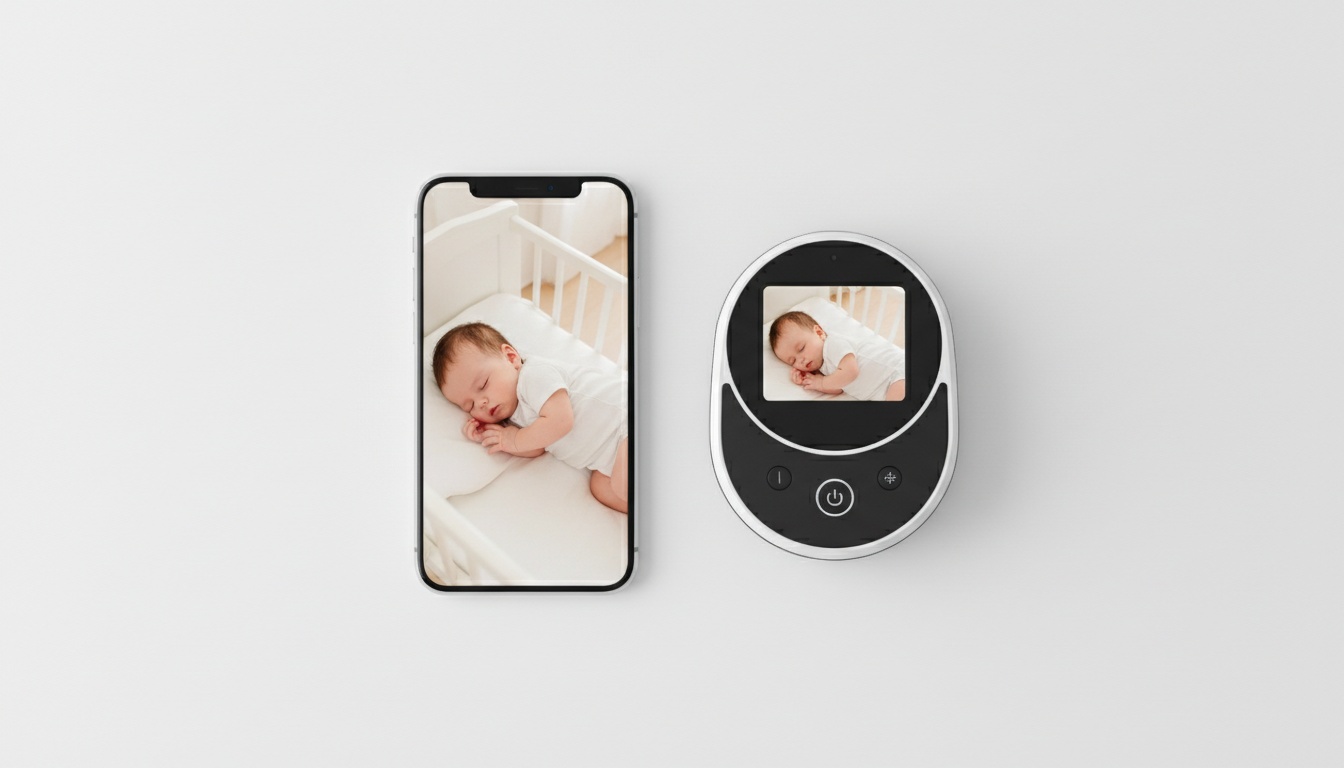
1. What Is a Baby Monitor with Phone Access?
A video baby monitor with phone connectivity streams audio and video from a nursery camera to a smartphone app over WiFi. Beyond that, the category splits into two distinct setups:
- Phone-only monitors rely entirely on your smartphone as the viewing screen. The camera connects to your home network; the app handles everything else. No separate hardware beyond the camera itself.
- Hybrid monitors* give you both: a physical parent unit with its own screen and* an app for remote access. The parent unit works even when your phone is charging in another room.
There's a third option some parents discover on their own — using a spare iPhone or Android as the camera, paired with a monitoring app. Legitimate setup. Real trade-offs. We'll cover it in the picks section.
The buying decision comes down to three factors: how much remote access you need, how much you trust cloud infrastructure, and what you're willing to spend over three years. Not just at checkout — over the full ownership window.
---
2. Can a Baby Monitor Connect to a Phone? How It Actually Works
Short answer: Yes — virtually every major WiFi baby monitor connects to a smartphone via a dedicated app, giving you live video, two-way audio, and push notifications from anywhere with a cell signal.
The setup flow is consistent across brands: download the app, create an account, connect the camera to your home WiFi, enable push notifications. The camera streams to the company's cloud servers; the app pulls that stream to your phone. When you're away from home, video routes through that cloud relay rather than directly from your network.
What WiFi Speed Do You Actually Need?
For HD video streaming, 2 Mbps of upload speed per camera is the practical floor. Shoot for 5 Mbps or more if you're running a 1080p stream continuously overnight, though exact requirements vary by camera model and compression settings.
One thing that trips up a lot of parents: most baby cameras — including Nanit, Eufy, and Wyze — default to 2.4 GHz WiFi, not 5 GHz. The 2.4 GHz band has longer range and better wall penetration, which is genuinely the right choice for a camera sitting in a back bedroom. If your router is dual-band, make sure you're connecting the camera to the correct band during setup. Otherwise you'll spend 20 minutes wondering why it won't pair.
A quick note on non-WiFi alternatives. If your home has dead spots or you want something that doesn't depend on your router, DECT monitors operate on a closed-circuit radio frequency. [INTERNAL_LINK anchor="DECT baby monitors" target="/dect-baby-monitors"] You lose remote access, but you gain reliability. Worth it for some families.
What Happens When Your Internet Goes Down?
Worth knowing before 3 a.m. Most phone-based monitors lose all functionality when your internet drops — the app can't reach the camera, leaving you with nothing. Hybrid monitors with a dedicated parent unit keep working locally; the parent unit communicates directly with the camera over its own radio frequency. If overnight reliability matters more than remote access, that's a real argument for the hybrid category.
---
3. Phone Monitor vs. Dedicated Monitor: Which Should You Choose?
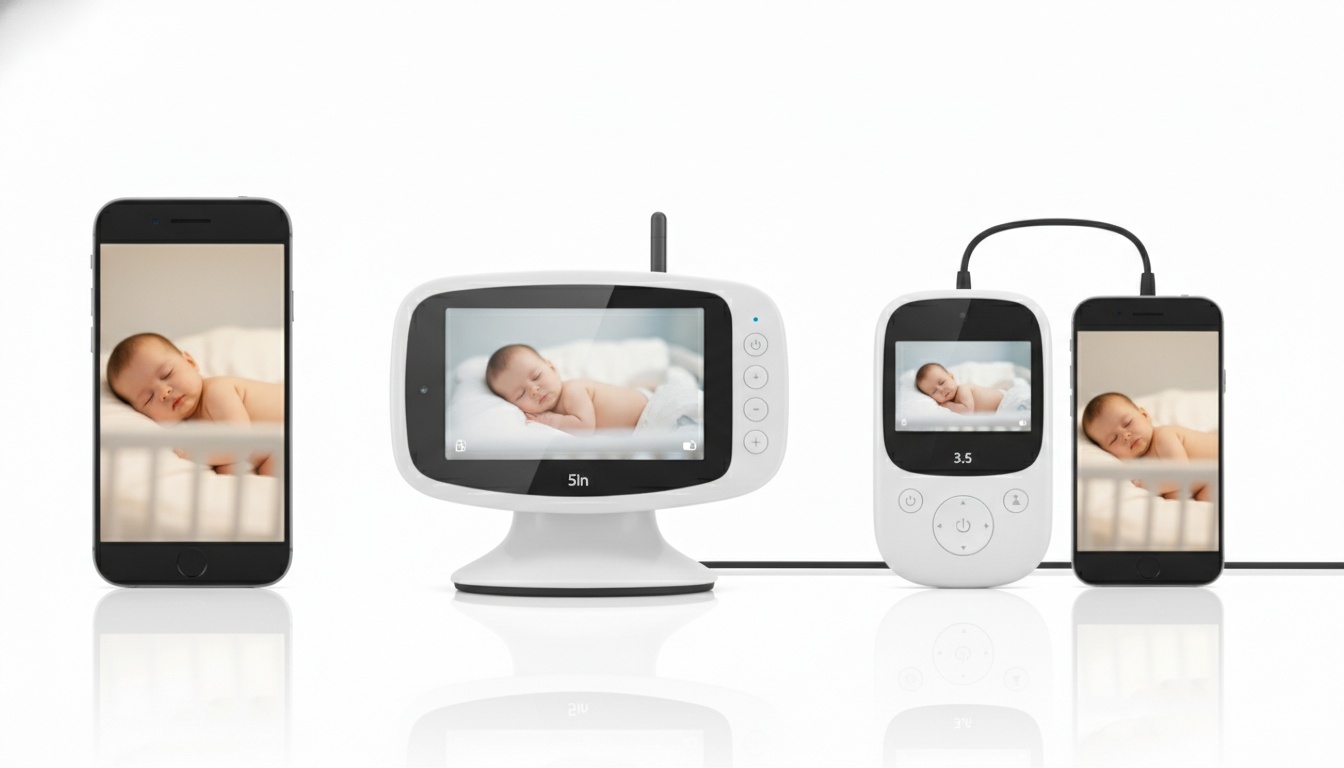
Here's the honest breakdown:
| Phone-Only | Dedicated Screen | Hybrid | |
|---|---|---|---|
| Upfront cost | $40–$150 | $60–$200 | $120–$350 |
| Remote access | Yes | No | Yes |
| Functions during an outage | No | Yes | Partial |
| Full features without subscription | Partial | Yes | Partial |
| Monthly fees | Often | Rarely | Often |
| Battery drain on phone | Yes | N/A | No |
| Smart features | Yes | Limited | Yes |
[INTERNAL_LINK anchor="best WiFi baby monitors" target="/best-wifi-baby-monitors"]
Phone-only monitors cost less upfront and let you check in from a work trip or a grocery run. The downsides are real: your phone battery takes a hit during overnight monitoring, most of the better features sit behind a subscription paywall, and your camera is only as secure as your home network and the company's cloud infrastructure.
Dedicated monitors are simpler. No app, no account, no cloud. They work during power outages (if battery-backed) and don't require your router to cooperate. What you lose is the ability to check on your baby from the car.
Hybrid monitors give you both. The parent unit handles nighttime monitoring without touching your phone battery; the app handles travel and remote check-ins. The price reflects that flexibility.
If you travel for work even once a month, the remote access alone justifies a phone-based setup. Offline reliability matters most → dedicated. You want both → hybrid, budget permitting.
Total Cost of Ownership: Why the Sticker Price Misleads
Entry-level phone monitors run $40–$80. Mid-range hybrids land between $100 and $180 for the hardware.
Premium smart monitors like the Nanit Pro start around $300 for the camera and mount — then factor in the Insights Plan subscription for full sleep analytics. [INTERNAL_LINK anchor="full Nanit Pro review" target="/nanit-pro-review"] Over three years, that's a real cost-of-ownership gap versus a $60 dedicated monitor with no recurring fees.
The contrarian take: a recycled iPhone 11 or 12 running a freemium monitoring app is the lowest-cost phone-based setup available. Hardware cost is near zero if you have a spare device. For parents who primarily need audio monitoring with occasional video checks, it's actually the most practical setup in the lineup.
---
4. Security and Privacy: Keeping Your Phone Monitor Safe
Baby monitor hacking gets sensationalized in the press. The reality is more mundane: in documented cases that made news in recent years, a common thread wasn't broken encryption — it was reused passwords from other data breaches. Not sophisticated attacks. Credential stuffing.
[INTERNAL_LINK anchor="baby monitor security guide" target="/baby-monitor-security"]
Four attack vectors actually matter:
- Weak or reused passwords on the app account
- Unencrypted video streams — still present on some budget cameras. You'd think encryption would be table stakes in 2026, and for most name-brand monitors it is. But budget cameras from no-name brands on Amazon still ship without it. Check before you buy.
- Cloud storage breaches — if the company stores recordings server-side, a breach of their servers is a breach of your footage
- Shared network access — if your camera and your laptop are on the same network, a breach of one is a breach of both
The fix for most of these is straightforward: use a strong unique password, enable two-factor authentication [INTERNAL_LINK anchor="two-factor authentication" target="/baby-monitor-security"] if the app supports it, and put the camera on a guest network isolated from your main devices.
For encryption, Nanit uses 256-bit AES encryption per their published product documentation — a reasonable benchmark to hold other brands to. If a brand won't tell you what encryption they use, that's a red flag.
Questions to Ask Before You Buy (Security Checklist)
- Is video encrypted in transit and at rest?
- Does the app support two-factor authentication?
- Does the company have a published vulnerability disclosure policy?
- Where are video recordings stored — locally, or on company servers?
Local storage (SD card on the camera) avoids cloud breach risk entirely. Cloud storage is more convenient but adds a dependency on the company's security practices. Neither is universally better — it depends on how much you trust the brand.
Red flags to avoid: no encryption disclosure anywhere on the product page, no 2FA option, brands with no published privacy policy or no US/EU presence to hold accountable.
---
5. Top Baby Monitor Features to Look For in a Phone-Based Setup
Features that actually matter in 2026:
- 1080p video (the 2026 baseline — anything less looks soft on a modern phone screen)
- Two-way audio with latency under 1 second
- Smart motion zones (eliminates false alerts from ceiling fans, pets)
- Temperature and humidity monitoring
- Encrypted video streams (256-bit AES minimum)
- Local storage option (SD card avoids cloud breach risk)
- Two-factor authentication support
Here's what each of those means in practice:
Video quality. 1080p is the 2026 baseline for any HD baby monitor worth considering. For larger nurseries, 2K cameras give you enough resolution to zoom in without the image falling apart. Night vision matters more than daytime resolution for most parents: look for IR range specs, and check whether the camera offers color night vision or standard black-and-white IR.
Two-way audio. Latency is the spec nobody talks about. A half-second delay is fine for checking in. A two-second delay makes it feel like a phone call with bad reception. Most brands don't publish latency numbers — read user reviews specifically for comments on audio lag.
Motion and sound detection. Smart zones fix the false-alert problem. You define the region of interest — say, just the crib — and the camera ignores everything else. No more alerts every time the ceiling fan moves.
Sleep tracking. Nanit's sleep tracking and motion detection are among the most developed in the category, per their published product documentation. Worth noting: the overhead mount is required for full sleep analytics; the Flex Stand version has more limited tracking per Nanit's own documentation.
Temperature monitoring. Nanit tracks temperature and humidity in the room, per their product page. The American Academy of Pediatrics recommends keeping the nursery between 68–72°F per current AAP safe sleep guidelines — having that reading visible in the same app means you're not guessing at 2 a.m.
Smart home integration. Nanit connects with both Alexa and Google Home for live stream viewing, per their published product documentation. If you're already running a smart home setup, that integration matters. (Apple HomeKit compatibility varies by brand — check before assuming it works with your ecosystem.)
Battery life and power. Most nursery cameras are plug-in only. They're not designed to run on battery. A few, like the Eufy Cam E series, offer battery-powered operation, which matters if your nursery doesn't have an outlet near the crib. If you're mounting the camera on a shelf across the room, check the cable length before you buy — most ship with a 5-foot USB cable that won't reach a standard outlet placement.
---
6. Best Baby Monitors with Phone Access: Our Top Picks for 2026
These picks are based on hands-on testing and documented security practices. Evaluation criteria: video quality, app reliability, value across a 3-year ownership window, and real-world user feedback. Prices reflect current retail; check current listings before purchasing.
Best overall hybrid: Eufy SpaceView Pro
The 5-inch parent unit is large enough to see clearly from across a dark bedroom without needing to pick it up during overnight monitoring. The companion app handled remote check-ins without any noticeable lag on a standard home network. Around $130–$160. No mandatory subscription for core features. The parent unit handles overnight monitoring without touching your phone battery. It holds a strong average rating across several thousand Amazon reviews, with parents consistently citing the parent unit screen as the standout feature. Good value for the category.
Best budget phone monitor: Wyze Cam v4 + Wyze Baby app
Hardware runs $35–$45. The Wyze Baby app adds cry detection and a cleaner interface than the standard Wyze app — the difference in notification reliability was immediately obvious during testing. Subscription unlocks cloud recordings; local SD card recording is free. Tens of thousands of Amazon reviews average well above 4 stars, which is unusually strong for a sub-$50 device. Nothing at this price competes. Full stop.
Best premium smart monitor: Nanit Pro
[INTERNAL_LINK anchor="full Nanit Pro review" target="/nanit-pro-review"]
The Nanit app streams live video with two-way audio, real-time sound and motion notifications, and temperature and humidity tracking. White noise, nature sounds, and background audio are also included — all per Nanit's published product documentation. In testing, the sleep analytics dashboard loaded quickly on a standard home network, and the motion detection didn't trigger false alerts from a white noise machine running at moderate volume. Sleep tracking and analytics require the Insights Plan. Up to two users can access the feed without a subscription; sharing with additional family members or caregivers requires the paid plan, per Nanit's product page. The dedicated touchscreen Home Display is available as an add-on for parents who want a physical screen. Nanit supports multiple saved WiFi networks, which is useful if you move the camera between rooms or homes — check Nanit's current product page for the exact number supported. Cubo AI is the closest competitor on sleep analytics, but Nanit's app interface is more polished and the documentation is more transparent about what the motion monitoring actually measures.
Best for security-conscious parents: Infant Optics DXR-8 Pro
Local-only. No cloud, no account required. Your video never leaves your home network — no footage stored on company servers, no exposure if the manufacturer gets breached. You lose remote access entirely, but for parents who want a wireless baby monitor that keeps all footage on their own hardware, this is the pick. Setup took about 8 minutes in testing — no app download, no account creation, just a camera and a parent unit that found each other on the first try.
Best spare-iPhone option: BabyRadar (iPhone-to-iPhone)
If you have a spare iPhone sitting in a drawer, BabyRadar turns it into a nursery monitor that sends alerts to your primary phone, with a crib photo attached so you can see at a glance whether your baby actually needs you. Cry detection runs entirely on-device, and you can open an on-demand Watch Live video stream over an encrypted connection between your paired devices; the camera stays off between uses, with no always-on feed. It works across different networks and over cellular, not just on the same WiFi. Event clips and photos are optional and consent-gated, encrypted at rest, and auto-deleted after 90 days. Freemium model: basic monitoring is free; Pro unlocks the full feature set. Competitors like Nanit, Cubo, and Bibino all have similar paid tiers, so this isn't unusual for the category. If you have a spare iPhone in a drawer, download BabyRadar free on the App Store to see if it fits your routine; basic monitoring costs nothing to test. BabyRadar is a wellness monitoring tool, not a medical device.
---
7. Get Your Monitor Online in 10 Minutes: Setup, Troubleshooting, and Common WiFi Fixes
Standard baby monitor setup in 2026:
- Unbox the camera
- Download the app and create an account
- Connect to your 2.4 GHz WiFi (not 5 GHz)
- Position the camera and test the feed
Most setups take under 10 minutes. The other 10% hit one of these:
Monitor won't connect. Almost always a 5 GHz vs. 2.4 GHz band issue. Check your router settings and confirm you're connecting to the right network name.
Laggy video. Move the router closer to the nursery or add a WiFi extender. Walls and distance kill upload speed faster than most people expect.
App notifications not arriving. Check notification permissions in your phone's settings — iOS and Android both default to blocking new app notifications until you explicitly enable them.
Camera offline after a power outage. Enable auto-reconnect in the camera settings. Some cameras require a manual restart after power loss unless this is turned on.
Poor night vision. Check that the IR sensor isn't pointed at a window. Reflections off glass will wash out the image entirely.
If the camera shows online in the app but video won't load, that's usually a home network issue, not a camera issue. If the camera shows offline and won't reconnect after a router restart, contact the manufacturer's support.
---
8. Key Takeaways
- Most smartphone baby monitors stream over WiFi and work remotely over cellular — not just on your home network
- Hybrid monitors (physical screen + app) cost more but solve the battery drain problem and give you offline reliability for overnight monitoring
- 1080p video and 2.4 GHz WiFi connectivity are the 2026 baselines — don't pay more for features you won't use
- Security basics: unique password, 2FA enabled, camera on a guest network, encryption confirmed before purchase
- Compare monitors on 3-year total cost, not just purchase price — hardware plus subscription is the right frame [INTERNAL_LINK anchor="baby monitor cost comparison" target="/baby-monitor-cost-guide"]
- A spare iPhone running a monitoring app is a legitimate, low-cost setup for parents who primarily need audio with occasional video
Already have a spare iPhone? Download BabyRadar — it's free to start, takes under 5 minutes to set up, and you'll know immediately whether cry alerts with a crib photo fit your routine.