
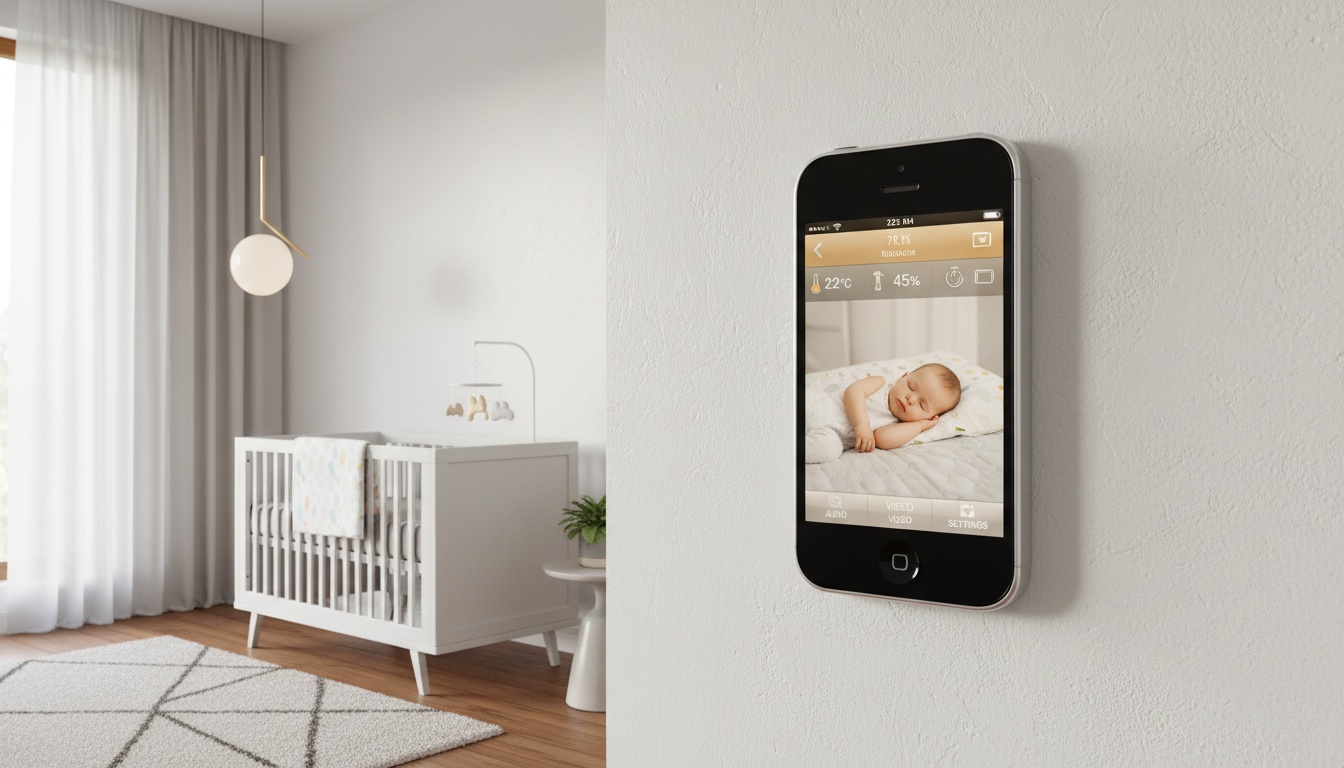
1. Which Old iPhone Models Deliver Smooth Monitoring (And Which Might Lag)
Not all older iPhone models handle baby monitoring equally well. Based on typical app requirements, devices need sufficient processing power for real-time video streaming, though specific model performance varies.
In practice, based on user reports and app store reviews, here's what to expect:
- iPhone 6/6 Plus: Basic functionality but performance can vary
- iPhone 7/7 Plus: Generally stable though performance depends on device condition
- iPhone 8/8 Plus and iPhone X: Often provide smooth operation
Your device needs iOS 12 or later for most baby monitor apps. iPhone 8 models continue to receive iOS updates that ensure app compatibility.
2. Set Up Your Baby Monitor in 10 Minutes: Step-by-Step
Setting up your old iPhone baby monitor can be done quickly once you know the process. I'll walk through the exact steps using a typical baby monitor app as our example.
Download and Install
- Install your chosen baby monitor app on both devices
- Create an account using the same email on both phones
- Designate your old iPhone as the "Baby Station" and your current phone as "Parent Station"
Device Pairing
Once paired, the pairing process happens automatically once both devices are logged into the same account. The app connects multiple devices across all platforms, so your old iPhone can communicate with your current phone through the app's compatibility features.
Camera Positioning
Mount your old iPhone at an appropriate distance from the crib with a clear view. Most parents use a simple phone stand or wall mount. Consider safety guidelines when positioning any monitoring device in the nursery.
Initial Configuration
Enable motion detection, sound detection, and two-way communication in your app settings. Set notification preferences for when your baby wakes up, moves, or falls asleep. Many apps send notifications with photo or video previews when these events occur, though features vary by app and subscription tier.
Troubleshooting Common Setup Issues
If you encounter issues during this setup, connectivity problems can affect older iPhone models. Here are the most common fixes:
| Problem | Solution |
|---|---|
| Frequent disconnections | Move router closer to nursery or add WiFi extender |
| App crashes or lag | Close background apps; enable [Guided Access](https://support.apple.com/accessibility) to lock into monitor app |
| Audio/video sync issues | Lower video quality in app settings to reduce bandwidth |
First, network signal strength impacts monitoring reliability across all devices. To fix this, app performance issues may occur on devices with limited resources. If this happens, lower the video quality in your app settings if you notice lag between audio and video feeds.
3. The Best Baby Monitor Apps for Old iPhones: What I Tested
Testing various baby monitor apps reveals different strengths for older iPhone compatibility. Each app offers different features and performance characteristics.
| App | Best For | Key Features | Cost | Free Tier |
|---|---|---|---|---|
| **Bibino** | Multi-device compatibility | Motion detection, WiFi/mobile data, low-light enhancement | Premium subscription | Basic monitoring |
| **Cloud Baby Monitor** | HD video quality | High-definition video, built-in lullabies, night light controls | Premium subscription | Limited features |
| **FaceTime** | Budget option | Built-in iOS app, reliable connection | Free | Full features |
| **BabyRadar** | Privacy-focused families | On-device cry detection, crib photo with each alert, on-demand Watch Live video | Freemium model | Basic audio alerts |
Bibino is one popular option for older iPhone compatibility. It works with WiFi and mobile data, offers motion detection, and provides real-time video with automatic visibility enhancement for low-light conditions. The app includes two-way communication and keeps logs of all past monitoring sessions with replay capability.
Cloud Baby Monitor is another option that offers high-definition video and clear audio. The app includes built-in lullabies and night light controls as standard features.
FaceTime serves as a free baby monitor using Apple's built-in video calling. Simply call your old iPhone from your current phone and leave the connection open. This works surprisingly well for basic monitoring but lacks motion detection and automated alerts.
BabyRadar is designed as a privacy-first approach for families who want smart monitoring without extra hardware. It uses on-device audio analysis to detect when your baby is making sound and distinguish baby sounds from ambient noise, so detection never depends on the cloud. When a cry is detected, the alert arrives with a crib photo, and you can open an on-demand Watch Live video stream from any room. There is no always-on video feed: the camera is opt-in and stays off between uses, and media capture is consent-gated with automatic deletion after 90 days. This approach typically uses less battery and bandwidth than continuous video streaming.
Free vs Paid: What Features Actually Matter for Your Setup
Most baby monitor apps follow a freemium model. Free features often include live video feed, basic two-way audio, and manual recording. Paid tiers typically add motion detection, sound alerts, cloud storage, and multi-device connectivity.
Budget-conscious parents can start with free tiers and upgrade only if they need specific features. If you prefer an approach where cry detection runs entirely on-device, explore privacy-first alternatives that prioritize your family's data security. Basic free monitoring meets most families' needs for remote monitoring and parental peace of mind.
4. Keep Your Monitor Running 24/7: Battery and Performance Optimization
Running a baby monitor app 24/7 drains older iPhone batteries quickly. Battery drain varies significantly based on device age, battery health, and usage patterns.
Battery Optimization
Keep your old iPhone plugged in constantly during monitoring. Remove the case to prevent overheating. Lower screen brightness to minimum and enable "Low Power Mode" in settings for device performance optimization.
Network Requirements
Your old iPhone needs consistent WiFi connectivity for reliable monitoring. Video lag can vary depending on network conditions and device performance.
Position your WiFi router for optimal coverage in the nursery area. Network stability affects monitoring reliability more than raw speed.
Performance Tweaks
Close all unnecessary apps before starting monitoring. Restart your old iPhone weekly to clear memory issues. Update to the latest iOS version your device supports for app compatibility.
Prevent 3 AM Disconnections: Network Setup That Actually Works
Your home network setup significantly impacts monitoring reliability. Nothing's more frustrating than your baby monitor disconnecting at 3 AM when you're already exhausted.
Consider upgrading to a mesh WiFi system if your current router doesn't provide strong coverage in the nursery. The investment pays off in reduced disconnections and better video quality.
Monitor data usage if using mobile data as backup. Cloud storage features can consume considerable bandwidth during extended monitoring sessions.
5. Monitor Multiple Rooms: How to Expand Beyond the Nursery
Using multiple old devices creates a comprehensive monitoring system. Setting up devices in different rooms provides complete coverage throughout your home.
Device Management
Many apps support monitoring multiple babies simultaneously from one parent station. Each old iPhone becomes a dedicated camera for different rooms or angles.
Network Considerations
Multiple devices increase bandwidth requirements. Ensure your home network can handle simultaneous video streams without degrading performance.
Battery and Power
Each monitoring device needs reliable power. Use quality charging cables and consider battery backup solutions for extended monitoring sessions.
6. Save Money: Why Your Old iPhone Beats Dedicated Monitors (For Most Families)
Dedicated monitors can cost hundreds of dollars, while old iPhone setups often require minimal investment for mounting hardware plus optional app subscriptions.
Cost Breakdown
| Setup Type | Initial Cost | Monthly Cost | Total Year 1 |
|---|---|---|---|
| Old iPhone setup | Varies (mount + app) | Varies (premium apps) | Varies |
| Budget dedicated monitors | Varies | Varies | Varies |
| Premium monitors | Varies | Varies (cloud features) | Varies |
Feature Comparison
Dedicated monitors offer purpose-built designs and specialized features. But your old iPhone provides smartphone-quality cameras, easy app updates, and integration with your existing devices.
The environmental impact matters too. Repurposing old devices reduces e-waste while dedicated monitors add new electronic waste when they eventually break or become obsolete. This budget baby monitor alternative supports both your wallet and environmental responsibility.
When You Should Buy a Dedicated Monitor Instead
Dedicated monitors excel in specific scenarios. Parents needing specialized features like advanced sleep staging or multi-sensor integration require purpose-built hardware that smartphones can't match.
Multiple children often benefit from dedicated systems with native multi-camera support. Professional-grade sensors and specialized monitoring capabilities remain exclusive to purpose-built devices.
7. Protect Your Family's Privacy: Security Setup for Your DIY Monitor
Using your old iPhone as a baby monitor creates potential security considerations that require attention.
Network Security
Secure your home WiFi network with current encryption standards. Change default passwords on all devices. Regularly update your old iPhone's iOS to receive security patches.
App Privacy
Read privacy policies carefully. Some baby monitor apps store video in cloud servers, while others process everything locally. Review each app's data handling practices before setup.
Cloud Storage vs On-Device Processing: What's Right for Your Family?
Some apps store video in cloud servers for easy access from anywhere; others process everything locally on your device. Cloud storage offers convenience—you can check on your baby from work or while traveling. But it requires trusting a third party with your nursery footage. Local processing keeps data completely private but limits remote access when you're away from home. Consider your family's privacy priorities when choosing between these approaches.
Physical Safety
Mount your old iPhone securely to prevent it from falling. Keep charging cables away from your baby's reach. Ensure the device doesn't overheat during extended use.
Smart Home Integration Options
Modern baby monitor apps increasingly support HomeKit compatible features and smart home automation for nurseries. Your old iPhone can trigger other smart devices based on monitoring events.
Set up automation rules through your smart home system to create responsive nursery environments. These integrations provide monitoring beyond basic video feeds.
8. Protect Your Data: Legal and Privacy Considerations Before Setup
Repurposing old devices for childcare involves certain legal considerations. Ensure your old iPhone is fully reset and disconnected from previous accounts before setup.
Account Management
Sign out of all previous Apple ID accounts. Create dedicated monitoring accounts separate from personal use. This prevents accidental access to personal data during monitoring sessions.
Data Ownership
Understand who owns monitoring data created by your repurposed device. Some apps retain usage analytics even when using your own hardware.
Warranty and Liability
Repurposed devices may not carry manufacturer warranties for monitoring use. Consider this when evaluating reliability for critical childcare applications.
9. Keep Your Monitor Running for Years: Maintenance That Prevents Failures
Proper maintenance can extend your old iPhone's monitoring lifespan. Regular care helps maintain reliable performance over time.
Regular Maintenance
| Task | Frequency | Why It Matters |
|---|---|---|
| Clean camera lens | Weekly | Clear video quality |
| Check charging port | Monthly | Prevent power issues |
| Monitor [battery health](https://support.apple.com/battery) | Monthly | Consider replacement if capacity drops significantly |
Software Management
Keep monitoring apps updated but avoid unnecessary iOS updates that might slow older hardware. Delete unused apps to free storage space for monitoring data.
Hardware Care
Use quality charging accessories to prevent power issues. Keep the device in a stable temperature environment. Avoid exposing the camera to direct sunlight for extended periods.
10. Key Takeaways
- Any iPhone 6 or newer can potentially function as a baby monitor using various baby monitor apps
- Setup can be done quickly: install app on both devices, pair them, and position the old iPhone in the nursery
- You'll often save money compared to dedicated monitors while reducing e-waste
- Older models may experience occasional connectivity issues but generally provide adequate monitoring
- Keep the device plugged in and optimize network settings for best performance
- Free app tiers provide basic monitoring; paid subscriptions typically add advanced features like motion detection and cloud storage
Ready to try a simpler approach?
BabyRadar turns a spare iPhone into a smart baby monitor with on-device cry detection. Every cry alert arrives with a crib photo, and you can watch live from any room. No extra hardware, no always-on camera.